42 M101M8 Rugged Android Tablet User Guide
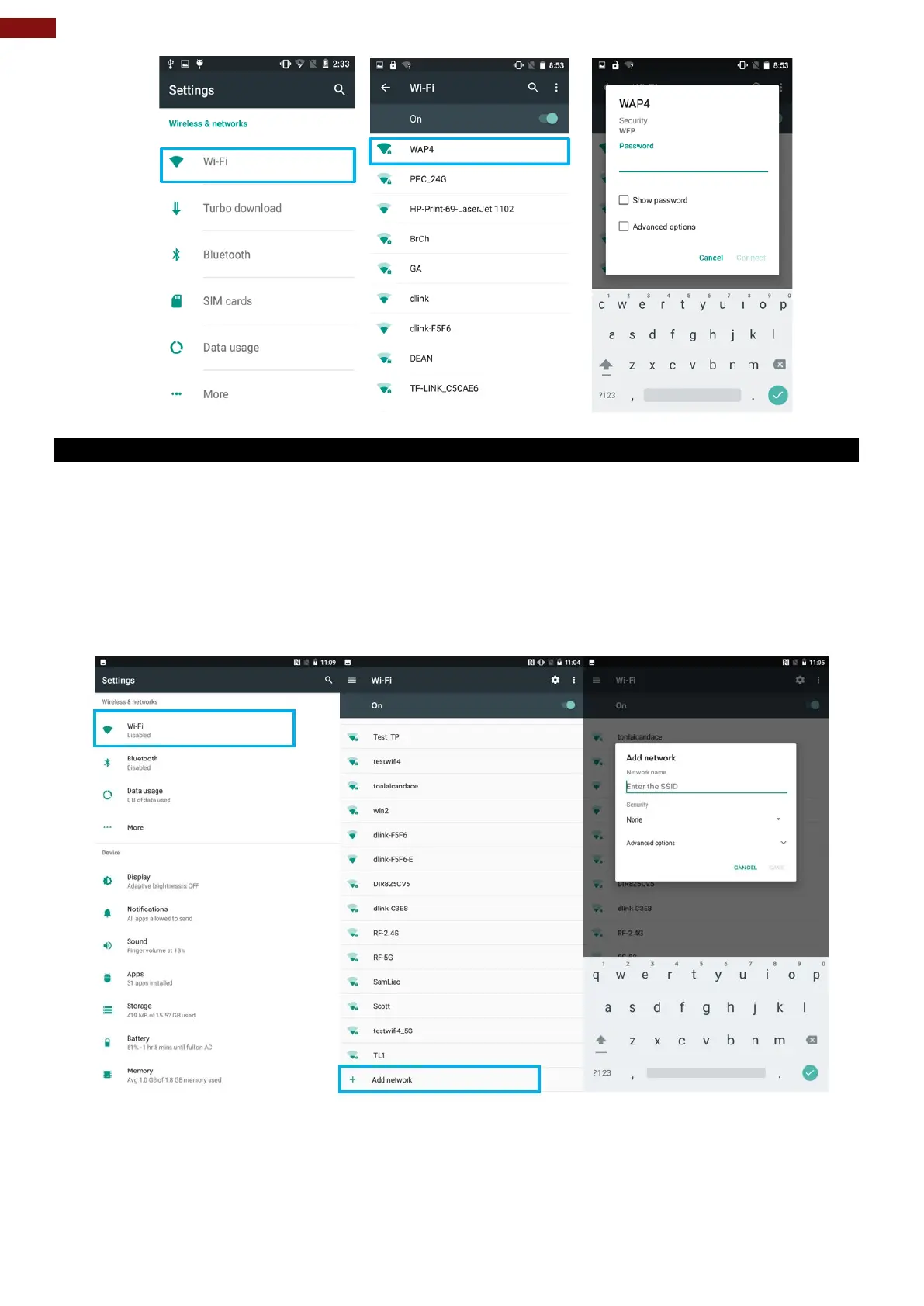
4.2.2 Adding Wi-Fi Network
1. Turn on Wi-Fi, in the Wi-Fi settings screen, tap + Add network (at the bottom of the list of
discovered networks).
2. Input the SSID (name) of the network, if the network is secured, tap the security menu and then tap
the type of security deployed on the network.
3. Enter any required security credentials.
4. Tap Save.



 To Next Page