54
M101M8 Rugged Android Tablet User Guide
6.1.7 How to Change the Scan Type of the Barcode Reader
1. Go to the “WDC” application.
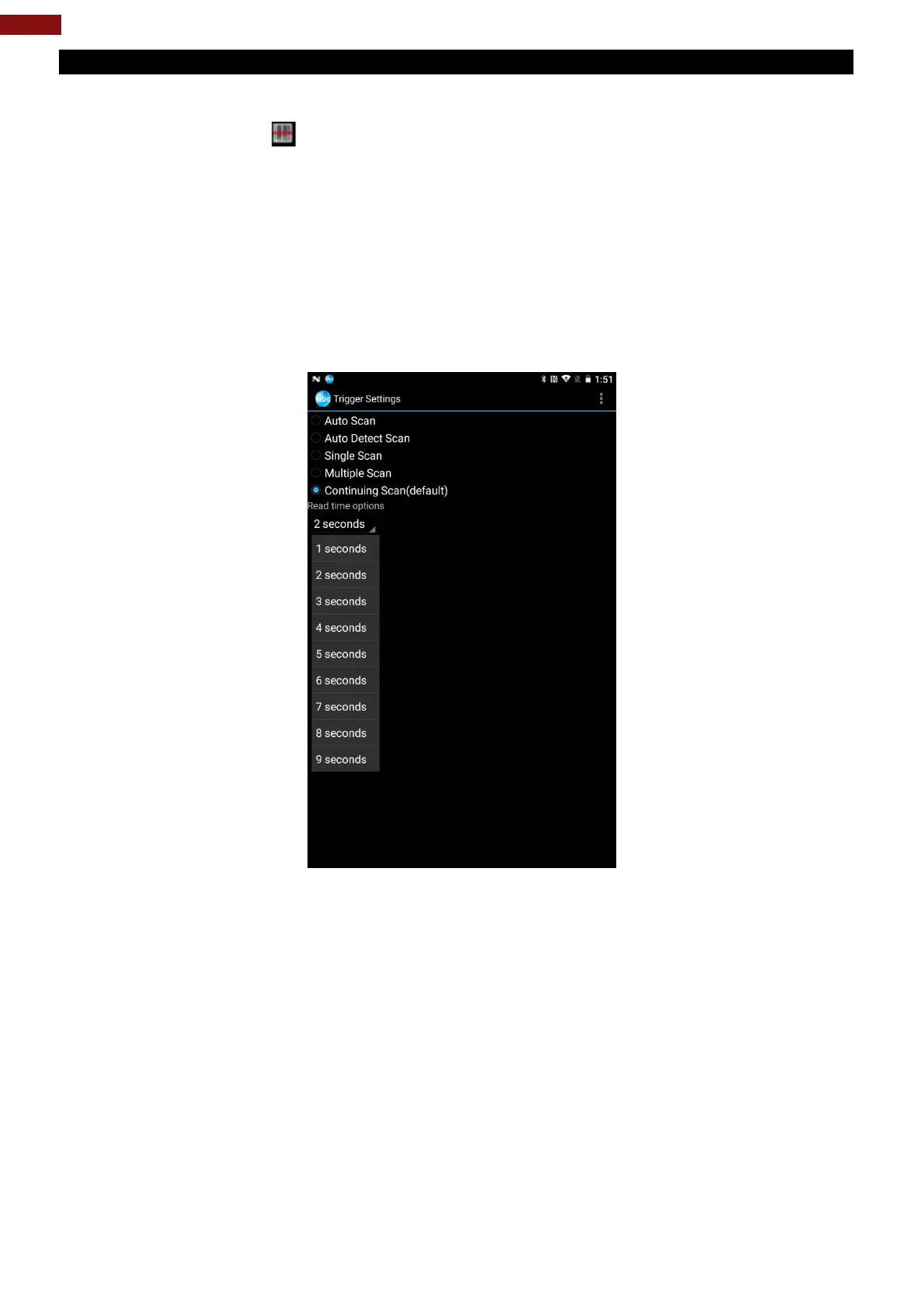
2. Go to Barcode Settings , tap Trigger Settings.
3. Select the Scan Type or select read time of the Barcode Reader.
To start scanning the barcode user has to leave the WDC application.
• Auto Scan – Barcode Reader starts auto-scanning once the user leaves the WDC application.
• Multiple Scan –After pressing the trigger button Barcode Reader starts continuously scanning
and reading multiple codes within the time duration specified in Read time option.
• Continuing Scan (default) – After pressing the trigger button Barcode Reader can scan and
read only a single code within the time duration specified in Read time option.



 To Next Page