43
Chapter 4: Networks and Wireless Devices
4.3 Connecting to BT Devices
4.3.1 Turning BT On or Off
1. Tap MENU and then tap System settings .
2. Tap Wireless & networks and then select BT.
3. Toggle the on/off switch on the top-right hand side to turn on BT.
4.3.2 Connecting to BT Device
1. Go to Settings .
2. Tap Wireless & networks, and then tap BT.
3. Toggle the on/off switch on the top-right hand side to turn
on BT.
4. It will automatically scan and displays the IDs of all
available BT devices in range.
5. Tap the ID of the other device in the list in Settings to pair
them.
4.3.3 Disconnecting BT Device
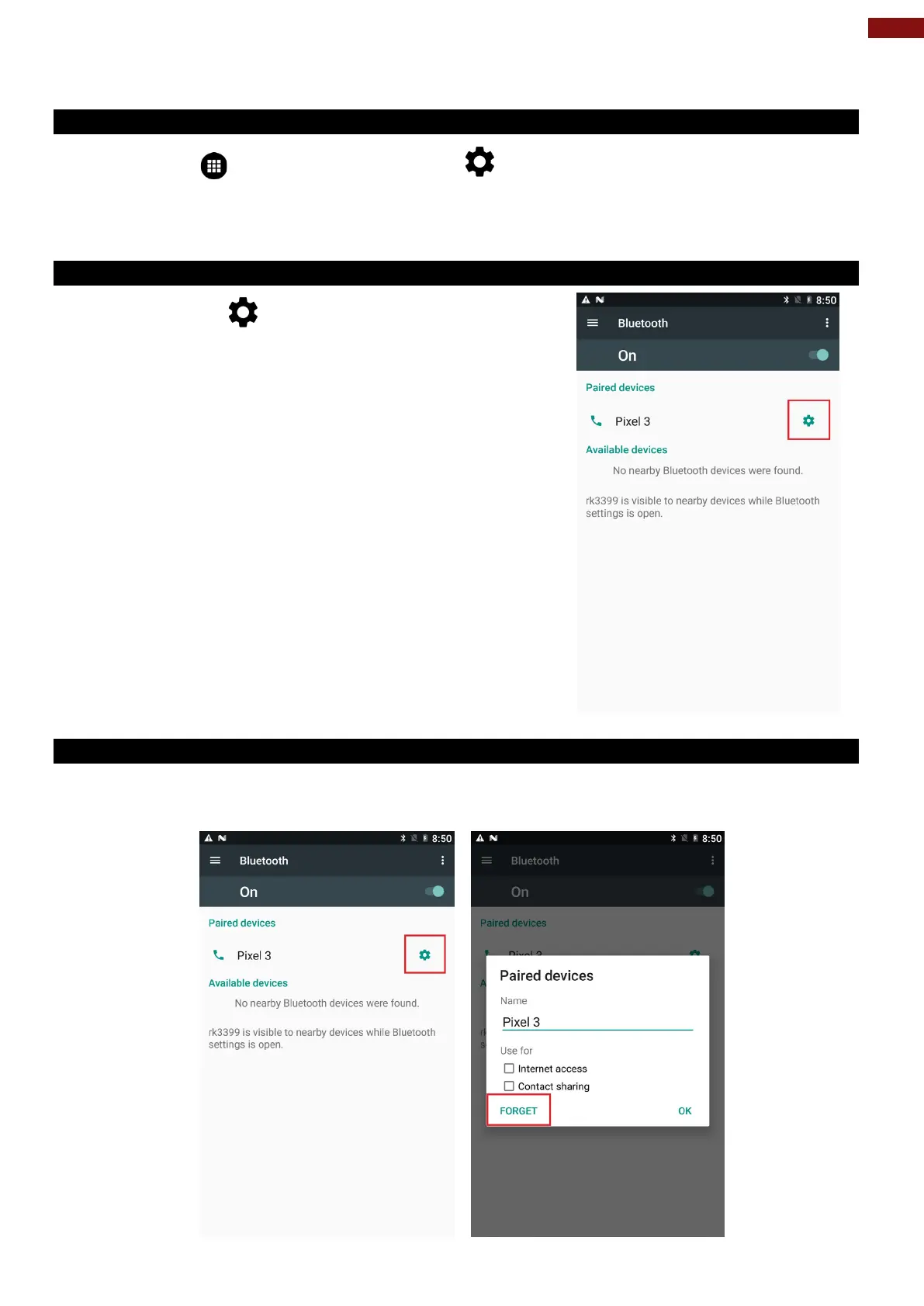
1. Tap the device in the BT settings screen.
2. Tap OK to confirm that you want to disconnect, and then press FORGET.



 To Next Page