18
M101M8 Rugged Android Tablet User Guide
Note: For power saving purpose, please enable Connect to PC in Accessibility settings.
When connected to PC external 4G, USB and LAN on Docking will be disabled.
To turn off the device:
1. To turn off the device, press and hold the power button until the phone options menu appears, tap
the Power Off .
2. User can also use the Phone options menu to put the device into silent or airplane mode.
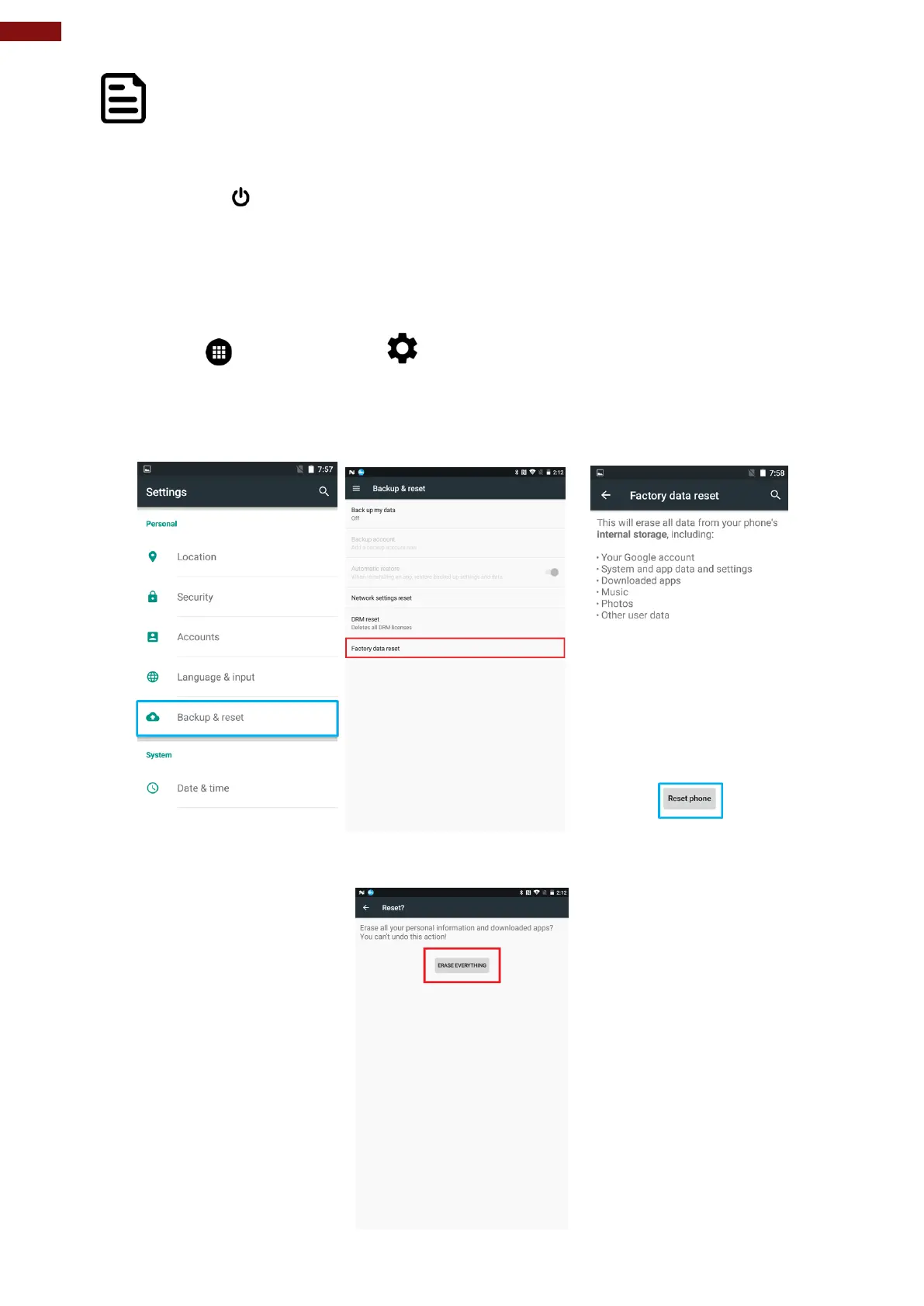
1.4 Resetting to Factory Defaults
To reset the device to factory defaults:
1. Tap Menu , than tap Settings .
2. In the Personal tab, tap Backup & Reset.
3. User can select to back up application data, Wi-Fi passwords and other settings to Google
servers by tapping Backup My Data.
4. Tap Factory Data Reset to reset the phone.
5. Read all the available information and then check Erase phone storage if user wants to erase all
the data on the phone storage such as music or photo.



 To Next Page