52
M101M8 Rugged Android Tablet User Guide
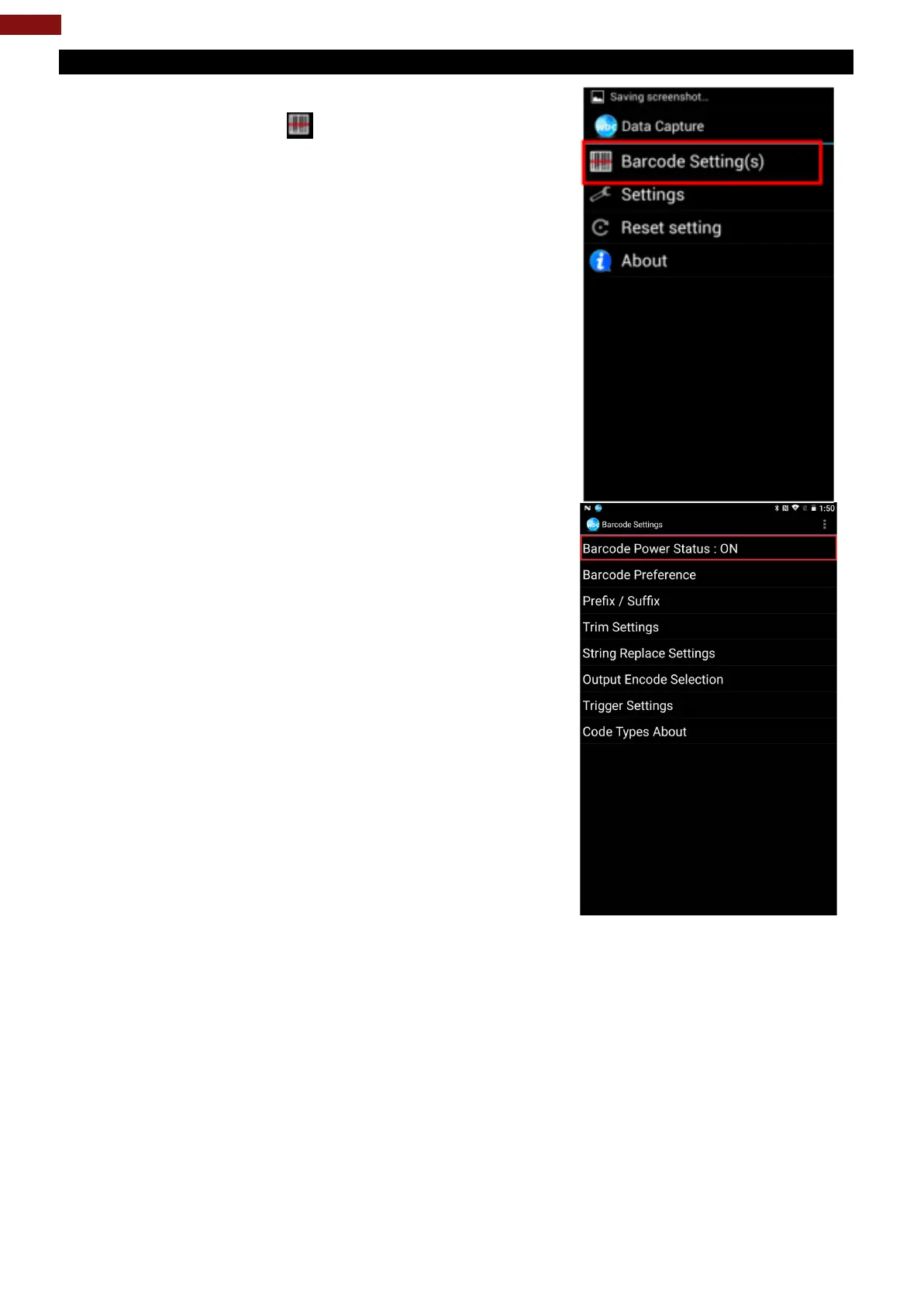
6.1.4 How to Turn On/Off the Power of Barcode Reader
1. Go to the WDC application.
2. Tap Barcode Setting .
3. Once the user entered the WDC application, the
device will automatically turn on the Barcode
Reader. And the user can turn off the Barcode
Reader by tapping Barcode Power Status: ON.



 To Next Page