36 M101M8 Rugged Android Tablet User Guide
3.2 How to Unlock Applications
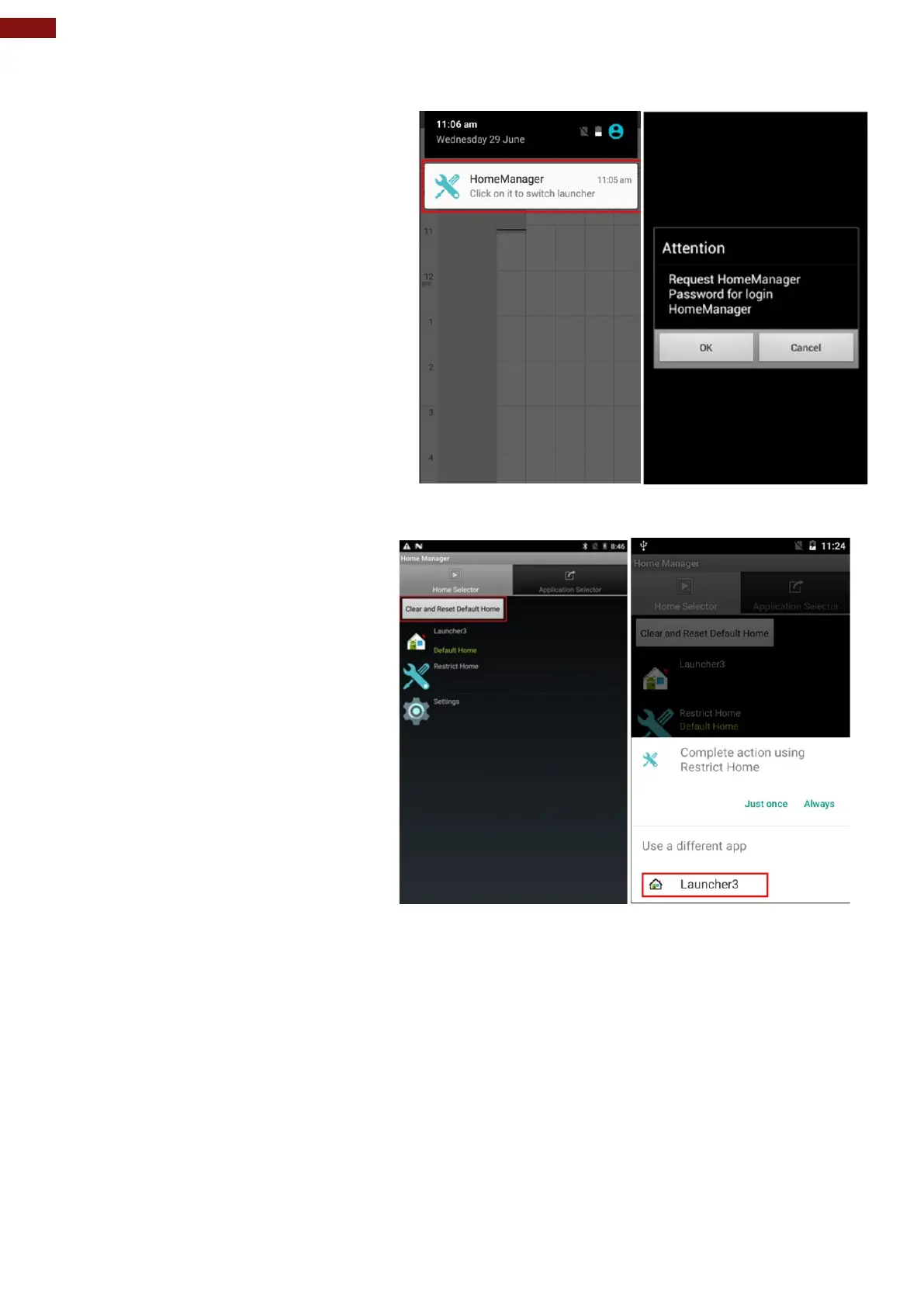
Step 1 Slide down the top bar and press
“Home Manager” icon then you can find the
menu and please enter the password to login
(The default password is “0000”).
Step 2 Go back to “Home Selector” and
press “Clear and Reset Default Home”.



 To Next Page