44 M101M8 Rugged Android Tablet User Guide
4.4 Connecting to Computer via USB
User can connect their tablet to a computer with USB cable to transfer files between tablet and
computer.
-When connecting your tablet to a computer and inserting its USB storage or SD
card, user must follow the computer’s instructions for connecting and
disconnecting USB device, to avoid damaging or corrupting files.
-Notice that the M101M8 cannot be charged via USB.
4.4.1 USB Computer Connection
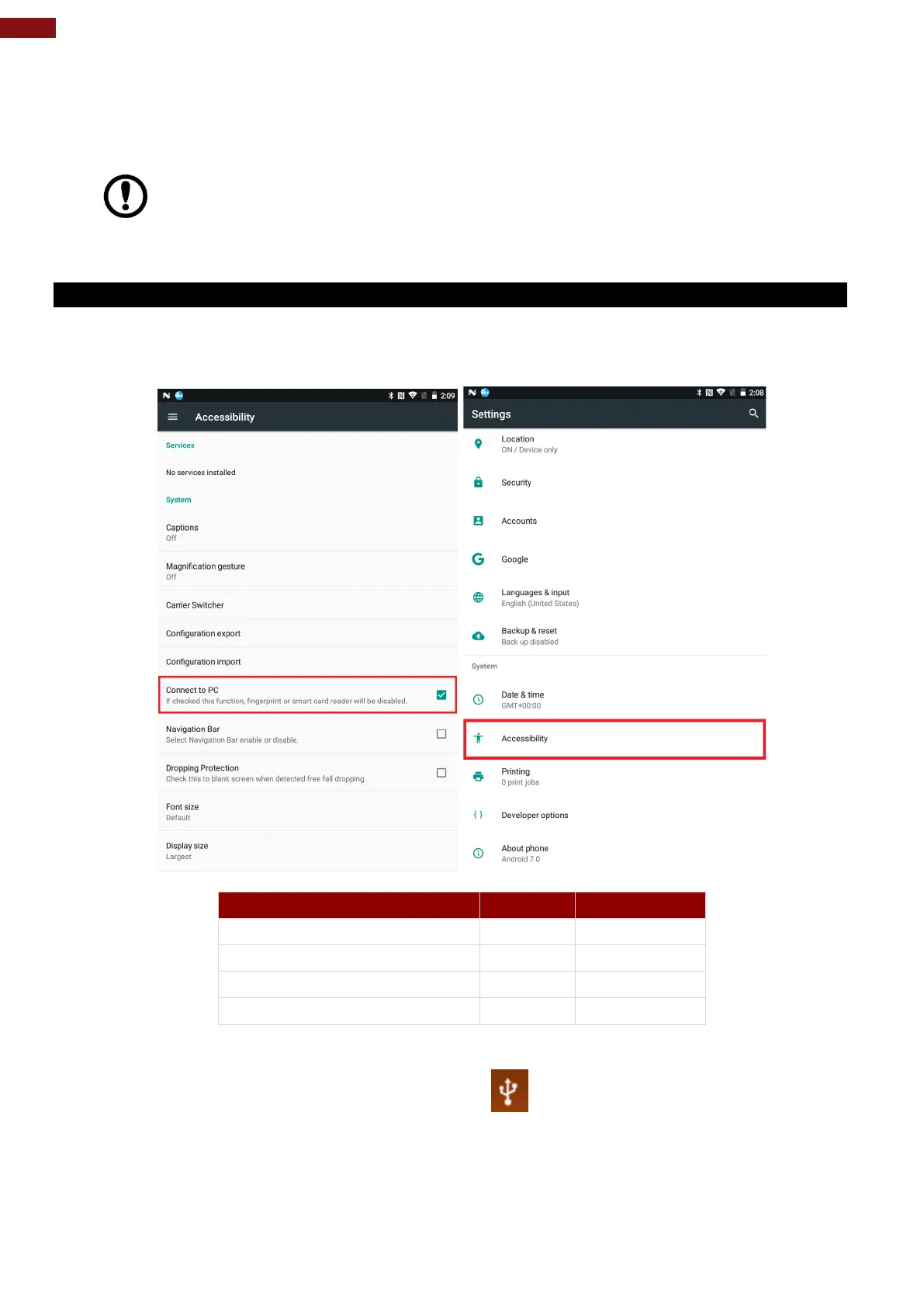
1. Enter setting menu, and enter select “Accessibility”, and then check “Connect to PC”.
When Connected to PC is selected:
External 4G (U-blox) (If equipped)
2. Connect tablet to the computer via USB connector.
3. In the notifications area USB connected sign
will appear.
4. Pull down the notification area to open notification panel.



 To Next Page