45
Chapter 4: Networks and Wireless Devices
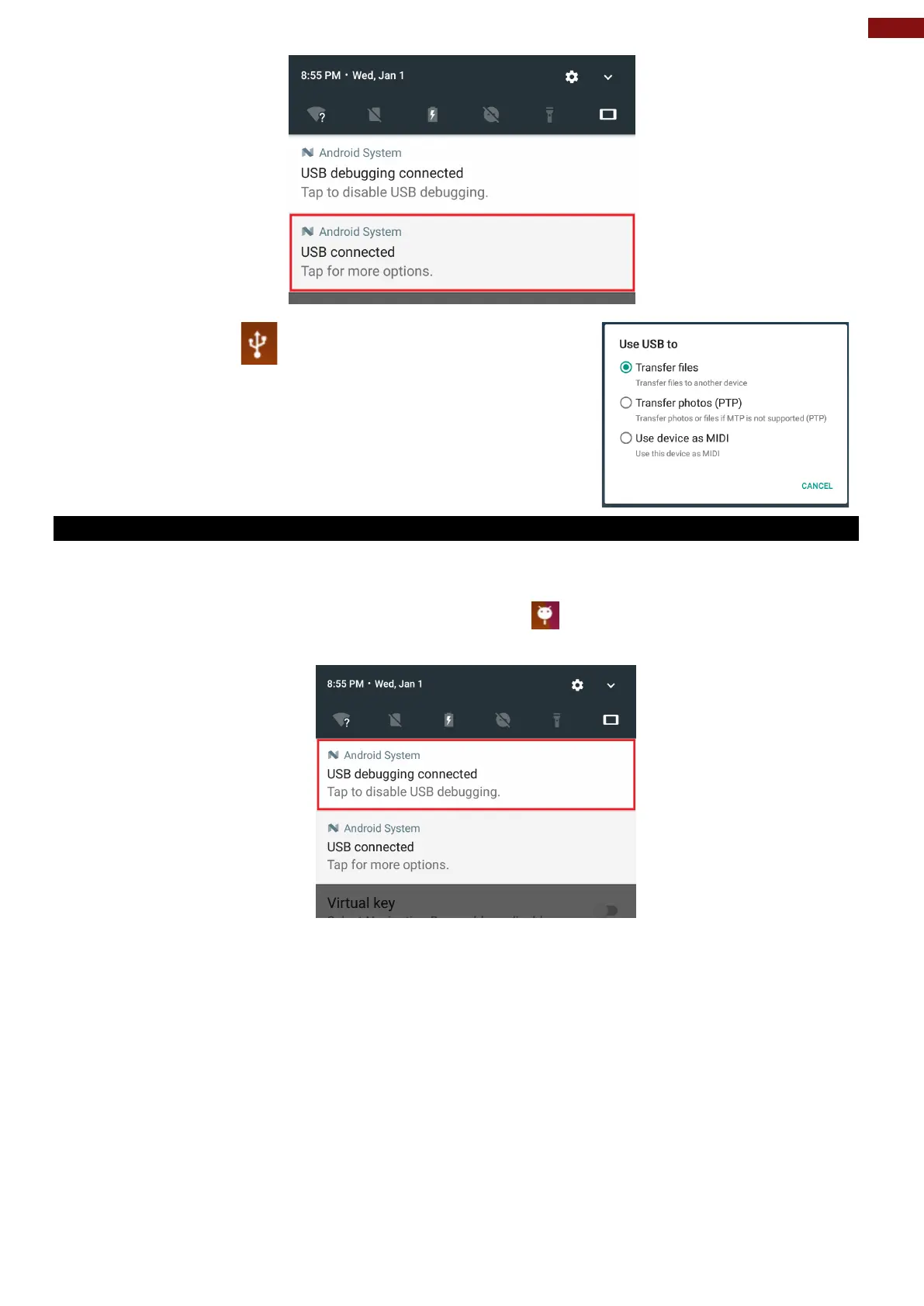
5. Tap this icon
to choose the type of USB connection.
• Transfer files –let user transfers files between
computer and tablet.
• Transfer photos (PTP) – let users transfer photos or
media files if MTP is not supported.
• Use device as MIDI – let users use device as MIDI
4.4.2 USB Debugging Settings
To permit debugging tools on a computer to communicate with User’s tablet via USB Connection.
1. Connect tablet to the computer via USB cable.
2. In the notifications area USB debugging connect sign
will appear.
3. Pull down the screen to open notification panel.
4. Tap USB debugging connected.



 To Next Page