17
0BChapter 1: Getting Started
To remove the standard battery pack into the Tablet Computer:
1. Power off the tablet computer (or put it to sleep). Disconnect any cords connected to the computer.
2. Turn the tablet computer over, back facing up.
3. Locate the Battery Lock Latch and push it to the “Unlocked” position.
4. Locate the Battery Release Slider that is spring-loaded. Pull back and hold.
5. Lift the battery out using the opening on side of battery compartment.
1.3.4 Connecting to Power Supply
The Tablet Computer operates either on external AC power or internal battery power. It is
recommended to use AC power when you start up the Tablet Computer for the first time.
Use only the AC adapter included with your Tablet Computer. Using other AC
adapters may damage the Tablet Computer and the Battery.
Attention N'utilisez que l'adaptateur secteur fourni avec votre tablette. L'utilisation d'autres
adaptateurs secteur peut endommager la tablette et la batterie.
For users start up the Tablet Computer for the first time with internal battery
power, please make sure the battery is fully charged before using.
Attention Pour les utilisateurs qui démarrent le Tablet PC pour la première fois avec une
batterie interne, veuillez vous assurer que la batterie est complètement chargée avant de
Perform the following to connect the Tablet computer to AC Power:
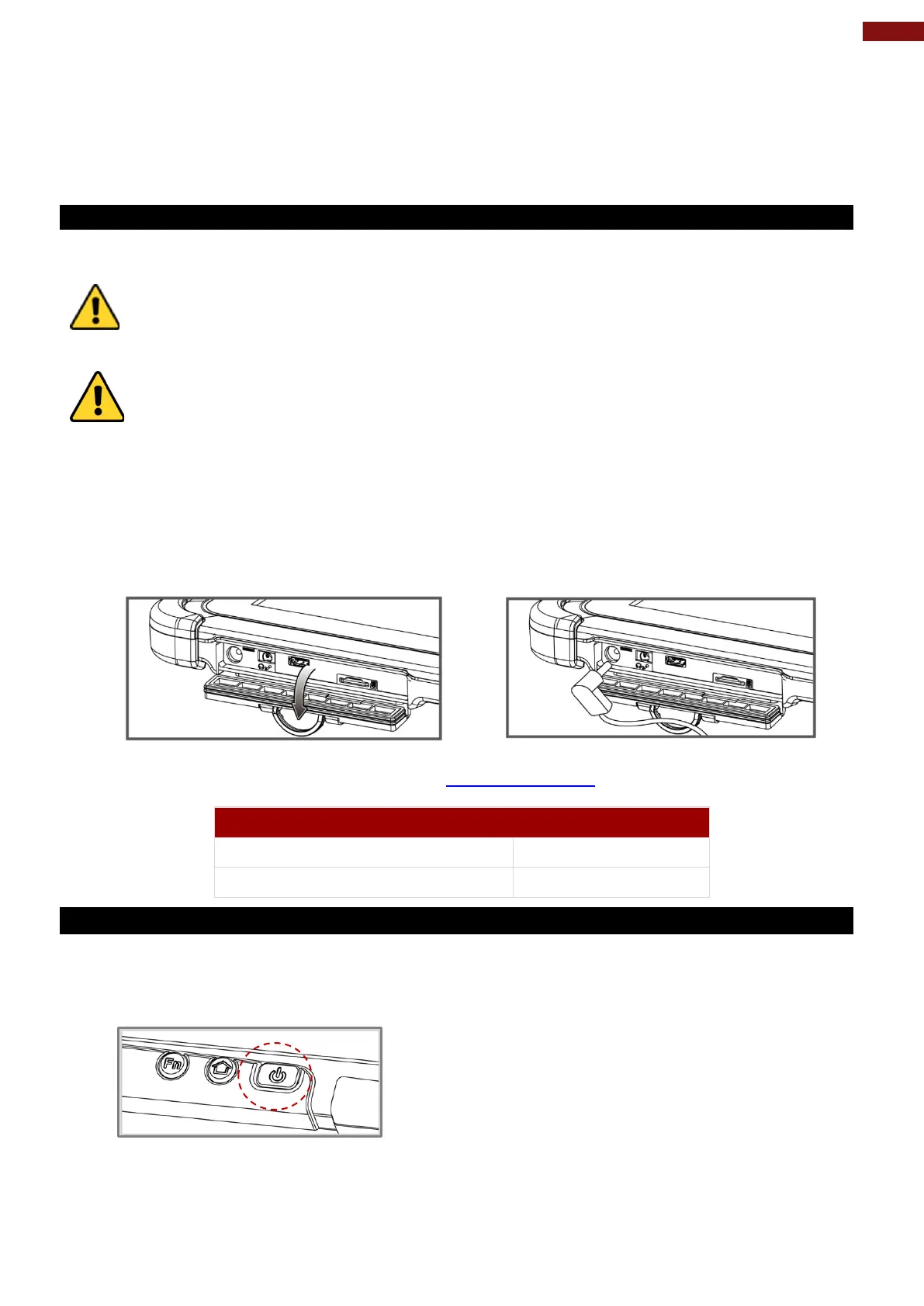
1. On the side of the Tablet computer, lift the I/O protective cover by pulling on the latch
2. Plug the DC cord of the AC adapter into the Power Jack of the tablet computer.
3. Plug the AC power cord into the AC adapter.
4. Finally, Plug the AC power cord into the electrical outlet.
When the AC Adapter is connected, the battery pack starts charging. The battery LED indicator on the
tablet computer would show different states. Refer Description of Parts
for information about LED
indicators.
1.3.5 Turning On and Off the Device
This section describes how to turn on/ off the device.
To turn on the device:
1. Press and hold the power button for 3 seconds, located on the top side of the unit.
2. When the device vibrates, release the power button.
3. The desktop screen is displayed.



 To Next Page