29 Chapter 2: Using the Tablet
2.7 Audio Profile Settings
Use the sound settings to configure how and at what volume the tablet rings, vibrates or alerts user in other
ways when user receive a call, receive a notification or an alarm sounds.
2.7.1 Sound Settings
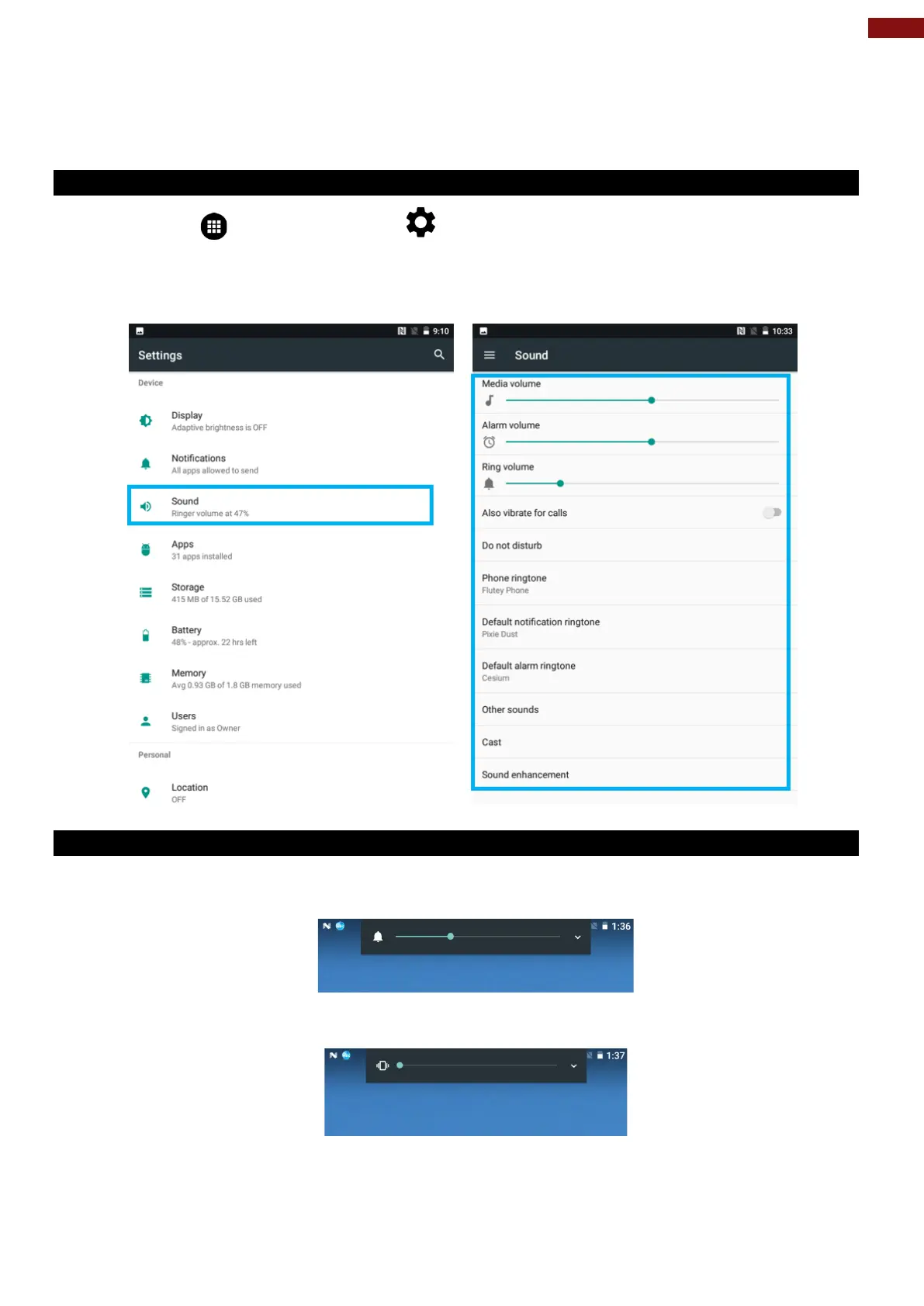
1. Tap MENU and then tap Settings .
2. In the Device tab, tap Sound & Notification and then user can select General, Silent, Meeting or
Outdoor profile.
2.7.2 Adjusting Volume
1. Press the volume keys to change the ring volume (On Home screen) or earpiece volume (during a
call).
2. Press the volume key to set up Vibration mode.



 To Next Page