23 Chapter 2: Using the Tablet
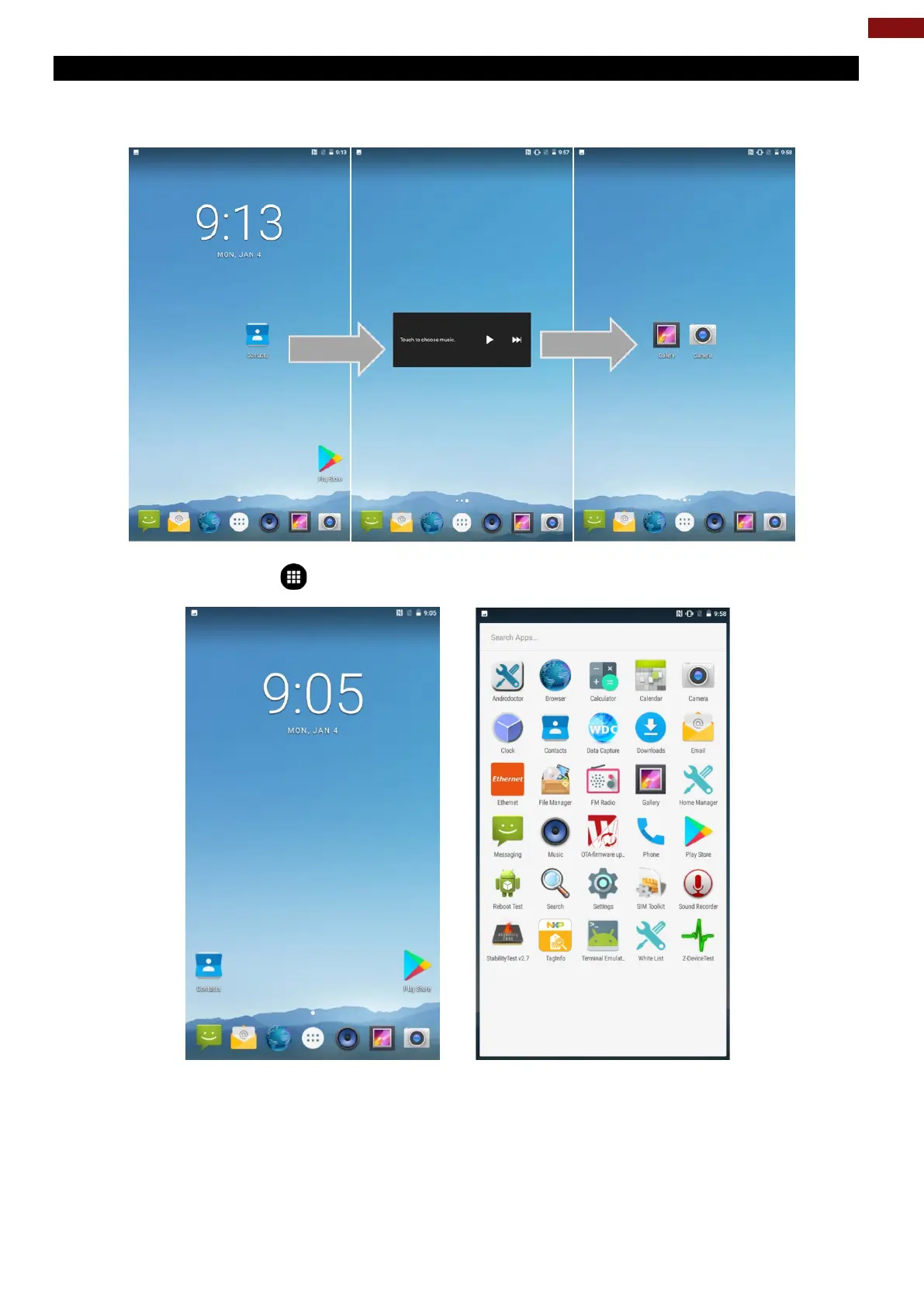
2.3.2 Viewing other parts of the Home Screen
1. Slide your finger left or right across the Home screen. Extensions to the Home screen provide extra
space for APPS, shortcuts, and other items.
2. Tap the launcher icon to view the entire APPS of the device.
The status bar appears at the top of every screen. On the left are notification icons and on the right are
status icons, along with the current time.



 To Next Page