Appendix F: OTA Update Guide
You can use online OTA Update tool to update firmware version.
Battery capacity must not be lower than 30% during update.
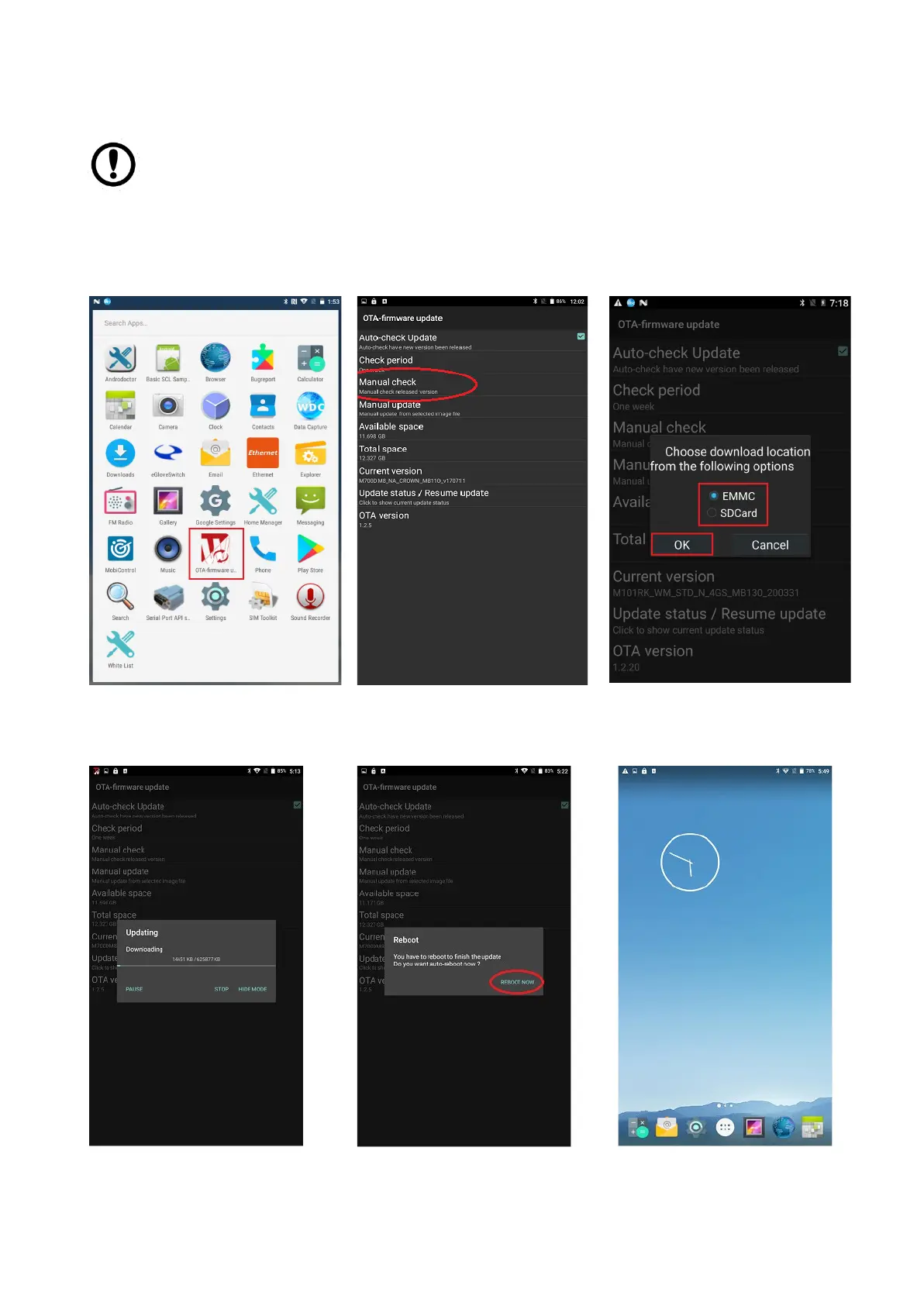
To update OTA:
1. Select OTA-firmware.
2. Select Manual check.
3. Check "I agree to update" and click "UPDATE".
4. Wait for download finish it will take some time.
5. Click "REBOOT NOW".
6. Wait while Ota is updating.



 To Next Page