Installation and Connection DRS5116
Wren
2003. 09. 06 (v 1.0)
23
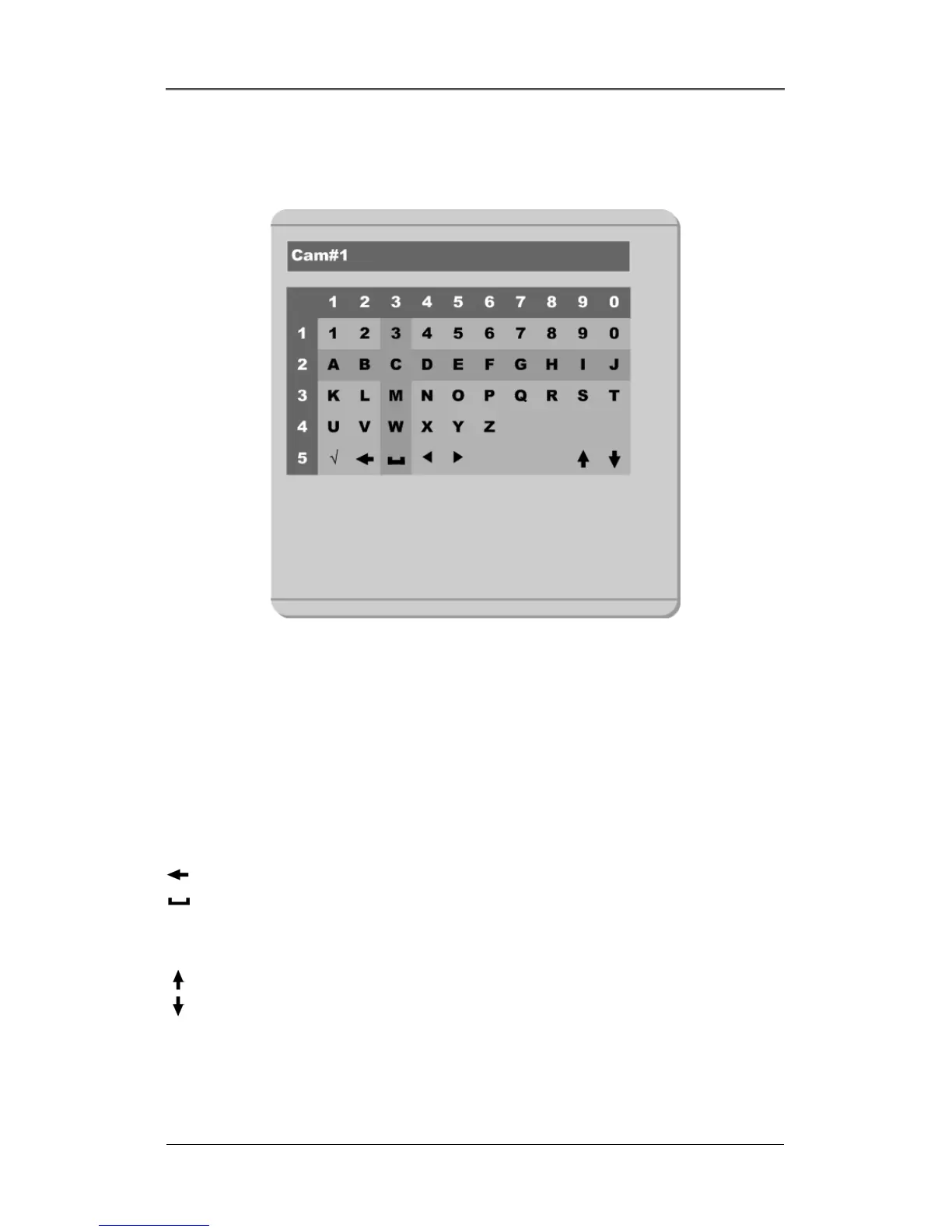
5.2. Dialogue Box to Edit a Word
There are two methods to set a word.
(1) Using the number button, enter the related numbers in order of horizontal/vertical. (For example, in
order to select “C”, press the [3] and [2] buttons)
(2) Using the arrow button, select a value using the [◄◄ / ►►] or [▲/▼] buttons. The intersection of
the horizontal and vertical bar is a selected value. Press the [►] button to confirm the selected value.
(3) Function word
The following symbols are used for executing specific functions:
9 : Enter
: Back Space & Delete
: Space
◄ : Move to left
► : Move to right
: Previous Code Page
: Next Code Page



 To Next Page