Basic Configuration DRS5116
Wren
2003. 09. 06 (v 1.0)
64
14.5. Viewing an Alarm Triggered Channel
- When an alarm is triggered, the related channel will automatically pop-up full screen.
- Set ‘Alarm Pop-up Screen’ function to “On” in “Configuration” under the “Monitor” tab, and set the
display duration in “Pop-up Hold (sec)”
- If more than one channel is triggered by an alarm, the related channels will be displayed simultaneously
in a split-screen. In order to move the current screen, press any button.
14.6. Viewing Images with Digital Zoom
- In the Single Full Screen mode, live and recorded images can be expanded using the Digital Zoom
feature.
- To enable the digital zoom, press the [ZOOM] button.
- Digital Zoom will expand the image to twice its normal size.
- The default location of the digital zoom is in the center of screen. The zoom box can be moved each
10
th
step to the left and right and 7
th
step up and down.
- To move the zoom box, use the [Arrow] button.
- To cancel the zoom box, press the [ZOOM] button once more.
14.7. Viewing with Connected PTZ
- Pan/Tilt/Zoom (PTZ) devices can be controlled through the HVR-16E
when a PTZ device is connected and properly configured under “Serial
Setup.”
- While in the monitoring mode, press the [SELECT] button.
- A Channel selection icon will be displayed.
- Move the icon to the channel to control with the [Arrow] button. (When
controlling in the single full screen, select the [SELECT] button.)
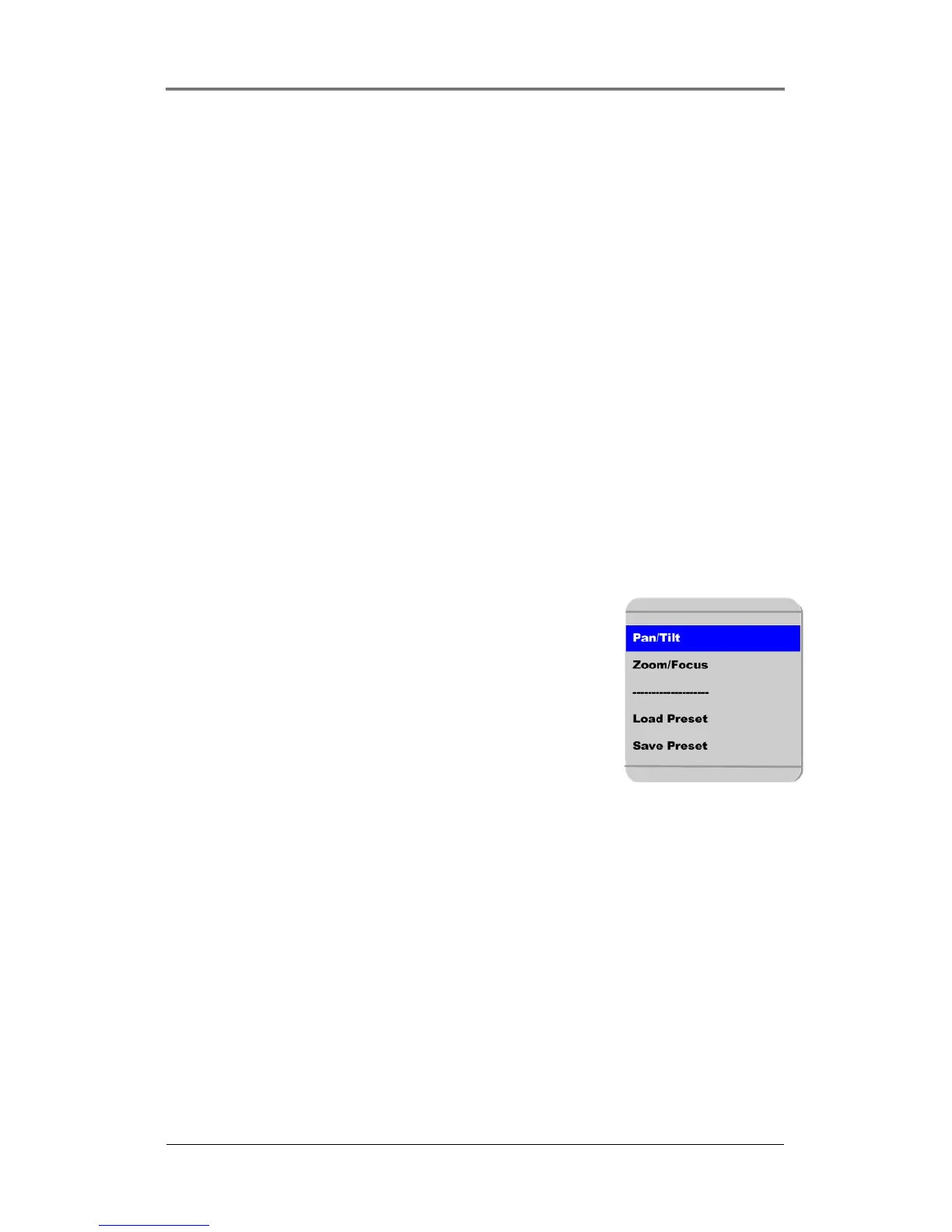
- Press the [MENU] button, then PTZ menu (Pan/Tilt, Zoom/Focus, Load Preset, Save Preset) will appear.
- Press the [ENTER] button after selecting the desired function
14.7.1. Controlling Pan/Tilt
To control Pan and Tilt during live image monitoring mode:
- Press the [SELECT] button. Move the “Select” icon to the desired channel.
- Press the [MENU] button.
- Select ‘Pan/Tilt’ from the PTZ menu.
- Control Pan and Tilt function using the up, down, left and right arrows.



 To Next Page