Basic Configuration DRS5116
Wren
2003. 09. 06 (v 1.0)
93
16.6. Monitor
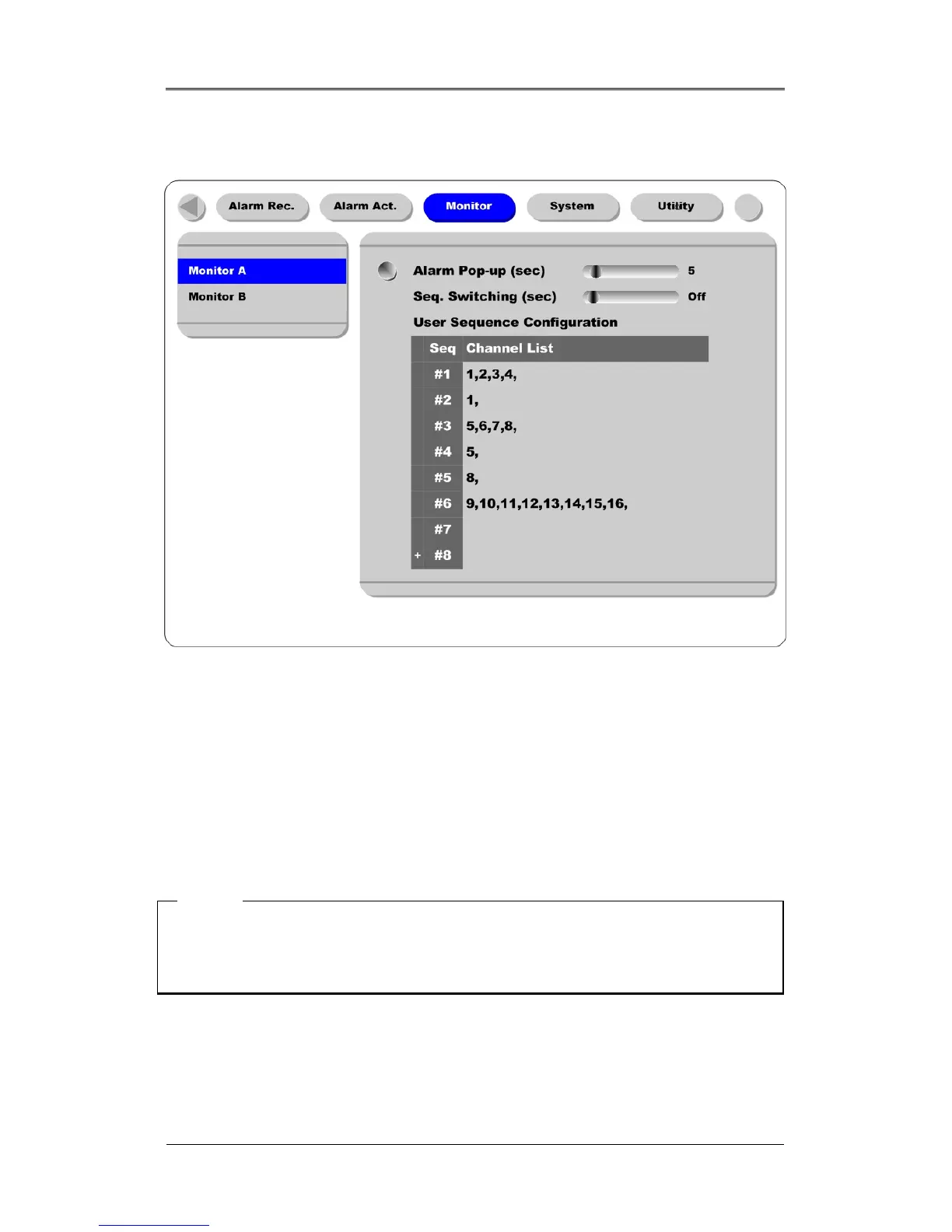
This menui s used to display an image on Monitor A & Monitor B.
Alarm Pop-up (sec)
This function is used to set the alarm pop-up screen. . The pop-up duration time can be set between 5 and
10 seconds. If the setting is set on “Keep”, the pop-up screen keeps holding. In order to cancel the
keep mode, press another channel button.
Seq. Switching(sec)
This function is used to set sequence time between 1 and 60 seconds.
<Note>
If channel 1 pops up and channel 2 also pops up during pop-up hold time, the screen is changed to a
quad-split screen and channel 1 and 2 are shown. The pop-up hold time is extended automatically
(up to 8 channels).
User Sequence Configuration
This function is used to set the user sequence mode.



 To Next Page