Installation and Connection DRS5116
Wren
2003. 09. 06 (v 1.0)
44
9.4. Connecting External Device with Serial Port
9.4.1. Connecting Text Input Device (ATM/POS/Access Control)
In addition to images, the DRS units can record text data received from POS/ATM through the
COM1/RS232 serial port.
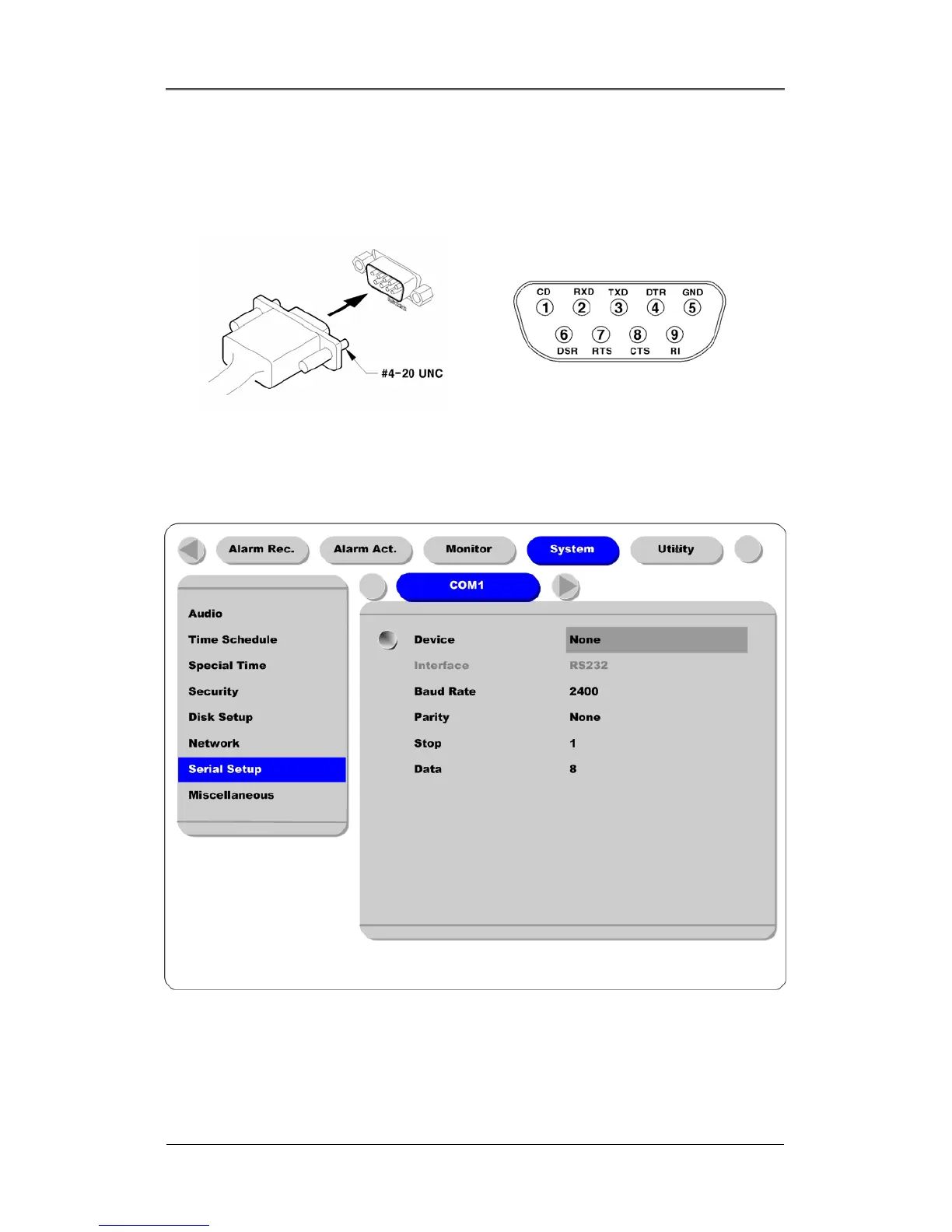
Connect to COM1/RS232 (9pin D-Sub) of the DRS5116, and configure the “Serial Setup” sub-menu
under the “System” tab and “Text” sub-menu under the “Alarm Source” tab.
9.4.2. Configuring Serial Setup (COM1) at OSD Menu
(1) Set the “System” in OSD menus, and move to the “Serial Setup” menu.
(2) Select COM1 in the “Serial Setup”, set device as “Text”.
(3) Set Baud Rate/Parity/Stop bit/Data bit with referring to manual of the connected external device.



 To Next Page