Product Description DRS5116
Wren
2003. 09. 06 (v 1.0)
58
(8) Function selection button
- SEQ: To select the sequencing mode. HVR-08E will automatically display all connected channels in
successive order.
- MULTI: To select the multi-channel display (4-9-divided screen).
- SELECT: To select a video channel for PTZ control in the Monitor mode and for Copy/Backup/Delete
in Playback mode
- ZOOM: To activate the digital zoom (single channel mode only).
RELAY/SEARCH: To search the recorded image in Playback mode or to toggle the Relay On/Off
function in the Monitoring mode.
(9) Direction/Replaying Button
- MENU: To set PTZ and access Configuration menu.
- ENTER: To enter and confirm the selected menu.
- HELP: To change the image information display (Date, Transfer speed, etc).
- EXIT/LOCK: To exit from the selected menu or lock current screen.
Arrow key: Replay function or to move inside the Configuration menu
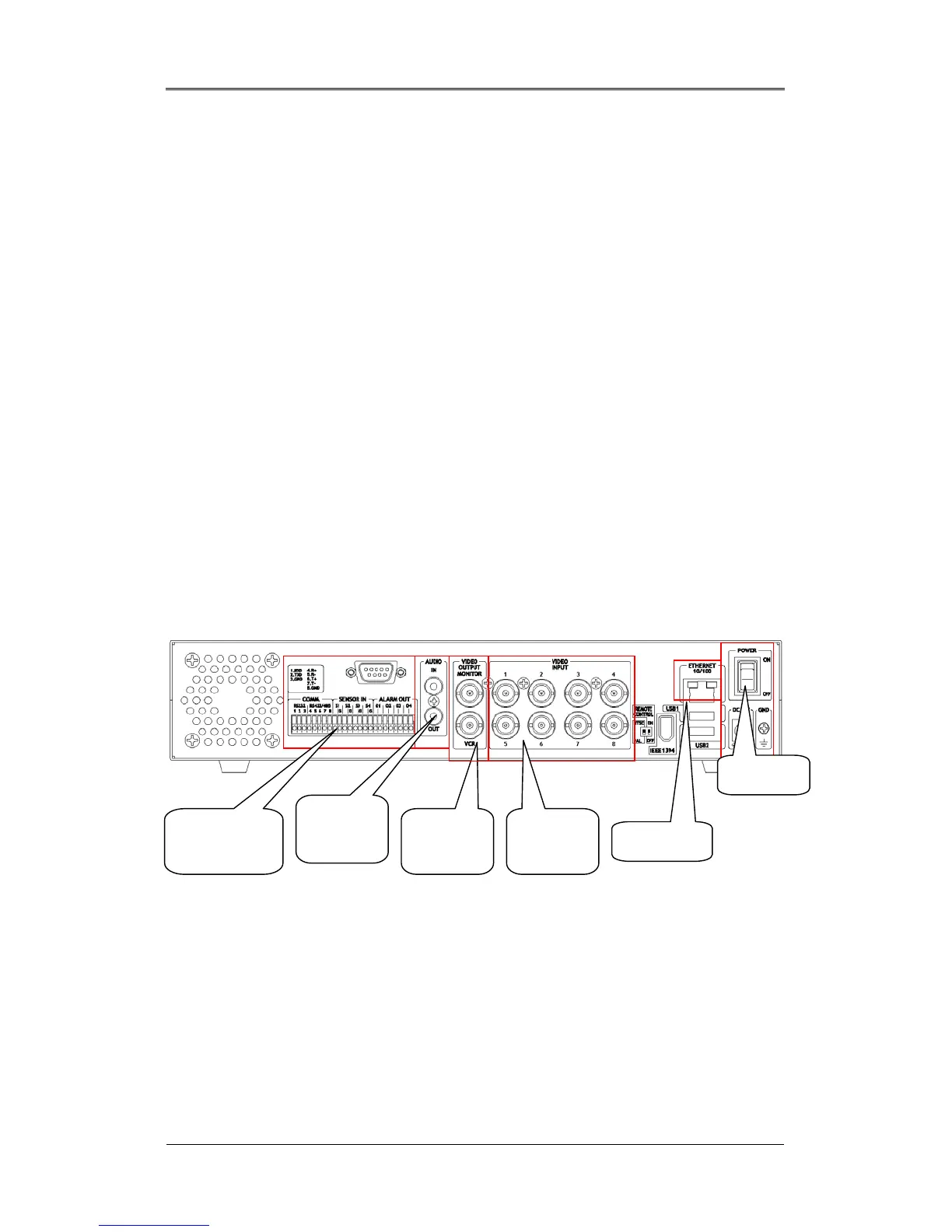
13.4. Rear Panel DRS5008 Models
(1 )Serial Port & DIO
- Serial: RS232 9Pin D-Sub Connector & RS232/422/485 terminal block
- Sensor In: 4 sensor inputs
- Relay Out: 4 Alarm Relay outputs
(2) Audio port
- 1 audio input & 1 output
(4) Video Output
(1) Serial Port
& DIO
(2) Audio
port
(3) Video
Output
(4) Video
Input
(6) Power
(5) Ethernet



 To Next Page