Installation and Connection DRS5116
Wren
2003. 09. 06 (v 1.0)
55
13. Product Description
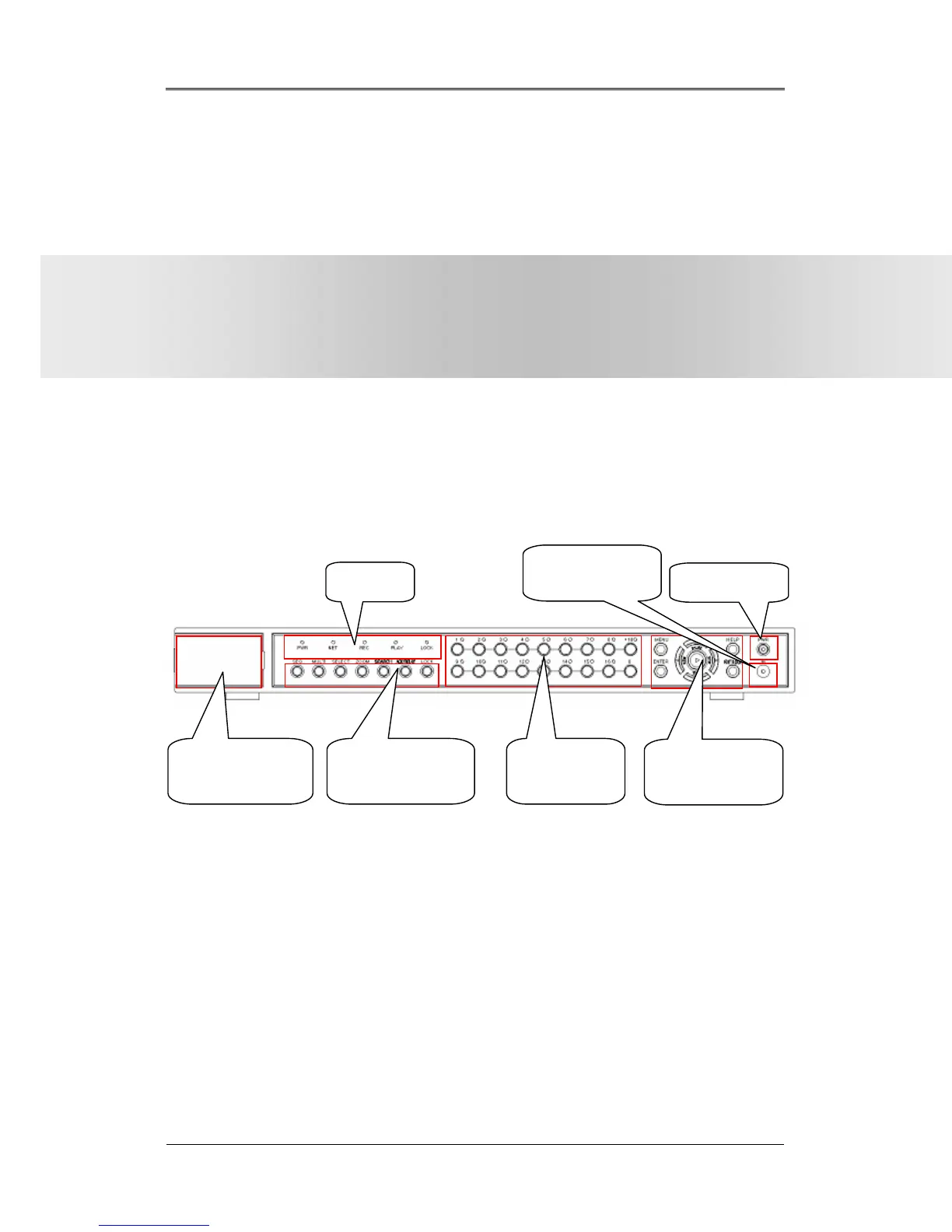
13.1. Front Panel DRS5016 / 5116 Models
(1) LED
PWR : Displays power status. When lit, power is supplied.
NET : Displays the status of Ethernet connection and rate of communication. When blinking,
data being transmitted or received over the Ethernet.
REC : Displays image recording status. The rate of blinking indicates the speed of recording.
(i.e. When blinking rapidly, HVR-16E is recording at a high rate; when blinking slowly,
the HVR-16E is recording at a lower rate.)
PLAY : Displays playback status. The rate of blinking indicates the speed of playback. (i.e.
When blinking rapidly, HVR-16E is playing back at a high rate; when blinking slowly, the
HVR-16E is playing back at a lower rate.) Its status is the same when using the DVR
Section 2
DRS Digital Recording Solution
Programming and Maintenance
(v 1.0)
(4) IEEE 1394 &
USB Interface
(5) Function selection
button
(1) LED
(6) Channel
Selection Button
(7) Menu/Direction
Button
(3) Power Switch
(2) Remote
Controller Receiver



 To Next Page