Installation and Connection DRS5116
Wren
2003. 09. 06 (v 1.0)
47
<Note>
1. The USB Flash products that require a Windows program to operate may not be recognized by the
DVR.
2. For more information about the copy function, refer to the “ DRS Programming and Maintenance
Guide
”.
3. Contact Wren Technical Support for Flash Product Compatibility.
9.6. Connecting Video In/Output
Video outputs are available on the DRS5016/5116 models only.
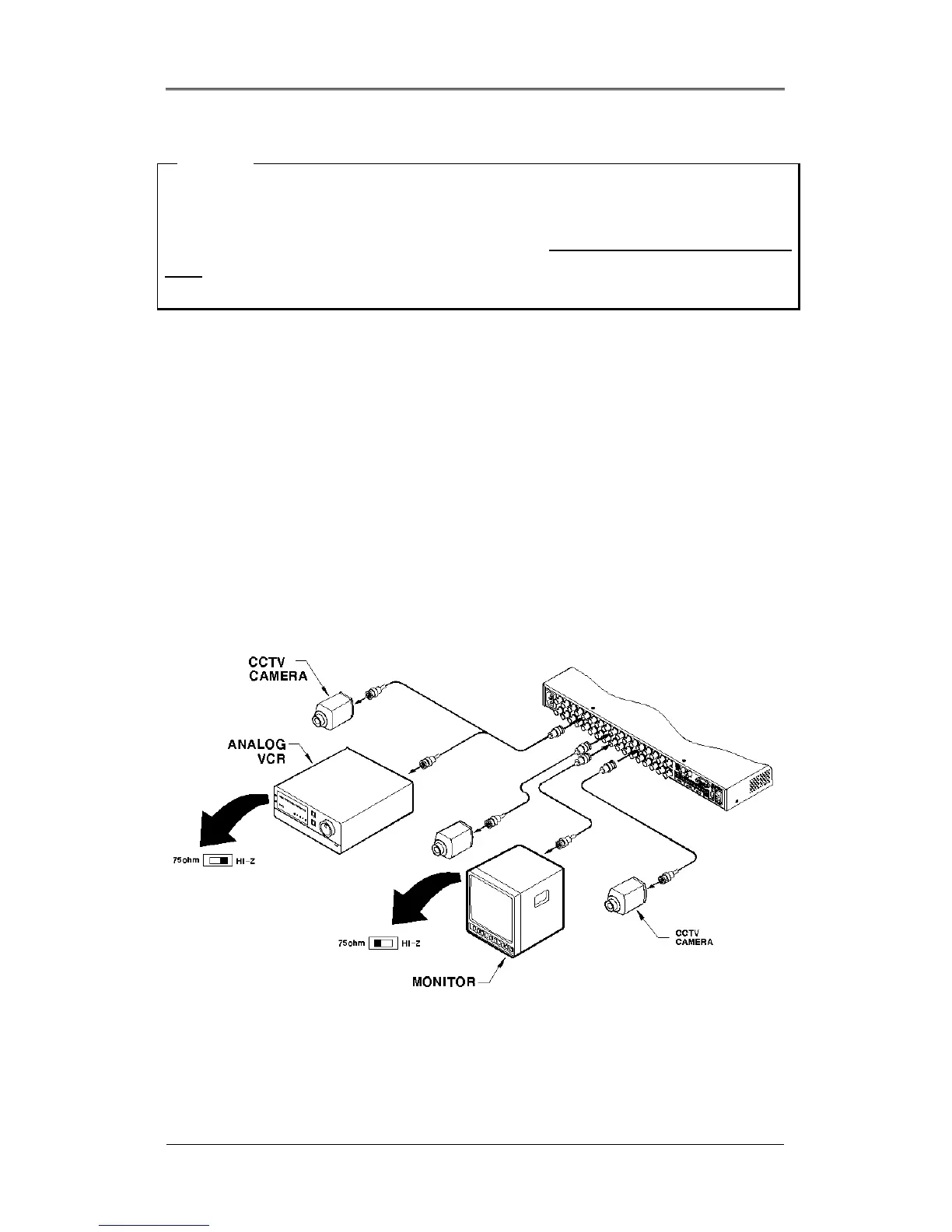
DVR's video in/output is composed of loop through BNC connectors in an analog format. The DVR
recognizes the connection status and automatically matches the impedance to 75Ω or Hi-z
For example, when the DVR is connected by only video input, the video impedance is set as 75Ω. And
when video in/output is connected simultaneously, the video impedance is changed as Hi-z. In this case,
the video impedance of external video input device (e.g CCTV monitor) should be set as 75Ω.
* DRS5116 Model Shown *



 To Next Page