Installation and Connection DRS5116
Wren
2003. 09. 06 (v 1.0)
33
9. Connecting and Configuring DIO Ports
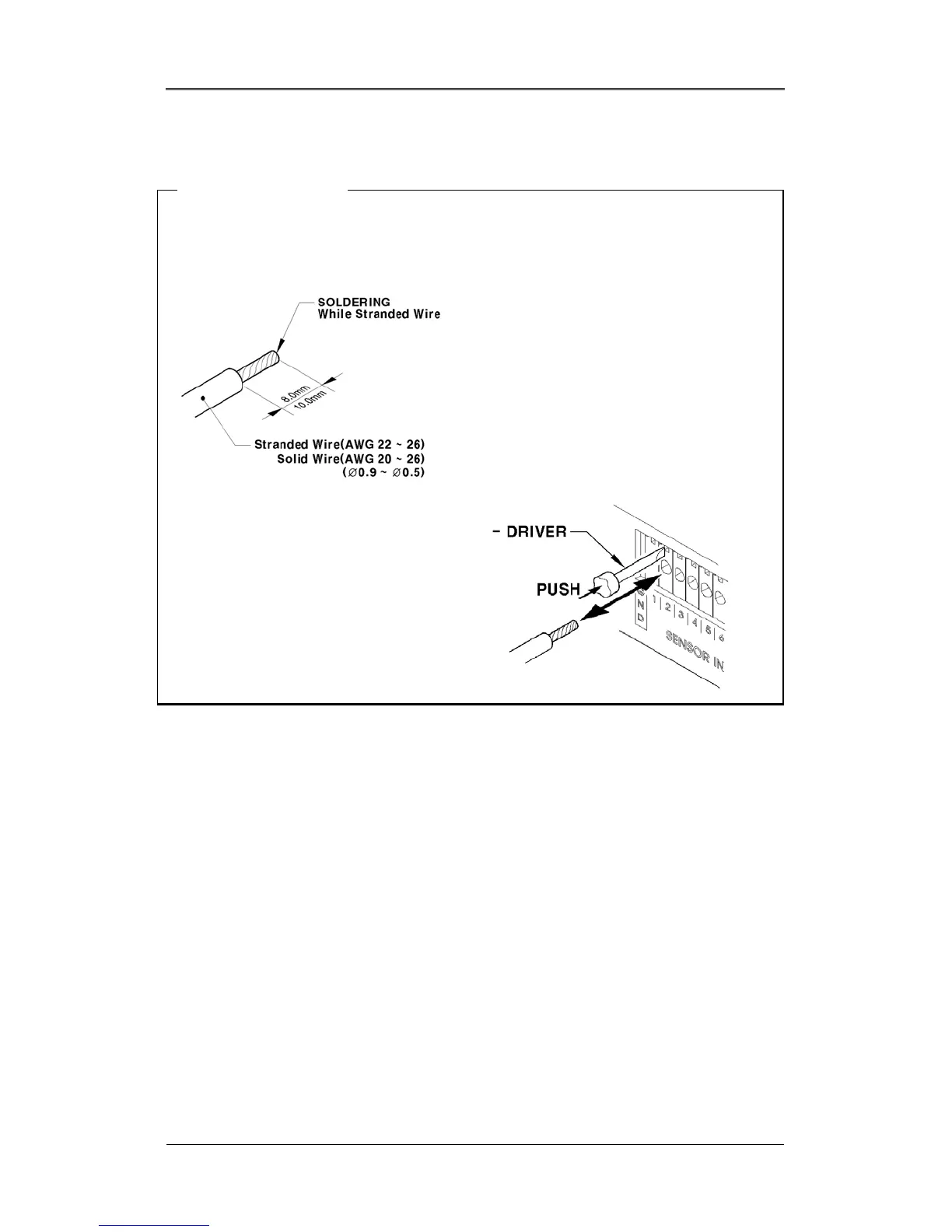
<Note> Wire Handling
Trimming Wire
When connecting a wire to a terminal block, follow the instructions below. Note the different types of
wire that can be used.
Stranded Wire: Peel off the wiring cover
8~10mm and solder it. The wire gage should
be AWG 22~26.
Solid Wire: Peel off the wiring cover 8~10mm
and solder it. The wire gage should be AWG
20~26.
Inserting & Removing Wire
To insert the wire, use a screwdriver as
shown in the diagram to the right.



 To Next Page