Installation and Connection DRS5116
Wren
2003. 09. 06 (v 1.0)
50
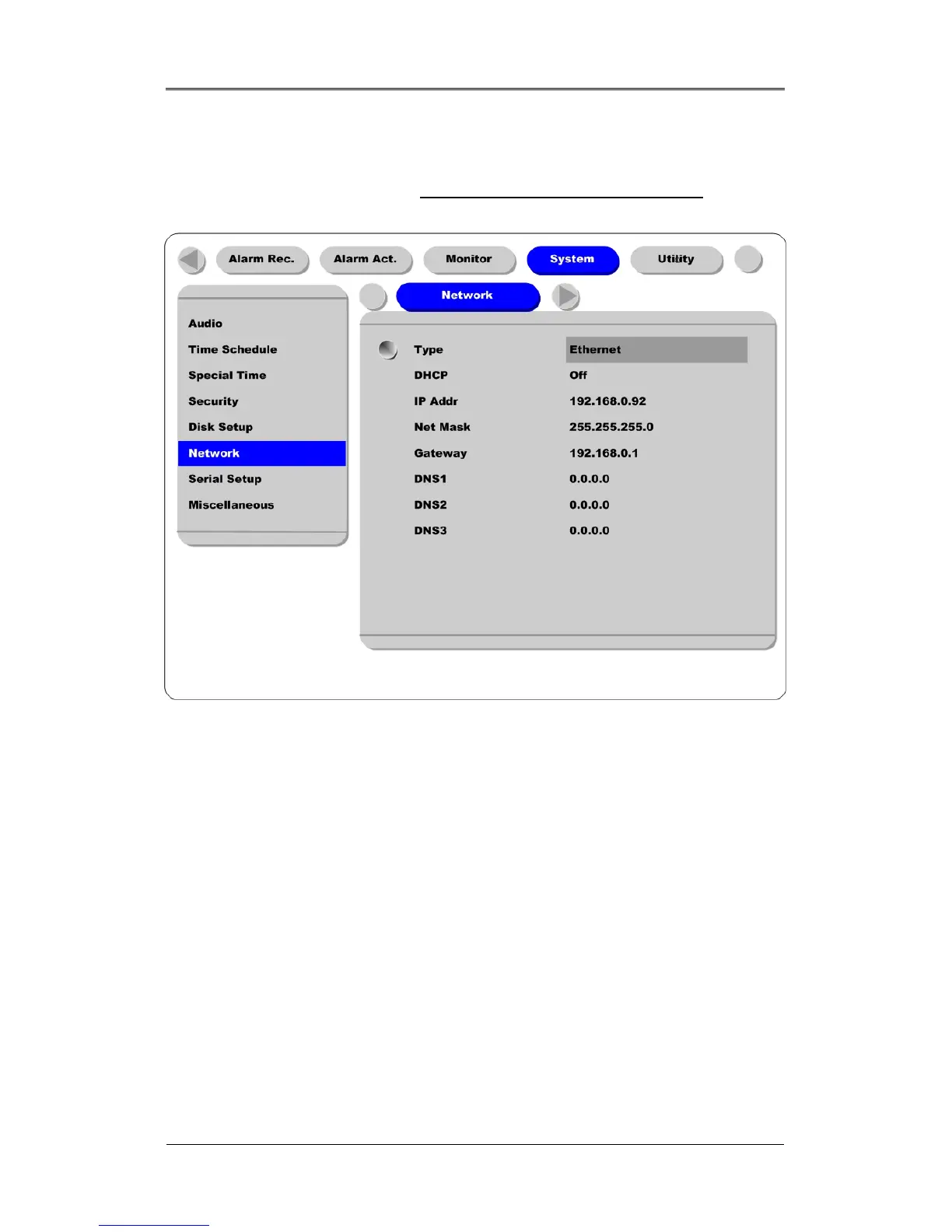
11.2. Configuring DRS Network Information
The following description is on based on Ethernet connection. For more detailed information on the
Network Settings Page, please refer to the “ DRS Programming and Maintetnance Guide
”.
(1) Press the [MENU] button.
(2) Select “System” using the [◄◄/►►] buttons and press the [ENTER] button.
(3) Select “Network” using the [▲/▼] buttons and press the [ENTER] button.
(4) Select “IP Addr” using the [▲/▼] buttons and press the [ENTER] button.
(5) Press the [EXIT] button after entering the IP address in the dialogue box.
(6) Select “Net Mask” using the [▲/▼] buttons and press the [ENTER] button.
(7) Press the [EXIT] button after entering Net Mask in the dialogue box.
(8) Select “Gateway” using the [▲/▼] buttons and press the [ENTER] button.
(9) Press the [EXIT] button after entering Gateway in the dialogue box.
(10) Select “DNS” using the [▲/▼] buttons and press the [ENTER] button.
(11) Press the [EXIT] button after entering DNS in the dialogue box.
(12) Press the [EXIT] button to exit the page.



 To Next Page