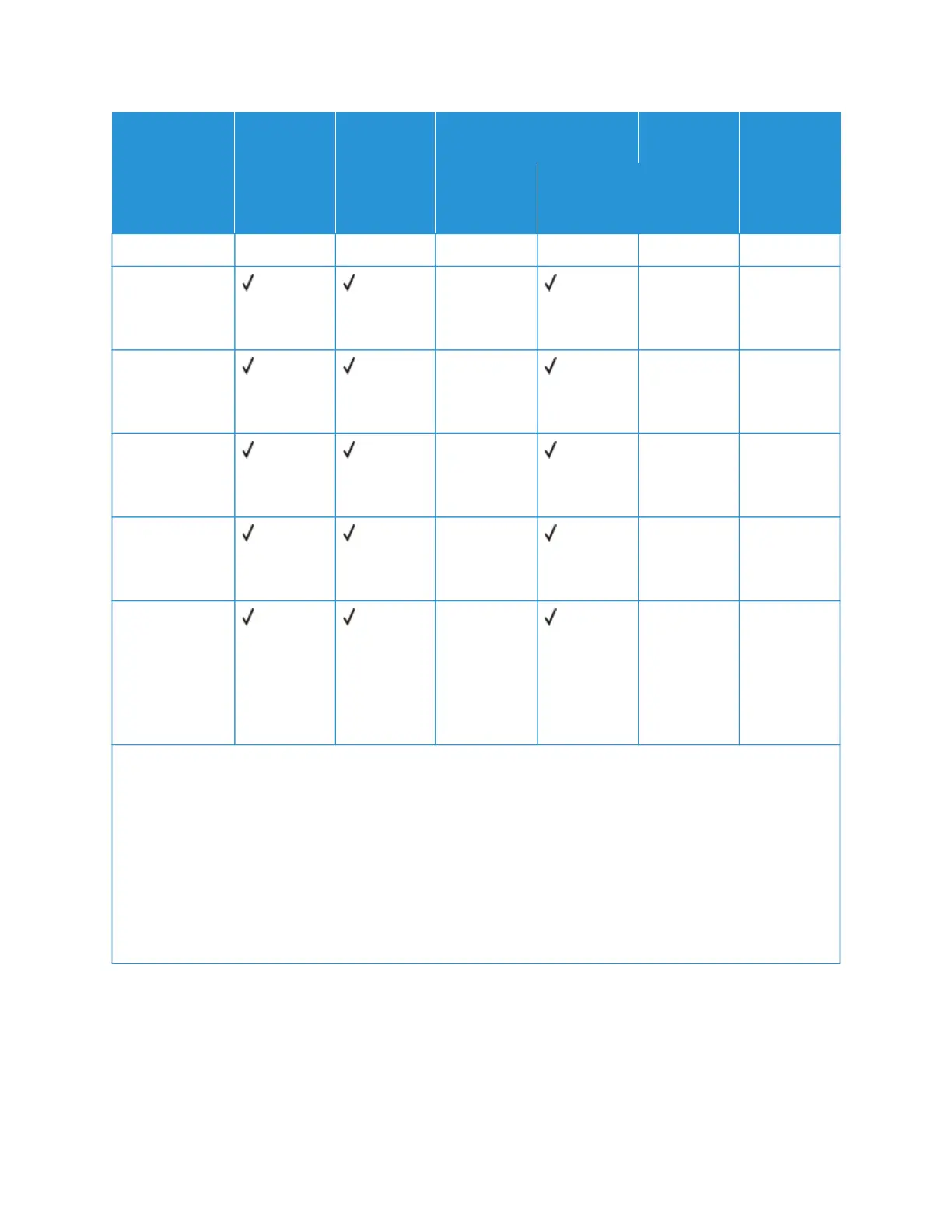
PPAAPPEERR SSIIZZEE
AANNDD
DDIIMMEENNSSIIOONN
SSTTAANNDDAARRDD
225500--SSHHEEEETT
TTRRAAYY
MMAANNUUAALL
FFEEEEDDEERR
OOPPTTIIOONNAALL 665500--SSHHEEEETT
DDUUOO TTRRAAYY
555500--SSHHEEEETT
TTRRAAYY
TTWWOO--SSIIDDEEDD
PPRRIINNTTIINNGG
555500--SSHHEEEETT
TTRRAAYY
MMUULLTTIIPPUURR--
PPOOSSEE
FFEEEEDDEERR
(4.12x9.5in.)
DDLL EEnnvveellooppee
110x220mm
(4.33x8.66in.)
XX XX XX
CC55 EEnnvveellooppee
162x229mm
(6.38x9.01in.)
XX XX XX
BB55 EEnnvveellooppee
176x250mm
(6.93x9.84in.)
XX XX XX
MMoonnaarrcchh
98.425x190.5m-
m (3.875x7.5in.)
XX XX XX
OOtthheerr
EEnnvveellooppee
5
98.4x162mm to
176x250mm
(3.87x6.38in. to
6.93x9.84in.)
XX XX XX
1
Load this paper size into tray 1 and the manual feeder with the long edge entering the printer first.
2
Load this paper size into tray 2, tray 3, and the multipurpose feeder with the short edge entering the printer
first.
3
When Universal is selected, the page is formatted for 215.9 x 355.6 mm (8.5 x 14 in.) unless the size is specified
by the software application.
4
Load narrow paper with the short edge entering the printer first..
5
When Other Envelope is selected, the page is formatted for 215.9 x 355.6 mm (8.5 x 14 in.) unless the size is
specified by the software application.
24
Xerox
®
C310 Color Printer User Guide
Learn about the Printer





 To Next Page