KCU116 Board User Guide 14
UG1239 (v1.2) September 28, 2018 www.xilinx.com
Chapter2: Board Setup and Configuration
Installing the KCU116 Board in a PC Chassis
Installation of the KCU116 board inside an ATX-type computer chassis is required when
developing or testing PCI Express functionality. When the KCU116 board is installed in the
PCIe slot, power is provided from the ATX power supply 4-pin peripheral connector through
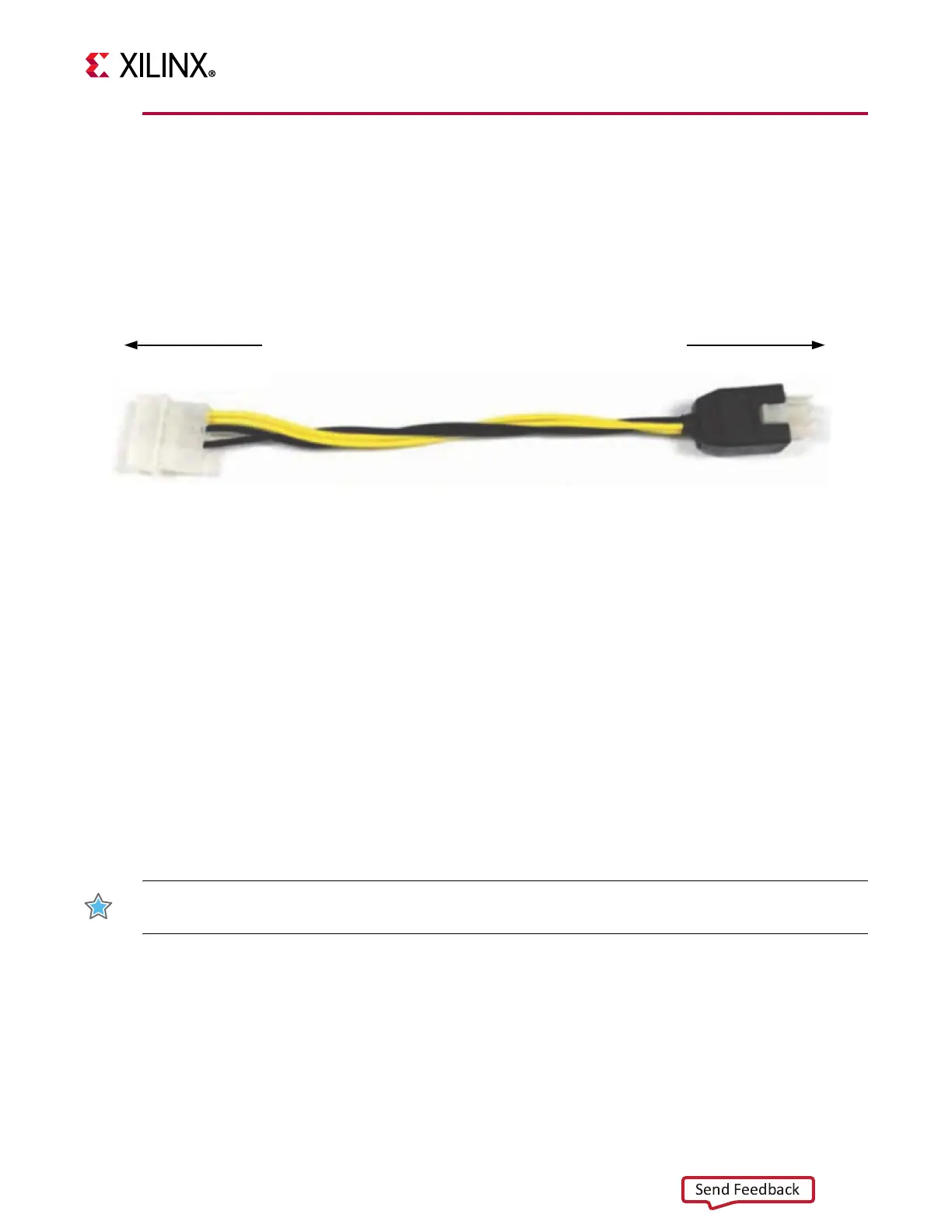
the ATX adapter cable (Figure 2-3), which is plugged into J52 on the KCU116 board. The
Xilinx
®
part number for this cable is 2600304. See [Ref 35] for ordering information.
To install the KCU116 board in a PC chassis:
1. On the KCU116 board, remove the six screws retaining the six rubber feet with their
standoffs, and the PCIe bracket. Reinstall the PCIe bracket using two of the previously
removed screws.
2. Power down the host computer and remove the power cord from the PC.
3. Open the PC chassis following the instructions provided with the PC.
4. Select a vacant PCIe expansion slot and remove the expansion cover (at the back of the
chassis) by removing the screws on the top and bottom of the cover.
5. Plug the KCU116 board into the PCIe connector at this slot.
6. Install the top mounting bracket screw into the PC expansion cover retainer bracket to
secure the KCU116 board in its slot.
IMPORTANT: The KCU116 board is taller than standard PCIe cards. Ensure that the height of the card
is free of obstructions.
7. Connect the ATX power supply to the KCU116 board using the ATX power supply
adapter cable as shown in Figure 2-3.
a. Plug the 6-pin 2 x 3 Molex connector on the adapter cable into J52 on the KCU116
board.
b. Plug the 4-pin 1 x 4 peripheral power connector from the ATX power supply into the
4-pin adapter cable connector.
X-Ref Target - Figure 2-3
Figure2‐3: ATX Power Supply Adapter Cable
To ATX 4-Pin Peripheral
Power Connector
To J52 on KCU116 Board
X18419-120916








 To Next Page