KCU116 Board User Guide 9
UG1239 (v1.2) September 28, 2018 www.xilinx.com
Chapter 2
Board Setup and Configuration
Electrostatic Discharge Caution
CAUTION! ESD can damage electronic components when they are improperly handled, and can result
in total or intermittent failures. Always follow ESD-prevention procedures when removing and
replacing components.
To prevent ESD damage:
• Use an ESD wrist or ankle strap and ensure that it makes skin contact. Connect the
equipment end of the strap to an unpainted metal surface on the chassis.
• Avoid touching the adapter against your clothing. The wrist strap protects components
from ESD on the body only.
• Handle the adapter by its bracket or edges only. Avoid touching the printed circuit
board or the connectors.
• Put the adapter down only on an antistatic surface such as the bag supplied in your kit.
• If you are returning the adapter to Xilinx Product Support, place it back in its antistatic
bag immediately.
Board Component Location
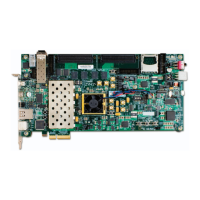
Figure 2-1 shows the KCU116 board component locations. Each numbered component
shown in the figure is keyed to Table 2-1. Table 2-1 identifies the components, references
the respective schematic page numbers, and links to a detailed functional description of the
components and board features in Chapter 3.
IMPORTANT: Figure 2-1 is for visual reference only and might not reflect the current revision of the
board.
CAUTION! The KCU116 board can be damaged by electrostatic discharge (ESD). Follow standard ESD
prevention measures when handling the board.








 To Next Page