Version 8.0
G-30-1682-en Page 97
S88 / OPMI Lumera T Device overview
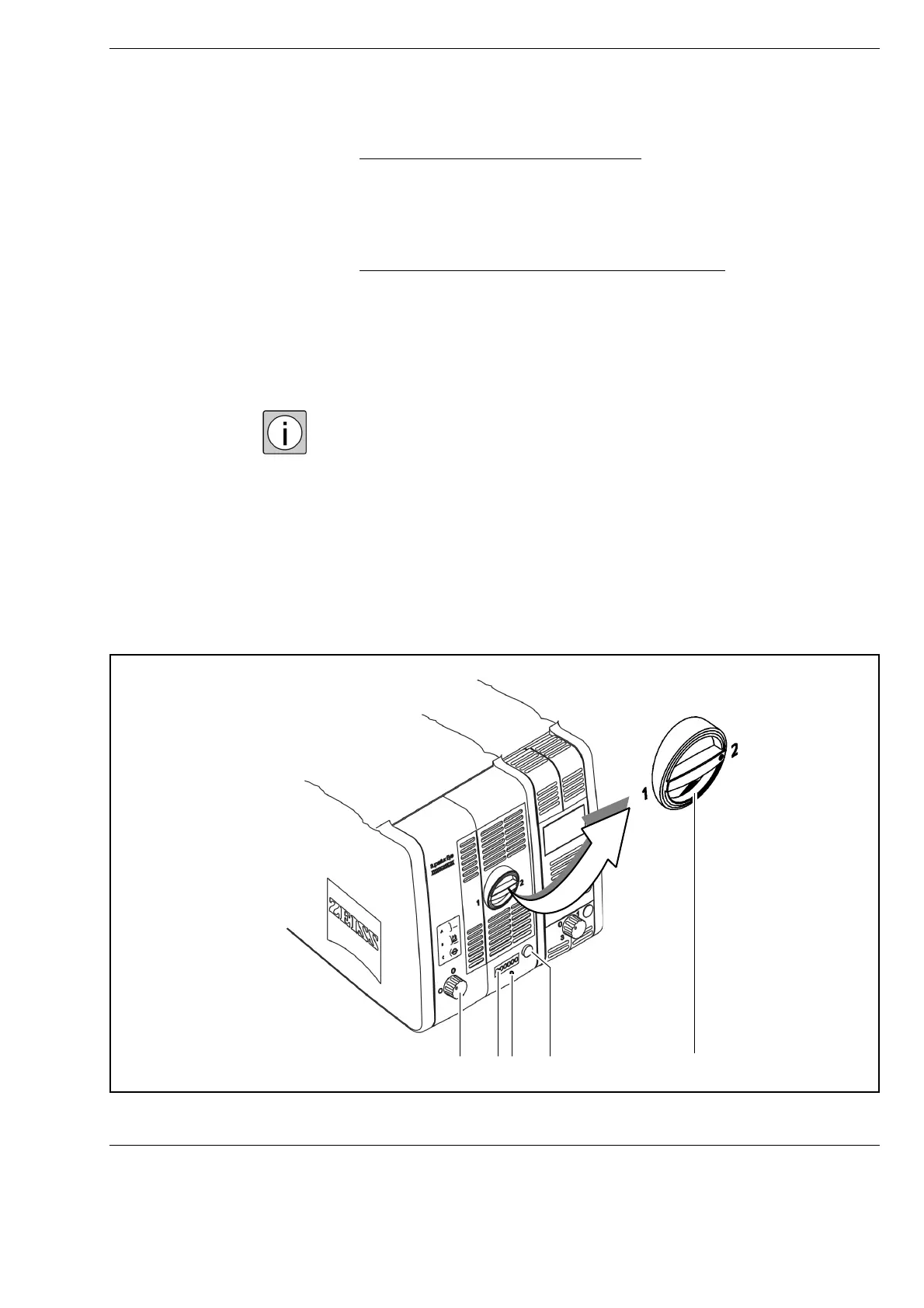
4 Opening the Superlux Eye lamp module
When you press this button, the slide-in lamp module is partially ejected.
To change the lamp, pull out the lamp module as far as it will go. Turn the
knob (5) through 180° until it snaps in place. This moves the backup lamp
into the illumination beam path.
5 Manual activation of the Superlux Eye backup lamp
If the xenon lamp fails, open the lamp module. To do this, press the button
(4). The lamp module will eject partially. Pull out the lamp module as far
as it will go. Turn knob (5) through 180° until it snaps in place. This moves
the backup lamp into the illumination beam path. Push the lamp module
all the way back into the lamp housing. Use a pointed object and press it
into the recess of reset button (3).
When inserting a new lamp module, make sure that knob (2) is set to "1".
If the first lamp fails, switch to the second lamp in logical sequence.
241 53















 To Next Page