Pannoramic 250 1.15 User’s Guide 4 Software Description
Those filters are displayed automatically that you have previously defined in the Options /
Microscope Settings at the mode selection screen.
For more information on predefining filters, see section 4.2.3 Microscope Settings / Base
Settings.
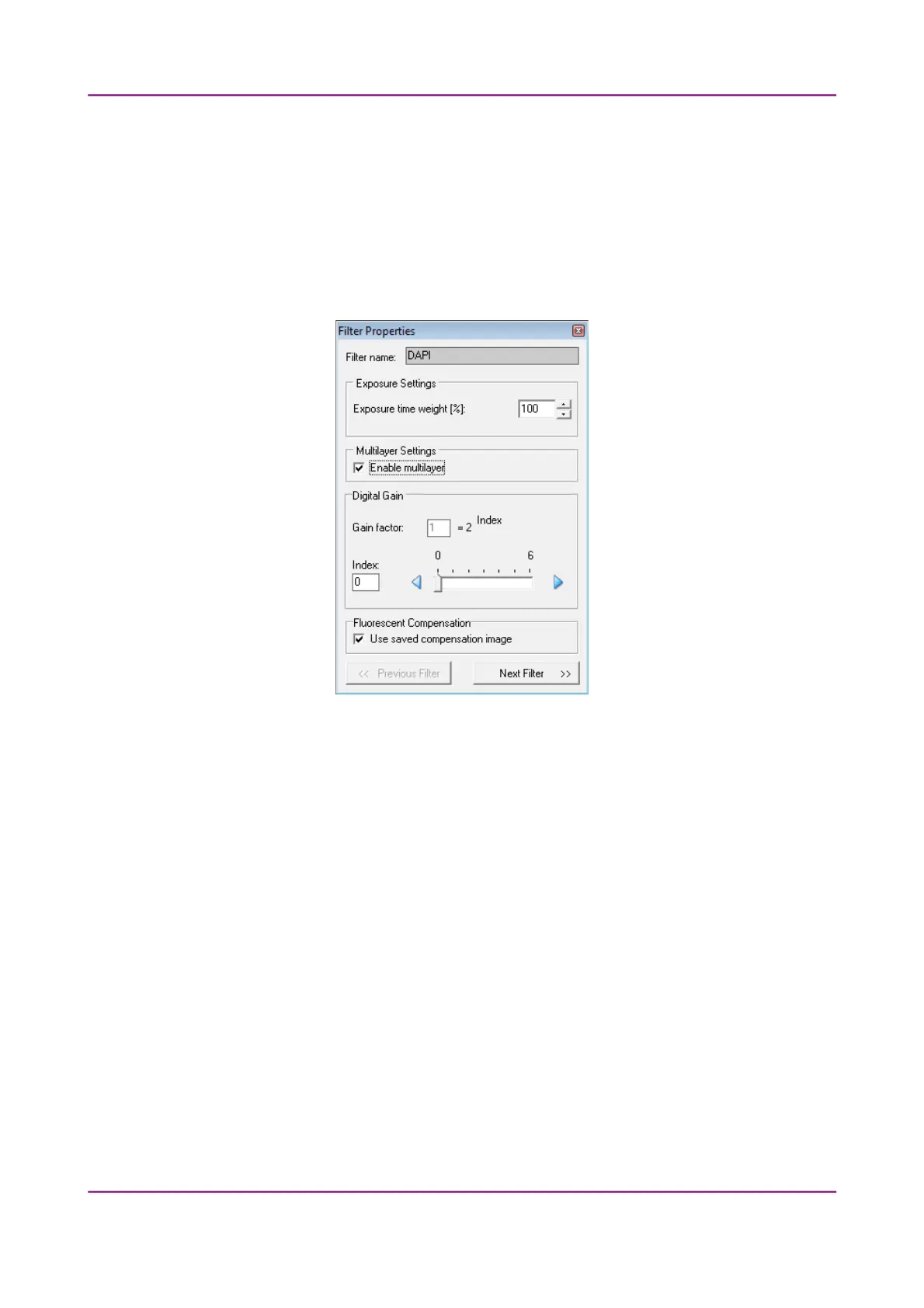
To set filter properties, select a filter and click on any of the white boxes of the TW and DG
columns next to the filter name. This displays the Filter Properties window.
Figure 55 – Filter properties window
Filter name
The name of the filter is displayed here.
Exposure Settings
You can set the Exposure time weight (%) here (displayed under TW in the
Channel Settings frame).
In full automatic mode, the system automatically calculates the exposition
time to the given channel. You can increase or decrease this amount here in
a range of 50%-200%.
Multilayer Settings
Enable Multilayer function and the concerning settings can be activated in
this field, accordingly, you can set the Extended focus and Z-stack values for
each channel separately.
March 13, 2012 – Rev. 1 3DHISTECH Ltd.
82(135)



 To Next Page