Pannoramic 250 1.15 User’s Guide 4 Software Description
Digital Gain
Note:
This is camera-dependent, when working with AxioCam MRm
Rev 3 camera the Index value ranges from 0 to 4, and in case
using the pco.edge camera, the value ranges from 0 to 6.
Enter the Index value by entering it in the box or by selecting the value with the
arrow buttons. If you raise the Index value, the exposition time is halved by every
step, and the image becomes noisier.
Fluorescent Compensation
Use saved compensation image. Compensation images can be created for
those filters, for which compensation images are created previously. To
create compensation image, see section 4.2.2 Image Compensation /
Fluorescent.
To move between the filters, click Previous Filter or Next Filter.
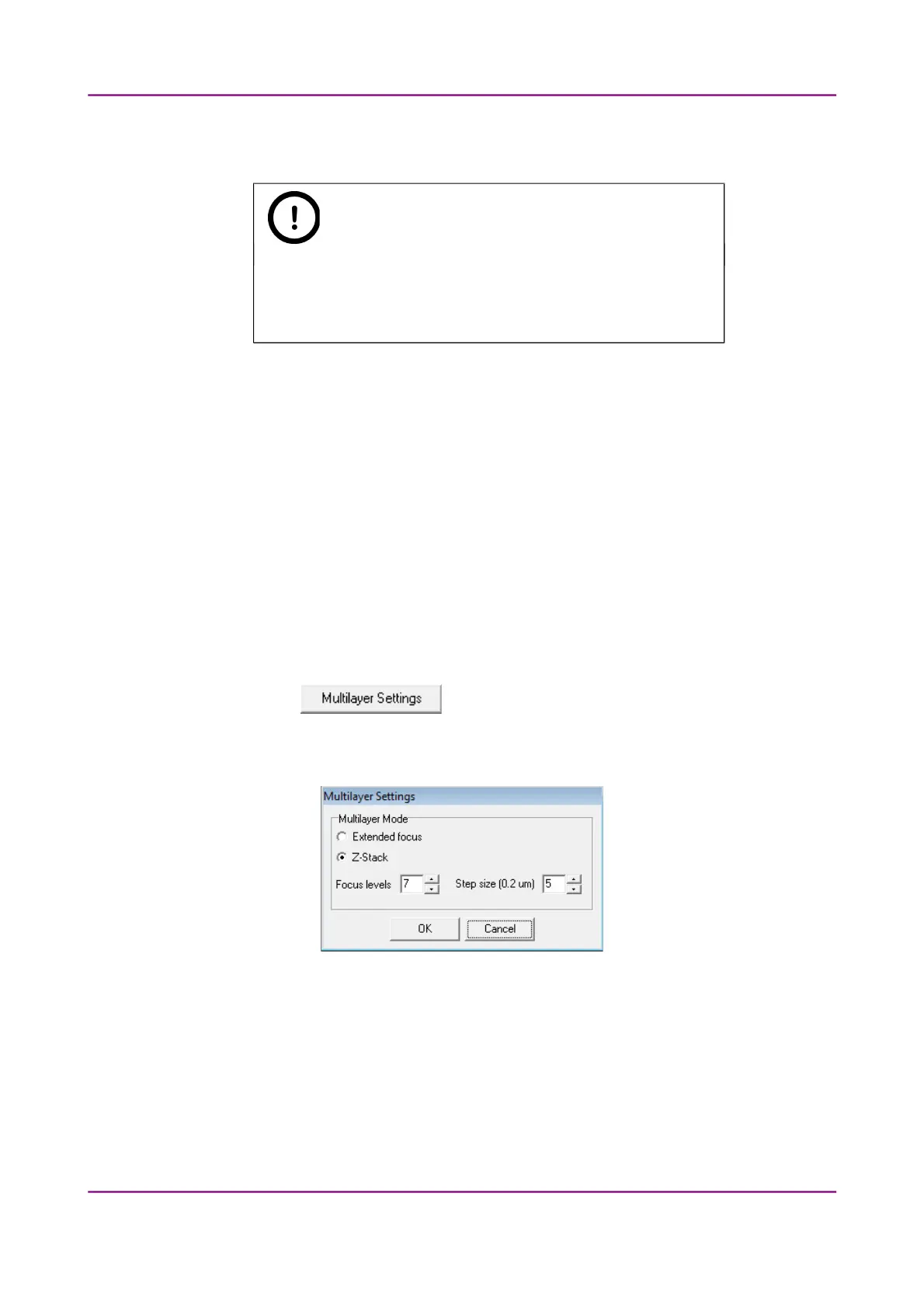
Multilayer Settings
By clicking the button the Multilayer Settings window is displayed. The
containing settings are the same as in Brightfield mode, but you can select Extended focus
or Z-stack value for the specific channel.
Figure 56 – Multilayer Settings window
Set the focus level value under the Number of focus levels box, and the Focus step size
(one step = 0.2 μm).
Once you have set the correct values, tick the multilayer checkbox (EF or ZS column) of the
channel for which you want to apply these settings, or activate Enable Multilayer function
in the Filter Properties window.
March 13, 2012 – Rev. 1 3DHISTECH Ltd.
83(135)



 To Next Page