Installation Configuring the CEI-220
CEI-100/CEI-200/CEI-x20 User’s Manual 22
Configuring the CEI-220
This section provides configuration information for the CEI-220.
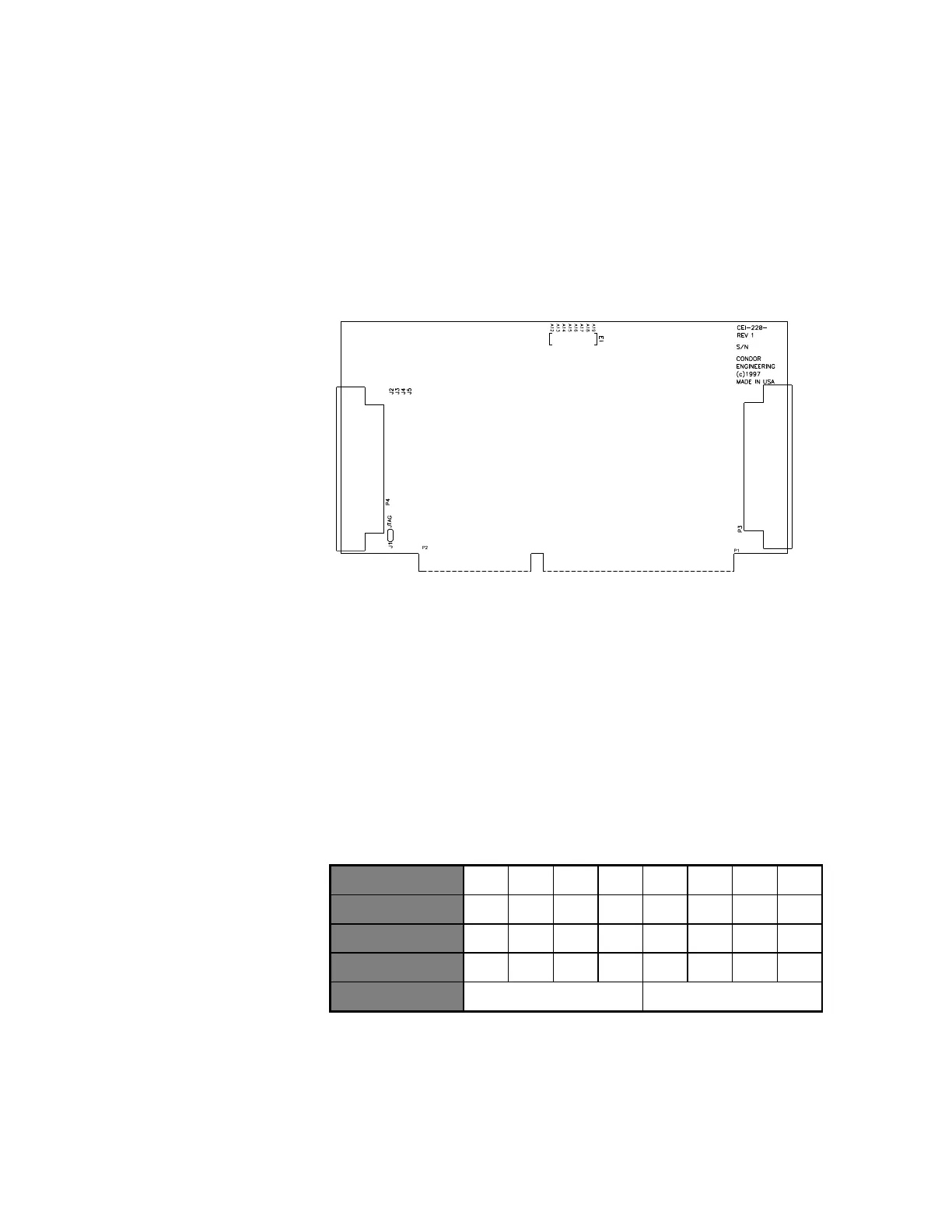
CEI-220 Outline Drawing
Figure 10. CEI-220 Outline Drawing
CEI-220 Base Memory Address
Jumpers A19-A12 set the base memory address for the CEI-220. An
installed jumper selects that address bit as ‘0’. Table 17 demonstrates the
mapping of switch positions to address bits and uses the default address of
D000 (hex) as an example. The CEI-220 takes up 4Kb (i.e., 1000 Hex) of
upper memory block memory space.
Table 17. Mapping of Switch Positions to Address Bits
Other sample settings for jumpers A19 through A12 respectively generate
the following base memory addresses:
D800 = Off Off On Off Off On On On
E000 = Off Off Off On On On On On
Artisan Technology Group - Quality Instrumentation ... Guaranteed | (888) 88-SOURCE | www.artisantg.com



 To Next Page