Installation CEI-220/420/420A/520/520A/620/820/820TX Self-test
CEI-100/CEI-200/CEI-x20 User’s Manual 37
CEI-220/420/420A/520/520A/620/820/820TX Self-test
After installing a CEI-x20 board in a Windows system, you should
perform a self-test to validate the interface.
1. Click the Start button. Then select Programs, then Abaco CEI-x20-
SW, and then CEI-x20 Test Config.
2. Enter the board number and press Enter.
3. Verify that the test passes for each channel.
The wrap test does not support non-ARINC-429 channels. The test
fails if the selected board includes an ARINC-573/717 or CSDB
channel. This doesn’t indicate a problem with either the hardware or
the software. See the listing of example programs for an example that
exercises non-ARINC-429 channels.
CEI-220 Discrete Inputs
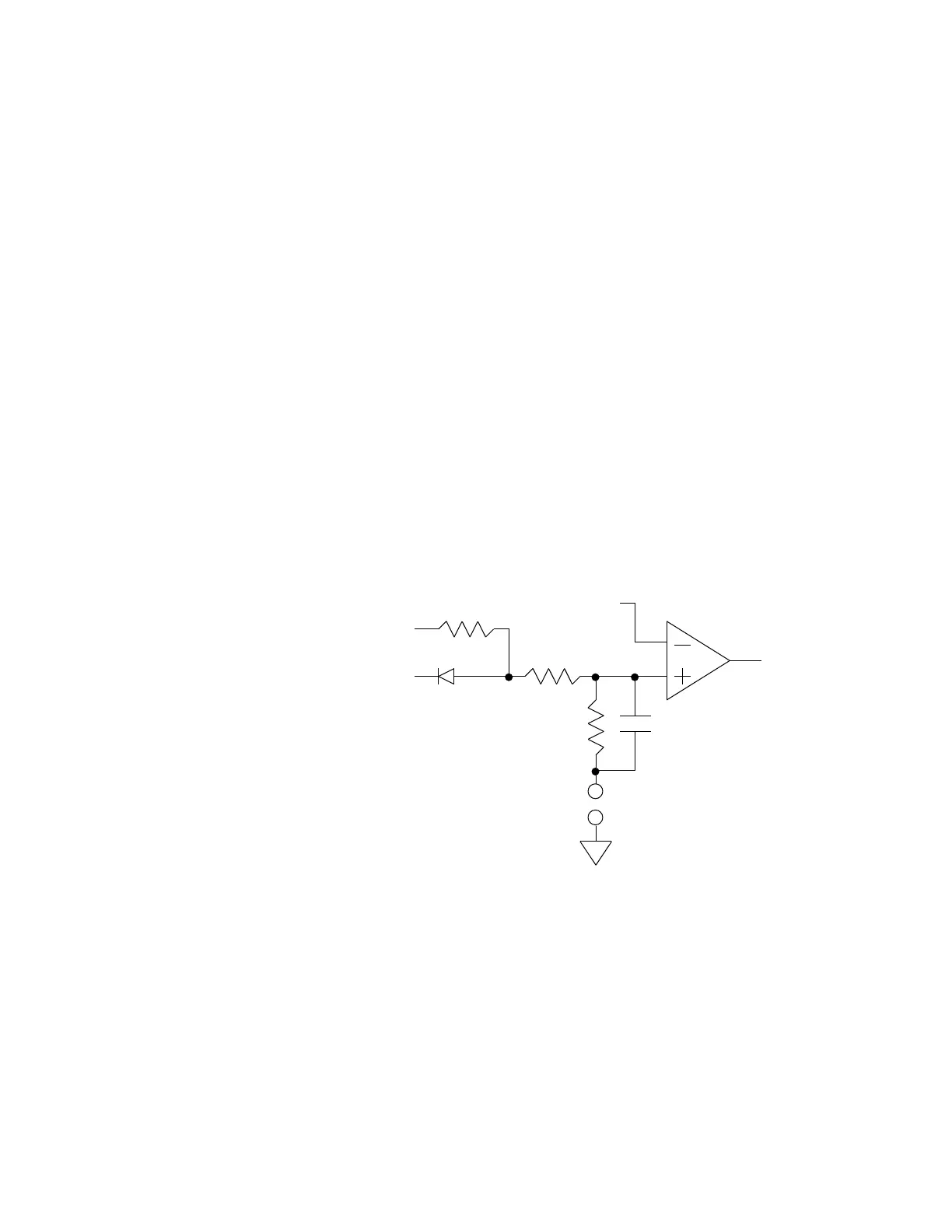
Each of the CEI-220 discrete inputs has a circuit as shown in Figure 19.
Figure 19. CEI-220 Discrete Inputs Circuit
The CEI-220 has four single-ended, unipolar discrete inputs, which can be
configured for several different applications, as described in Table 32.
The discrete input specifications are shown in Table 33. To use the
discrete inputs, chose your operating mode from the first table, install
jumpers as required, and program an input threshold.
All discrete inputs share the same threshold. This doesn’t preclude using
different operating modes. Program the threshold by passing a value to the
AR_SET_CONFIG API routine. Calculate this value by taking the desired
Artisan Technology Group - Quality Instrumentation ... Guaranteed | (888) 88-SOURCE | www.artisantg.com



 To Next Page