99
11.08 AI1 (O) scaled at AI1 min
Range: 0.00 ~ 400.0 Hz in 0.01 Hz - Frequency
Range: 0.0 ~ 100.0 % in 0.1 % - PID
Initial value: 0.00 Hz
Defines the real internal value that corresponds to the minimum analog input AI1 value
defined by parameter
'11.06' (AI1 source min)
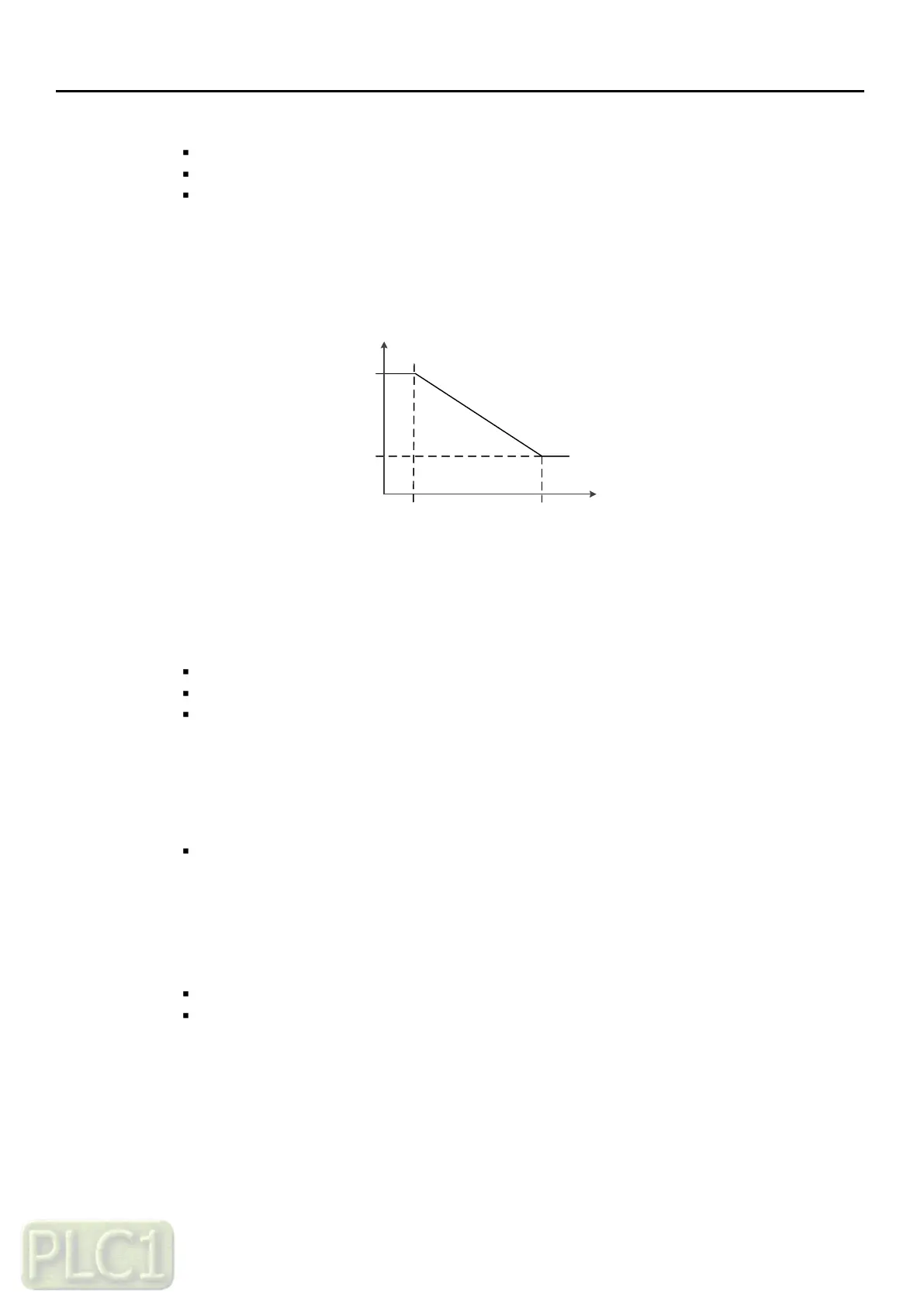
11.09 (AI1 scaled at Al1 max)
11.03 (AI1 scaled value)
11.02 (AI1 actual value)
11.08 (AI1 caled at Al1 min)
11.06 (AI1 source min) 11.07 (AI1 source max)
Changing the polarity settings of
'11.08' (AI1 scaled at AI1 min)
and
'11.09' (AI1 scaled at AI1 max)
can effectively invert the analog input
11.09 AI1 (O) scaled at AI1 max
Range: 0.00 ~ 400.0 Hz in 0.01 Hz - Frequency
Range: 0.0 ~ 100.0 % in 0.1 % - PID
Initial value: 60.00 Hz
Defines the real internal value that corresponds to the maximum analog input AI1 value
defined by parameter
'11.07' (AI1 source max)
11.10 AI2 (OI) actual value
Range: 0.00 ~ 100.0 % in 0.01 %
Displays the value of analog input AI2 (OI) in mA
(Depending on the input is set to current by a hardware setting)
11.11 AI2 (OI) scaled value
Range: 0.00 ~ 400.00 Hz in 0.01 Hz - frequency
Range: 0.00 ~ 100.0 % in 0.01 % - PID
Displays the value of analog input AI2 after scaling
Related Parameters: '11.16', '11.17'



 To Next Page