52
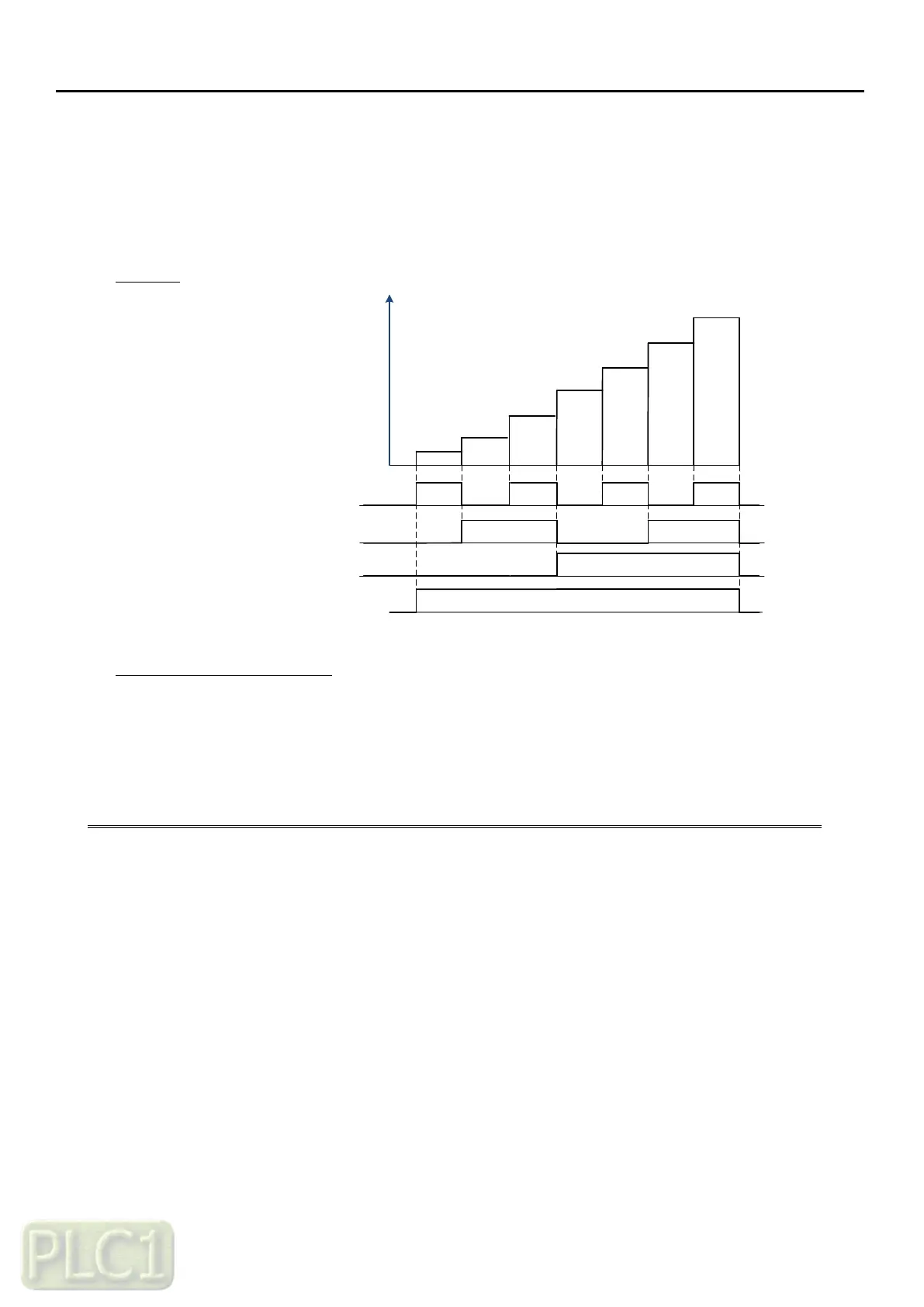
7.3 Frequency Command Source to Input Terminal – Multi Speed
Frequency
Input Terminal Diagram
Programming A1 Parameters
Diagram
22.12
ON
ON
ON
ON
22.13
22.14
22.15
22.16
22.11
22.10
F
ON
ON
ON ON
Run command
22.07 (Constant frequency source 1)
22.08 (Constant frequency source 2)
22.10 (Constant frequency 1)
22.11 (Constant frequency 2)
22.12 (Constant frequency 3)
22.13 (Constant frequency 4)
22.14 (Constant frequency 5)
22.15 (Constant frequency 6)
22.16 (Constant frequency 7)
22.09 (Constant frequency source 3)
Programming A1 Parameters
On Keypad, program following parameters with corresponding values:
Set Terminal 3 to Multi Speed Set CF1
Set Terminal 4 to Multi Speed Set CF2
Set Terminal 5 to Multi Speed Set CF3
Set Frequency Value to Multi Speed by combination of CF1 ~ CF3.



 To Next Page