EasyManua.ls Logo

Adtech iMASTER – A1 Series - Keypad Operation

Default Icon
198 pages
Print Icon
To Next Page IconTo Next Page
To Previous Page IconTo Previous Page
Loading...
A1-User’s Manual
38
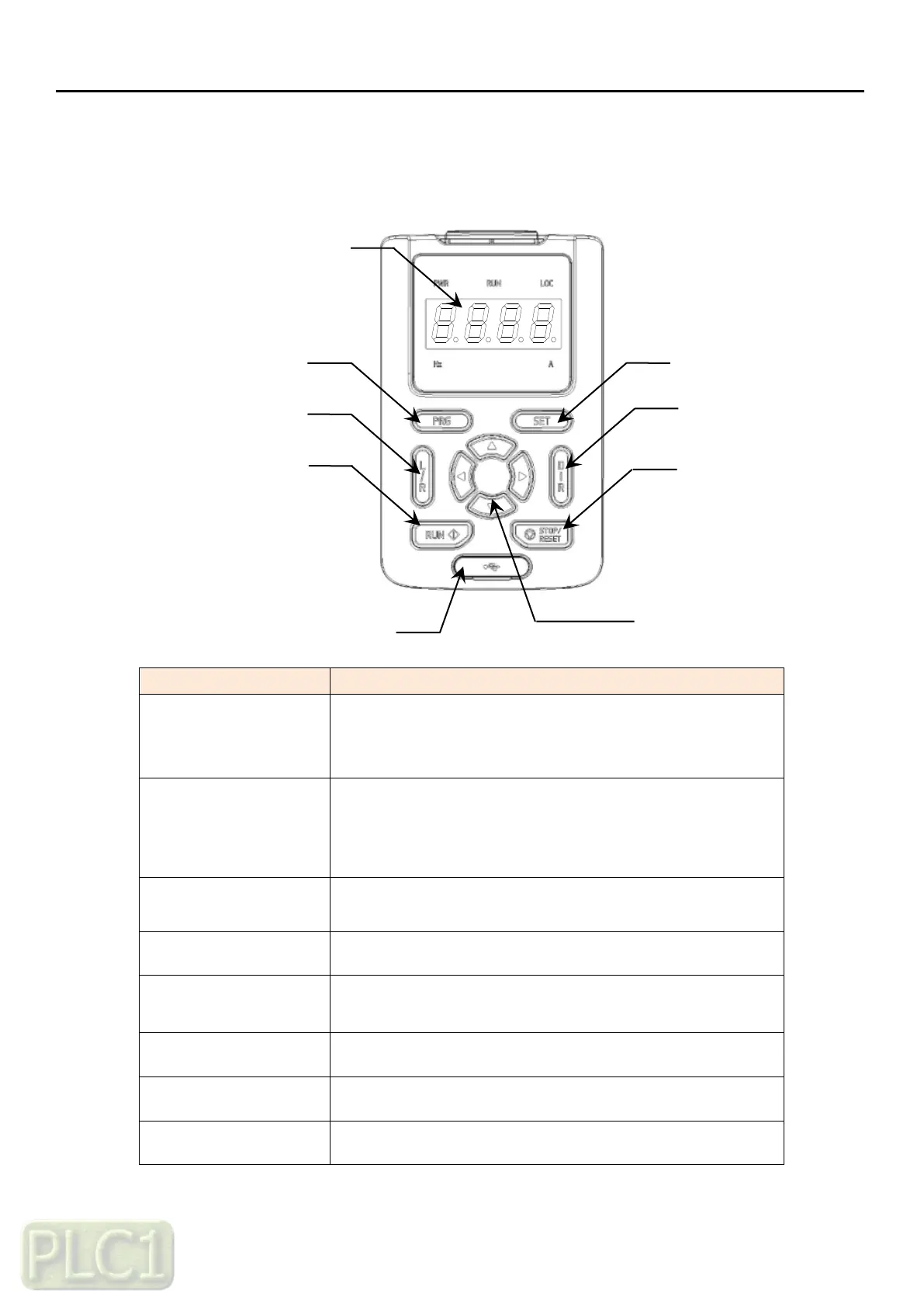
6.1.2 Keypad operation
1) Configuration of LED Keypad
KEY
Function
PRG
Move to fault history
previous
Cancel at setting mode
SET
Move to menu
Reset the fault when the fault is occurred
Select the parameters
Save the value of parameter
Arrow keys
Move to display or group
Move the position when set the parameter value
Dir key
Change the direction at local mode
Mode key
Change local or remote mode
Start/Stop/Dir keys enable at local mode
Start key
Start the VFD at local mode
Stop key
Stop the VFD at local mode
Mini USB
Communicate with PC tool
LED
Program Key
Local/Remote key
Selection Key
Direction Key
Stop/Reset Key
Arrow Key
Mini USB
Run Key

Table of Contents