D.
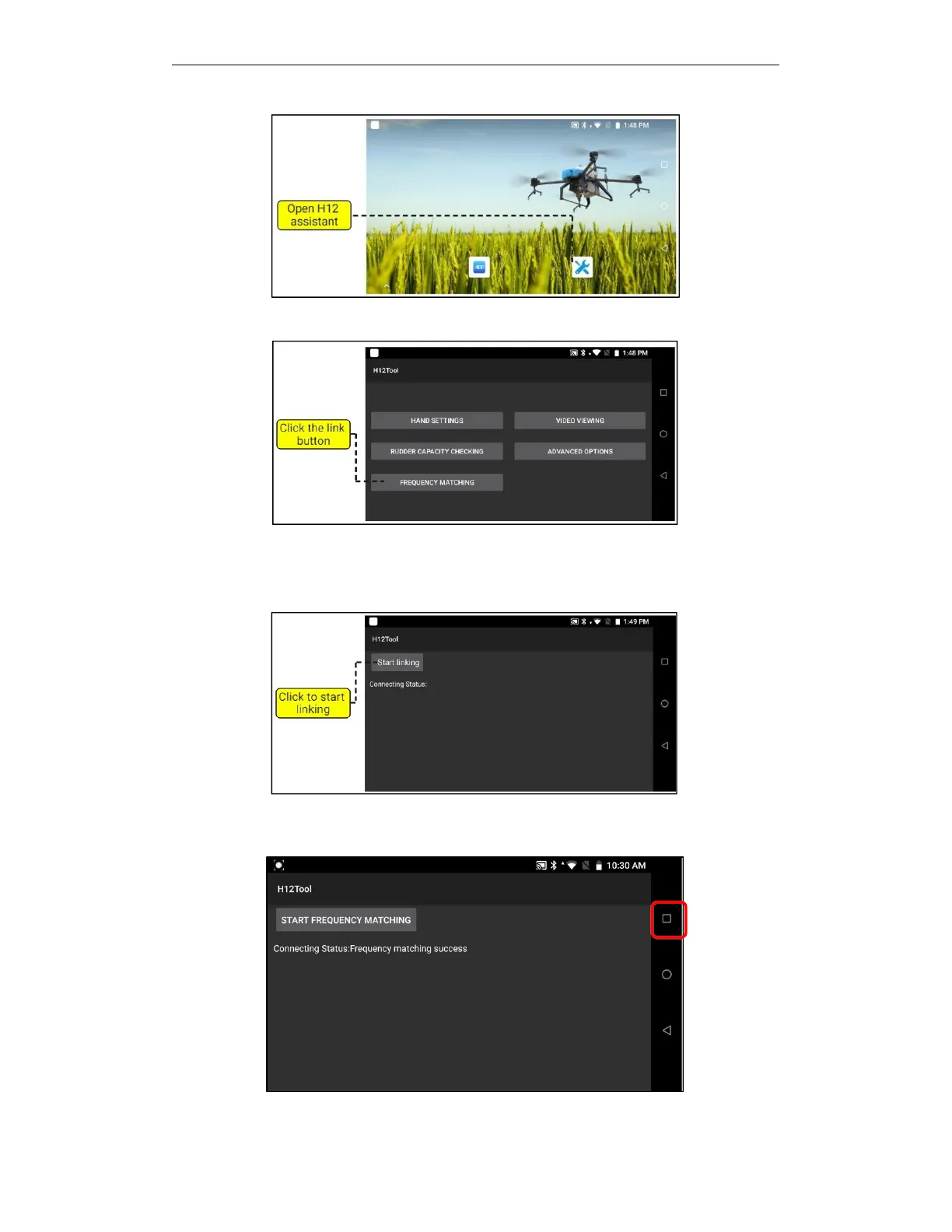
Click the link button, as shown below.
E.
As shown in the figure below, after pressing "Start Linking", the remote control will emit a "di
di di" sound, and then a "di di di di" sound. At this time, the central control's linking indicator will
be steady green, indicating successfully.
F.
After the pairing is successful, click the "Task button" on the upper right to pop up the
background program, as shown in the figure below.



 To Next Page