G.
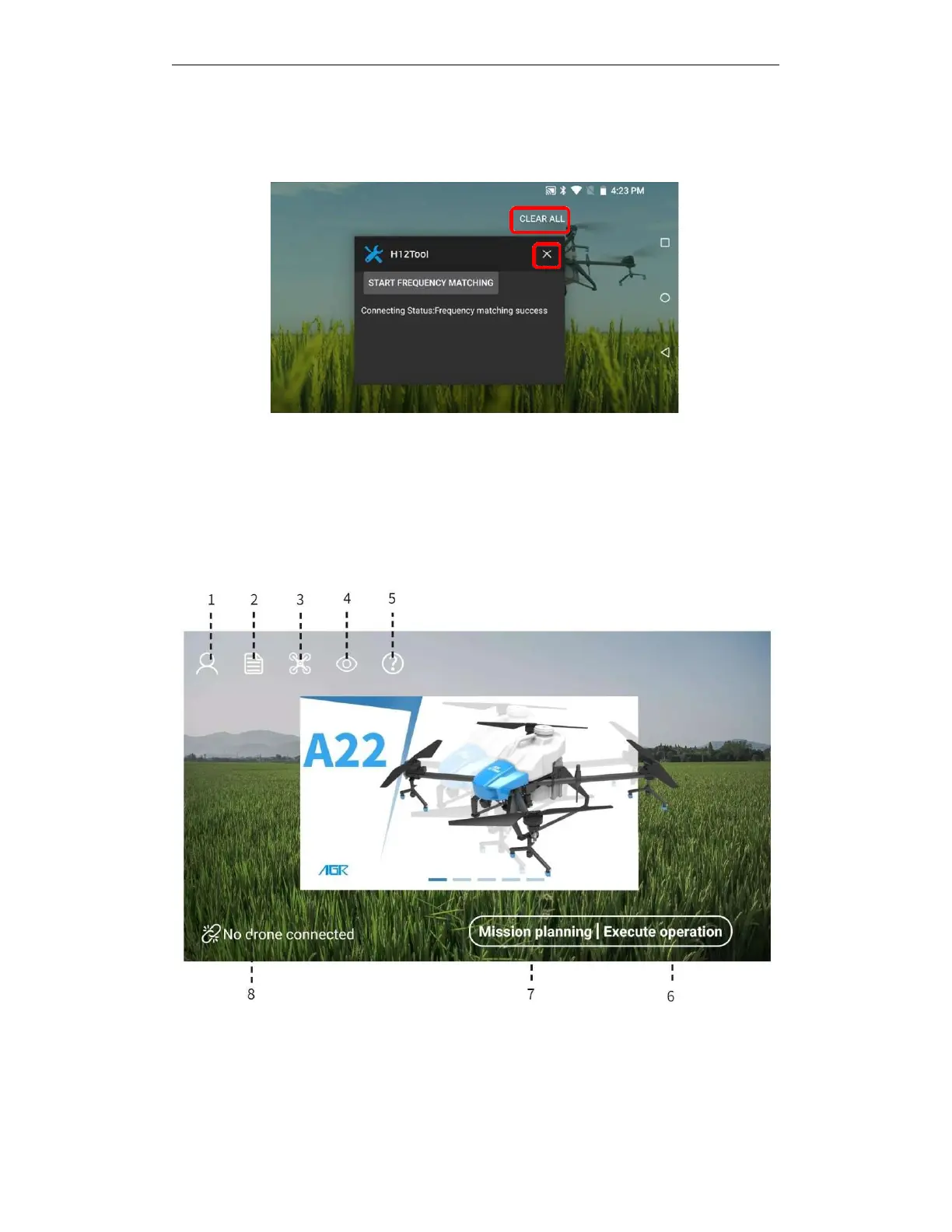
Tap "Clear All" or tap "×" or tap the screen and swipe to the left to close the H12 assistant,
and then open the AGR APP to connect to the aircraft. H12 is closed as shown in the figure below.
Note: Please be sure to close the H12 assistant in the above way, otherwise the AGR APP cannot
connect to the aircraft normally!
4.
AGR APP
4.1. Home Screen
①User information: log out or log in, view user information, real-name authentication, operator
authentication, add or delete aircraft and chargers, view, filter, and count battery real-time and
historical information.
②Job records: view job records, replay job records, filter and count job records, and synchronize



 To Next Page