8.3. Plant protection drone management
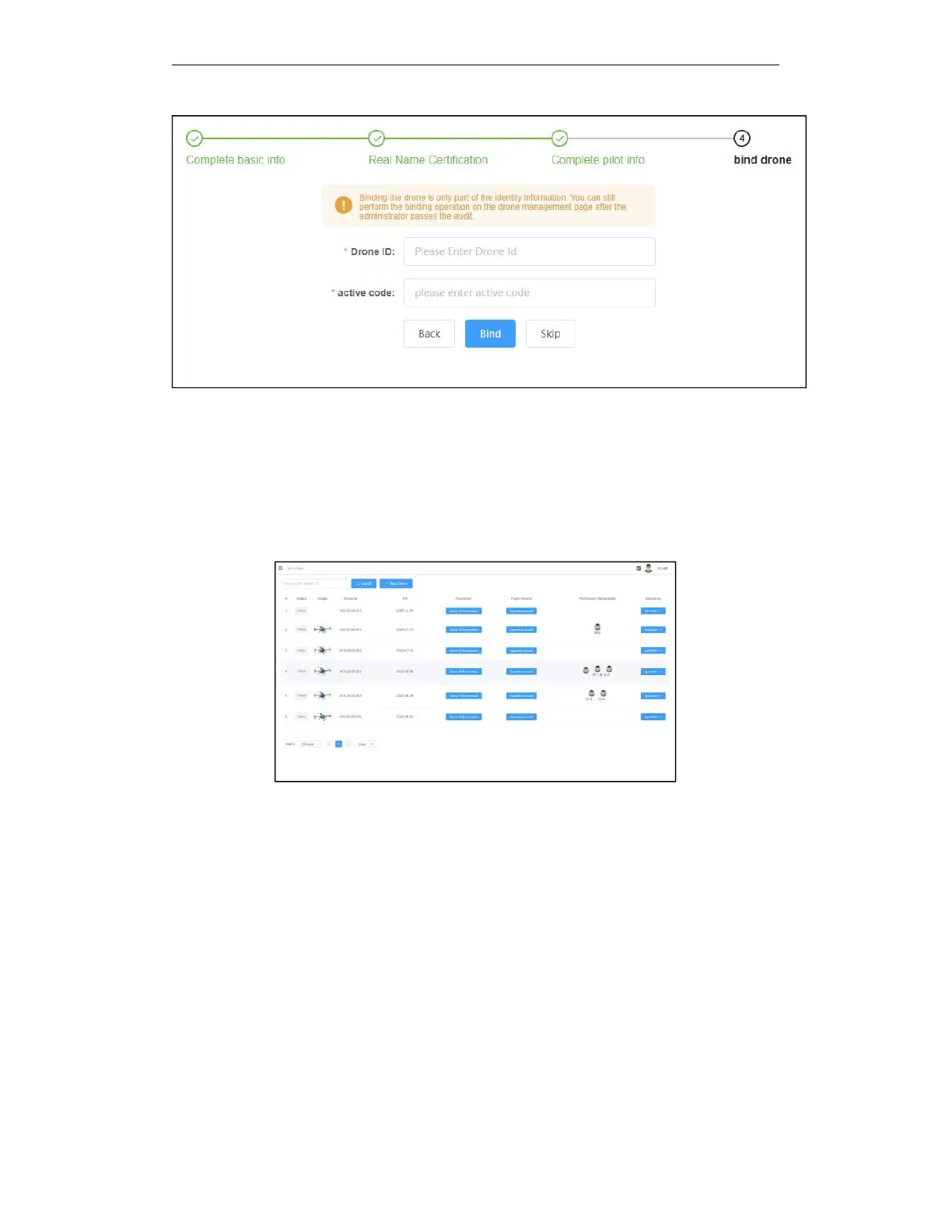
Through the AGR Agricultural Management Platform, the owner of the plant protection drone
can view all the parameters of the plant protection drone in real time, lock the plant protection
drone, bind the plant protection drone, view the related operation records of the specified drone
(skip to the flight statistics page) and other operations.
8.3.1. Plant protection drone management FAQ
Q:How can I find my plant protection drone on the plant protection drone management page?
A: Through the binding of the plant protection drone function on the plant protection drone
management page, fill in the plant protection drone ID given by the manufacturer when you
purchased the plant protection drone and the unique corresponding activation code for each
plant protection drone (usually a 4-digit random number and letter combination, please properly
Save the activation code), bind the plant protection drone to your own account to view and
manage the plant protection drone.
Q:Who can operate the plant protection drone that purchased by a user ?
A: After the plant protection drone purchased by the user is activated, it can only use the
personal fixed account for plant protection operations, and other people have no right to use the



 To Next Page