tips:
A.
You can manually operate the remote control to adjust the altitude during route operation.
During the adjustment, the drone will not pause the route operation, and the drone will operate at
the adjusted height.
Application scenario: If it is found that the drone will hit an obstacle or a person during operation,
you can manually push the stick to raise the drone and bypass the obstacle from above.
B.
You can manually operate the remote control to control the head of the drone during route
operations. The drone will not suspend route operations during adjustment.
Application scenario: If the head of the drone is found shifting during operation, you can manually
operate the remote control to adjust the orientation of the drone head to ensure the spraying
effect.
to call the plot to enter the route operation.
5.6.3.2. Set route operation parameters
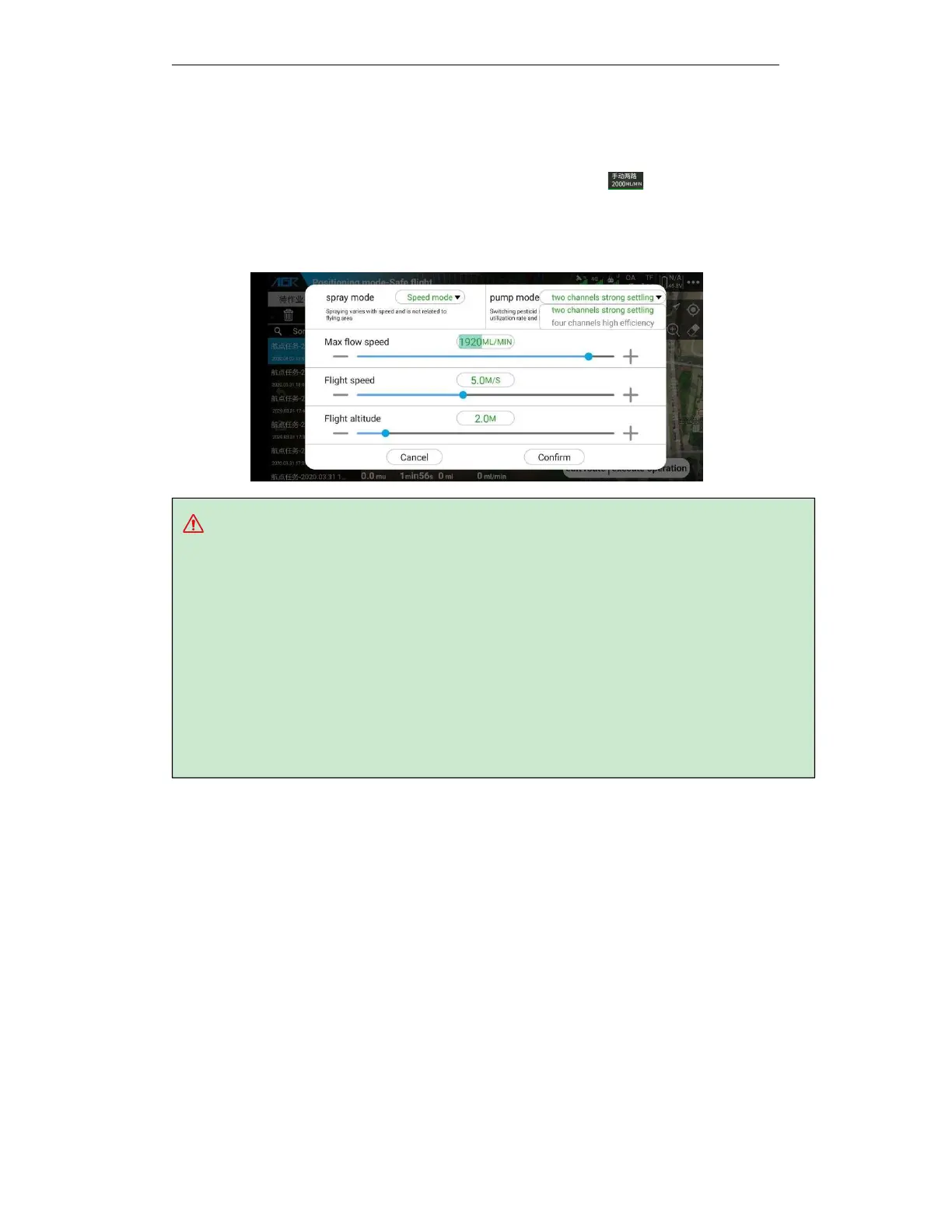
After uploading the route, it will pop up automatically or click the top
operation parameter
button to call up the spray setting pop-up window to adjust the spray parameters. When the
operation is not started, the operation parameter adjustment can be set to spray mode, water
pump mode, operation, and flying speed and flying height.
5.6.3.3. Self-test before operation
After confirm the operate parameters, the pop-up window self-checks the status of the drone.
Please carefully check the take-off altitude, return altitude and other information of the drone,
and slide to unlock the route operation.
A.
The altitude of the take-off transfer point is the same as the take-off altitude, and the
altitude of the return transfer point is the same as the return altitude.
B.
If the takeoff and return transfer points are added when editing the route, you can choose to
turn on / off the flight to the transfer point.
C.
Please pay attention to the action of the drone after spraying the pesticide, the remote
control is out of control, the route operation is completed, and the severe low battery alarm. If
you need to modify, please return to the execution working interface to modify in more settings.



 To Next Page