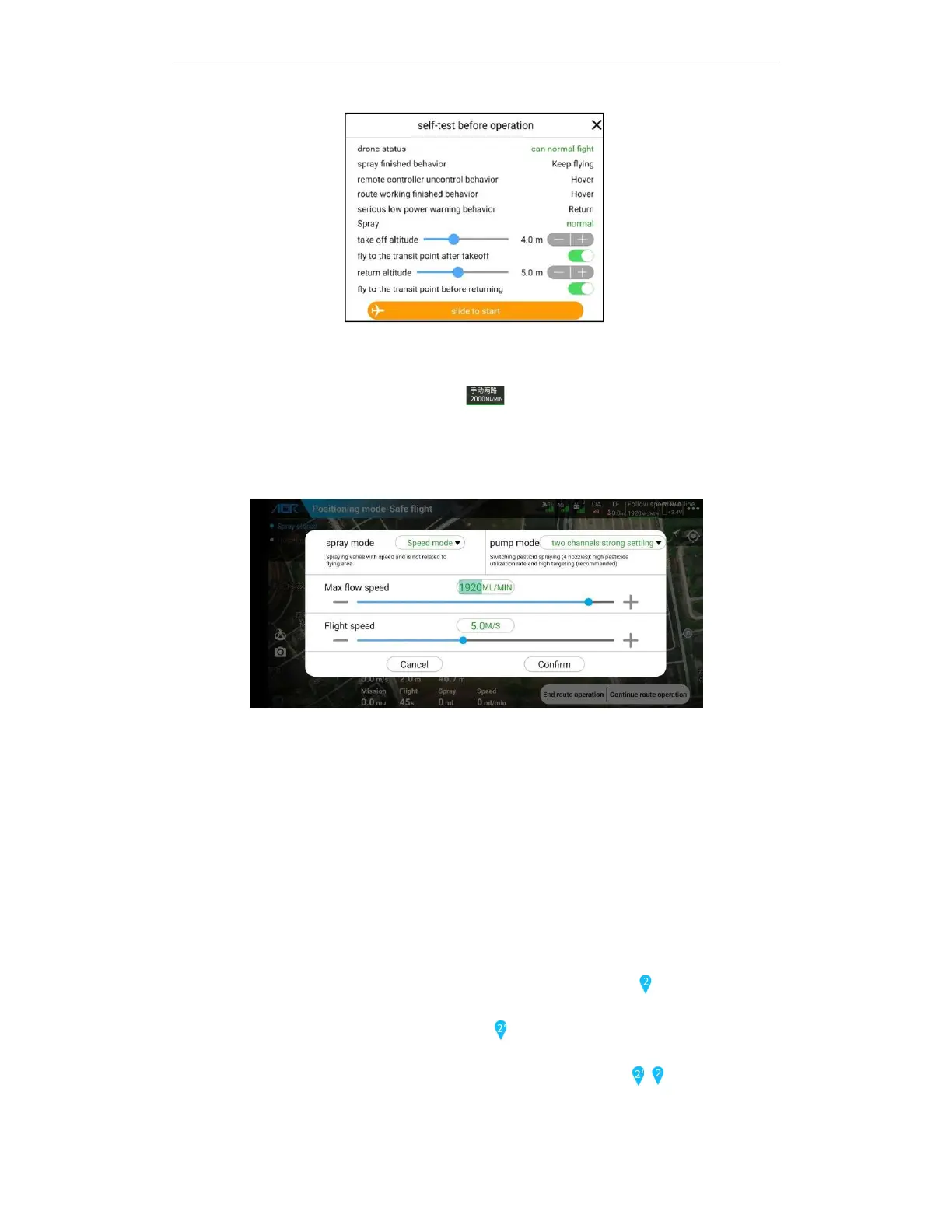
5.6.3.4. Modify working parameters during the working
If during the operation, click the top operation parameter button, call out the spray setting
pop-up window, you cannot adjust the height again at this time. The height is subject to the stick
control. Please manually control the stick and adjust the height. When adjust the height ,it won’t
exit the automatic flight.
5.6.3.5. Automatic operation, to shorten route
In automatic operation the current route can be shortened.
Application scenario: In automatic operation, due to negligent obstacles in the planning of the
plot or when an obstacle (person, animal, etc.) emerges suddenly, the route shortening function
can be used to avoid danger and not interrupt the automatic operation.
The operation method is as follows:
Enter the route change mode: During automatic operation, the remote control moves forward or
back to hit the stick and hold it, that is, the route change mode is entered. At this time, the tail
light keeps flashing white and the drone decelerates and maintains the original direction and low
speed.
Shorten the route: If you release the stick when you reach the position before the segment
point, the drone will move horizontally upon arrival and start the next automatic operation, and
the subsequent routes of the drone will not be shortened. Applicable to - in the presence of



 To Next Page