4.5. Troubleshooting
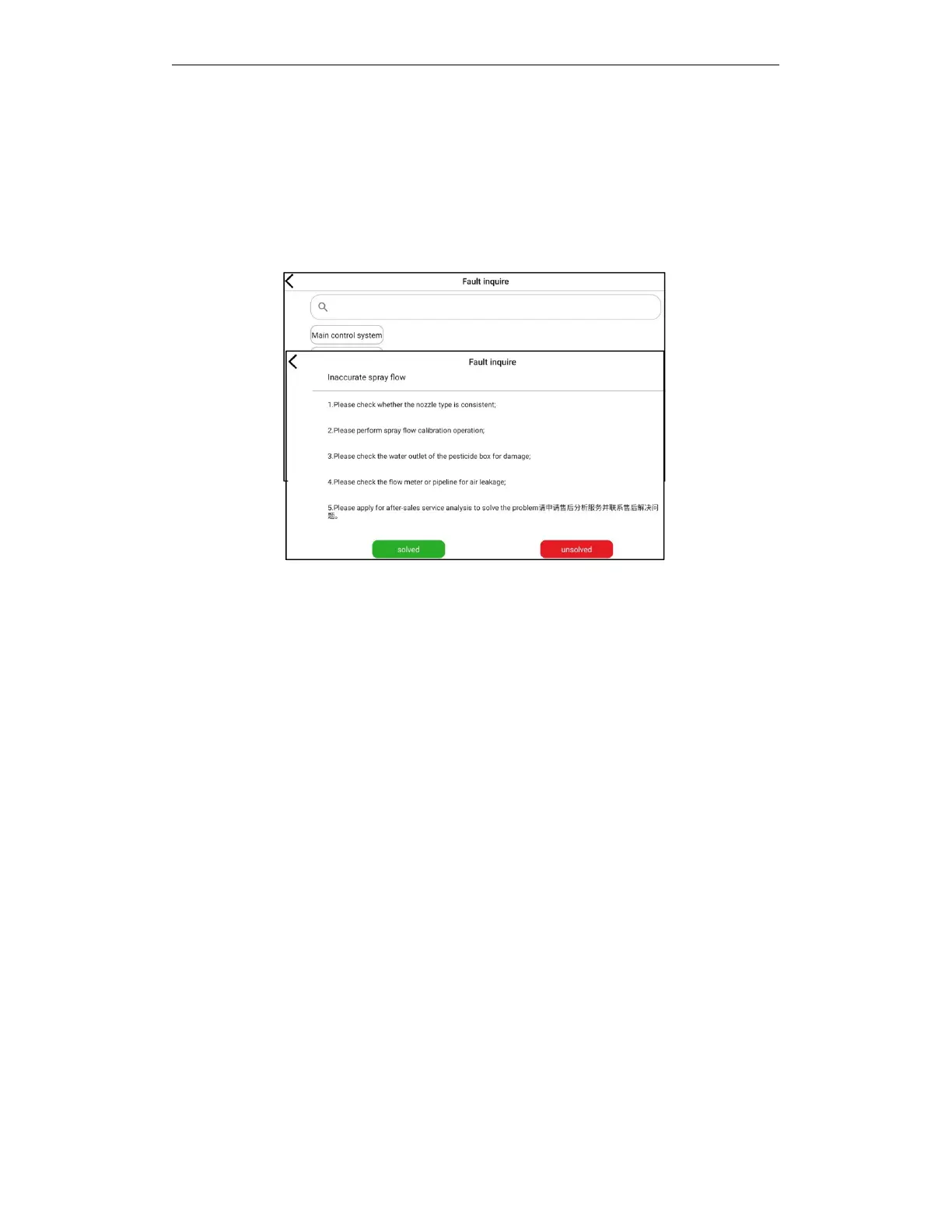
Application scenario: When you met some common problems during the operation, they can
enter the troubleshooting interface to filter and find solutions to the corresponding problems.
Open the AGR APP-click the user information icon to enter the troubleshooting interface
Users can find problems through system classification, or directly search for problem keywords to
find corresponding problem solutions.
Click the problem you want to view to enter the problem details and view the solution. If the
problem is not resolved, you can click "Unresolved" to enter the after-sales analysis interface to
apply for after-sales online data analysis to pinpoint the cause of the problem.
4.6. Operation Record
Users can perform the following operations through the working recording function after the
working:
a.
Find the operation record by drone ID and operation time.
b.
Check today, cumulative operating area, cumulative flight time and cumulative flights.
c.
Upload local working records to AGR plant protection management background
d.
View any operation record working details.
e.
Output the working record into a form file to the phone folder, and the user can share these
records.



 To Next Page