EasyManua.ls Logo

Aiwa NSX-430 - Page 60

Aiwa NSX-430
84 pages
Print Icon
To Next Page IconTo Next Page
To Previous Page IconTo Previous Page
Loading...
REC/REC
MUTE
RECORDING
PROGRAMMED
EDIT
RECORDING
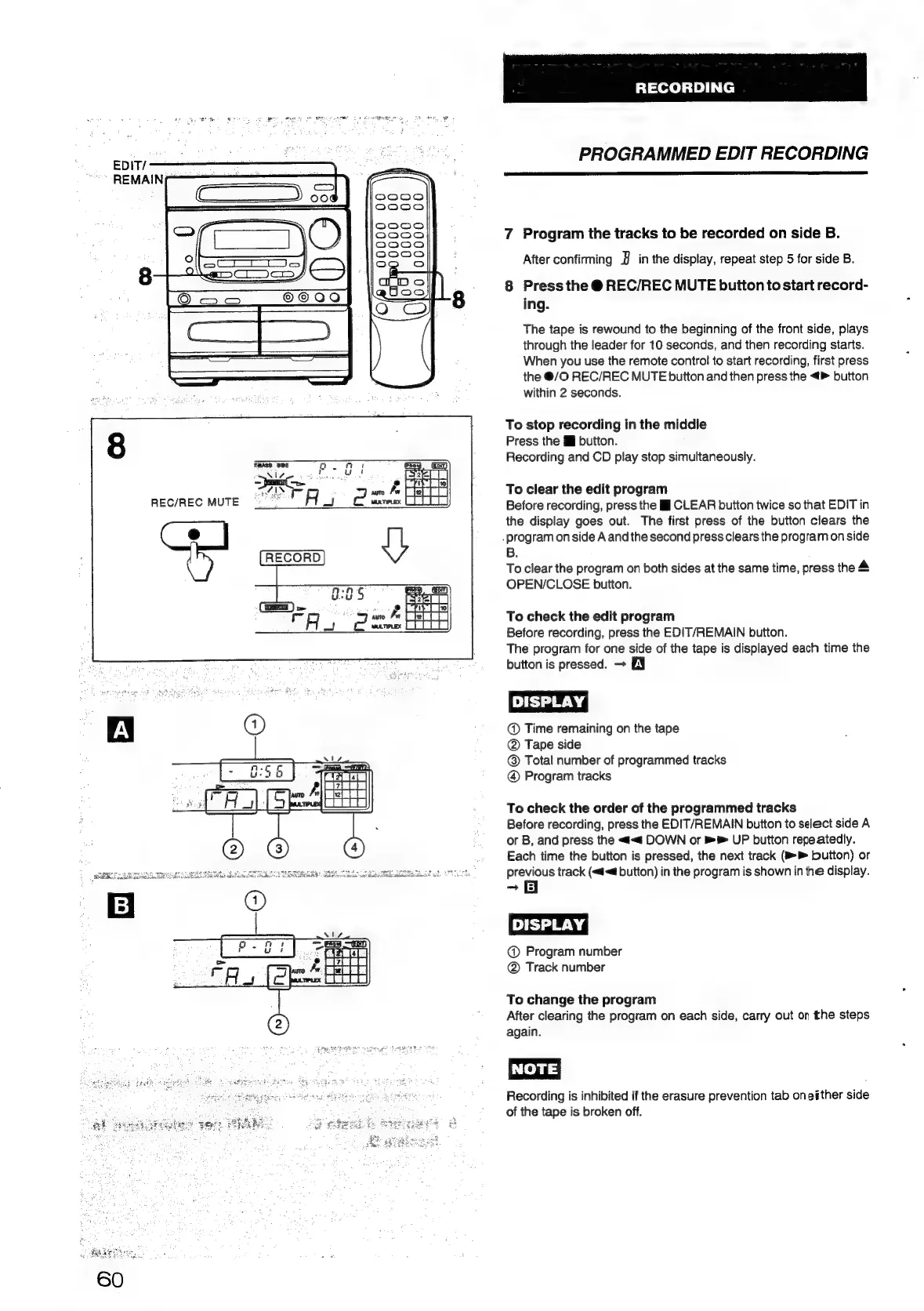
7
Program
the
tracks
to
be
recorded
on
side
B.
After
confirming
J
in
the
display,
repeat
step
5
for
side
B.
8
Press
the
@
REC/REC
MUTE
button
to
start
record-
ing.
The
tape
is
rewound
to
the
beginning
of
the
front
side,
plays
through
the
leader
for
10
seconds,
and
then
recording
starts.
When
you
use
the
remote
control
to
start
recording,
first
press
the
@/O
REC/REC
MUTE
button
and
then
press
the
<>
button
within
2
seconds.
To
stop
recording
in
the
middle
Press
the
iJ
button.
Recording
and
CD
play
stop
simultaneously.
To
clear
the
edit
program
Before
recording,
press
the
I
CLEAR
button
twice
so
that
EDIT
in
the
display
goes
out.
The
first
press
of
the
button
clears
the
.
program
on
side
A
and
the
second
press
clears
the
program
on
side
B.
To
clear
the
program
on
both
sides
at
the
same
time,
press
the
4
OPEN/CLOSE
button.
To
check
the
edit
program
Before
recording,
press
the
EDIT/REMAIN
button.
The
program
for
one
side
of
the
tape
is
displayed
each
time
the
button
is
pressed.
EN
@
Time
remaining
on
the
tape
@
Tape
side
@
Total
number
of
programmed
tracks
Program
tracks
To
check
the
order
of
the
programmed
tracks
Before
recording,
press
the
EDIT/REMAIN
button
to
select
side
A
or
B,
and
press
the
<<
DOWN
or
»®
UP
button
repeatedly.
Each
time
the
button
is
pressed,
the
next
track
(i
button)
or
previous
track
(«d<@
button)
in
the
program
is
shown
in
the
display.
-~
8
[DISPLAY
|
@
Program
number
Track
number
To
change
the
program
After
clearing
the
program
on
each
side,
carry
out
on
the
steps
again.
NOTE
Recording
is
inhibited
if
the
erasure
prevention
tab
oneither
side
of
the
tape
is
broken
off.

Table of Contents

Related product manuals