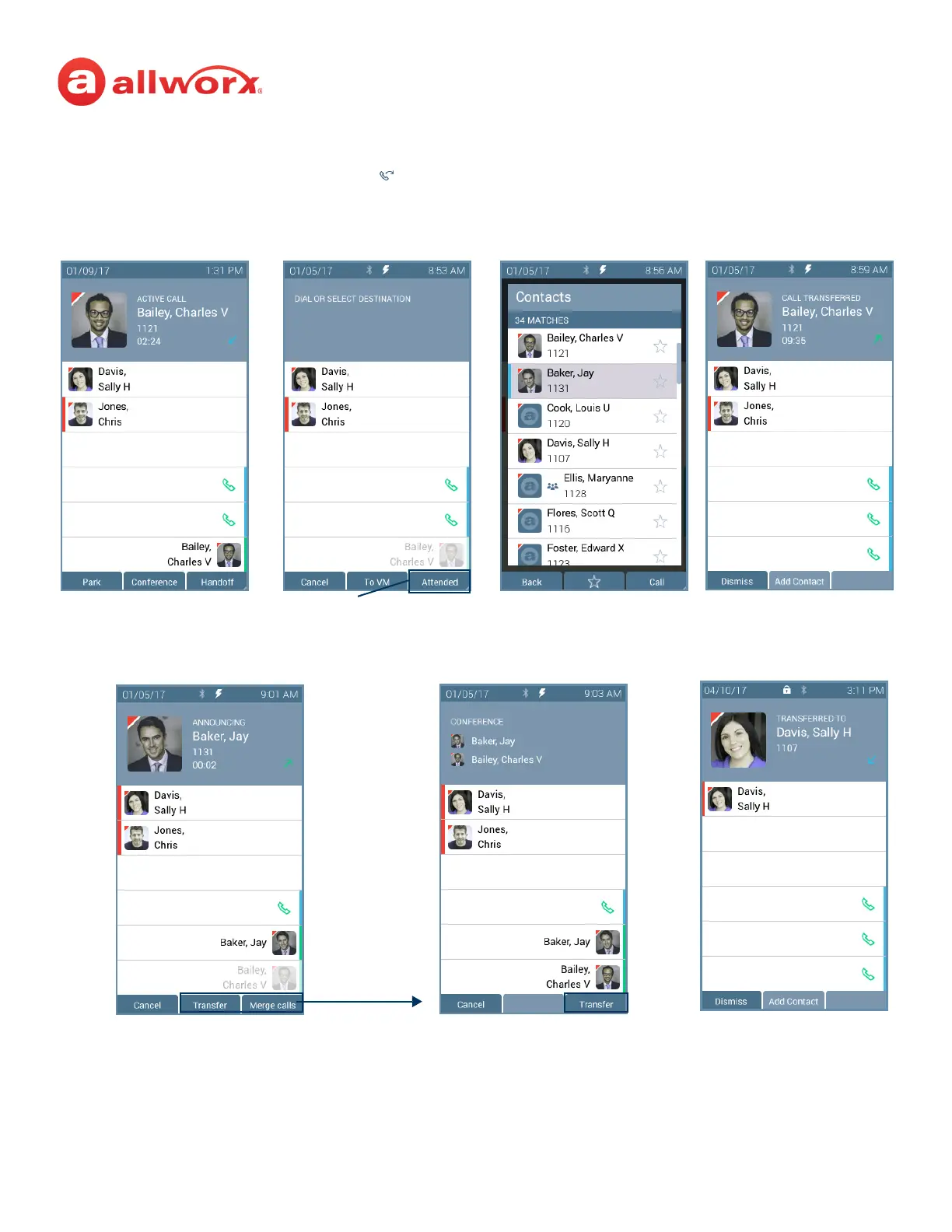
Call Transfer ( ) function
button pressed.
Select a recipient:
a. Dial the recipient’s number
(contact matches display).
b. Press the Contacts function
button (all contacts display).
Blind Transfer
Active Call in progress.
(Optional) Press the Attended soft key to
perform the Attended Transfer.
Announced Transfer Merge Calls
Press Transfer to complete the call transfer.
Press Merge Calls to provide audio for all callers.
Call automatically transferred.
Press Transfer to complete the
transfer and leave the call.
After a successful transfer, the screen
confirms the transfer recipient.



 To Next Page