Allworx Verge IP Phone Series User Guide
866.ALLWORX * +1 585 421 3850 Page 63
www.allworx.com
Version: D Revised: June 1, 2017
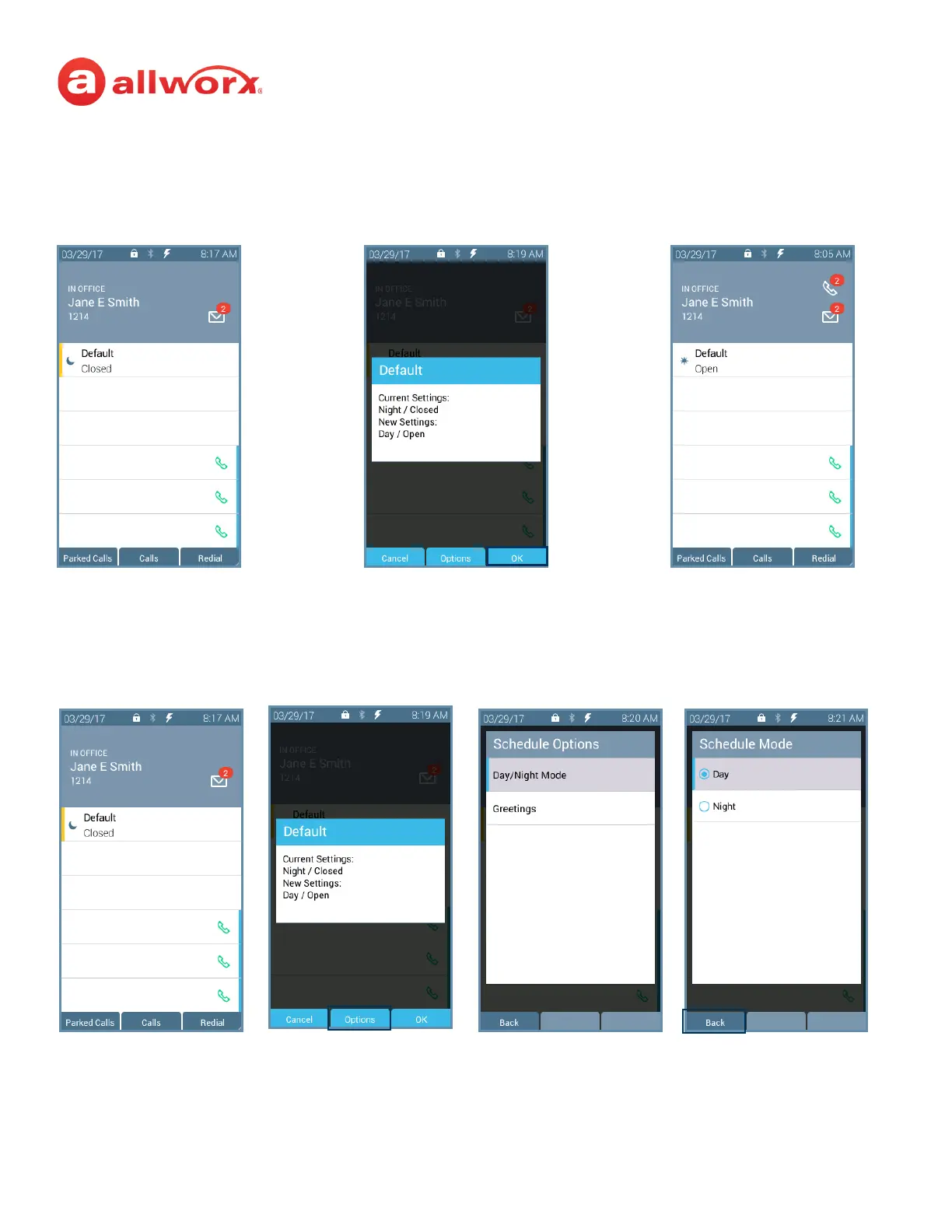
Press the Schedule
programmable button.
The current/new settings
display. Press the OK soft key.
Phone reboots with the new
settings.
Option A
Option B
Press the Schedule
programmable button.
The current/new settings
display. Press the Options soft
key.
The Schedule Options screen
displays.
Highlight and select the mode to
use. Press the Back soft key.



 To Next Page