90
NEO 1 and NEO 2
User Manual
W ORKING WITH ALPHAS MART MANAGER
Viewing, Printing, and Saving Files from Your NEO
. . . . .
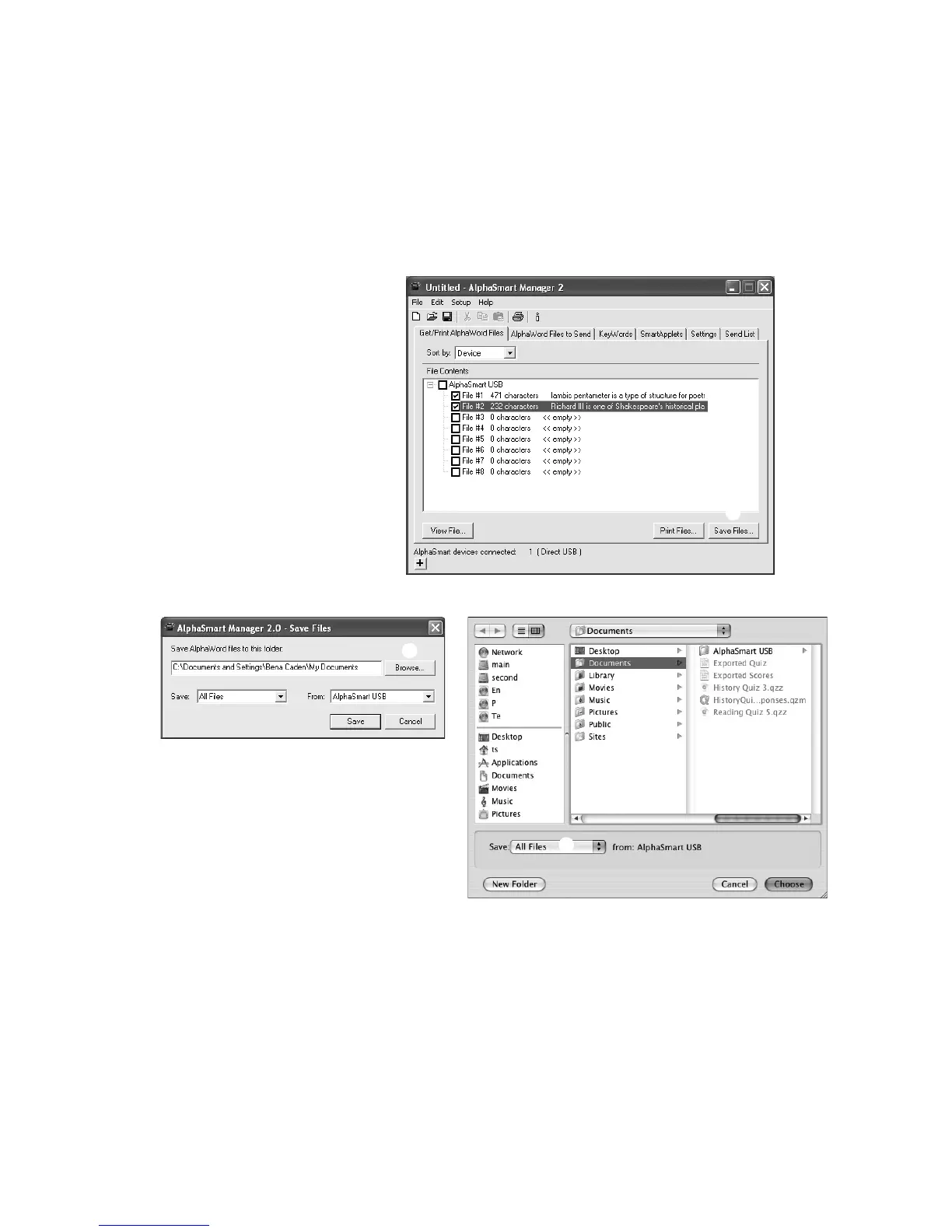
Follow these steps to save the files from your NEO(s):
1. If you know exactly which files you want to save, check those files in the
File Contents list
A.
2. Click Save Files
B. A Save File dialog box appears.
3. On Windows computers, click Browse
C and go to the location where
you want to save the file.
On Macintosh computers, navigate to the location where you want to save
the file.
A
B
D
C
D



 To Next Page