G ETTING STARTED
Installing the Batteries
5
. . . . .
NEO 1 and NEO 2
User Manual
How to Install and Charge a Rechargeable Battery Pack
Charge the batteries as soon as possible after you receive it. Do not store
the NEO without first charging the batteries.
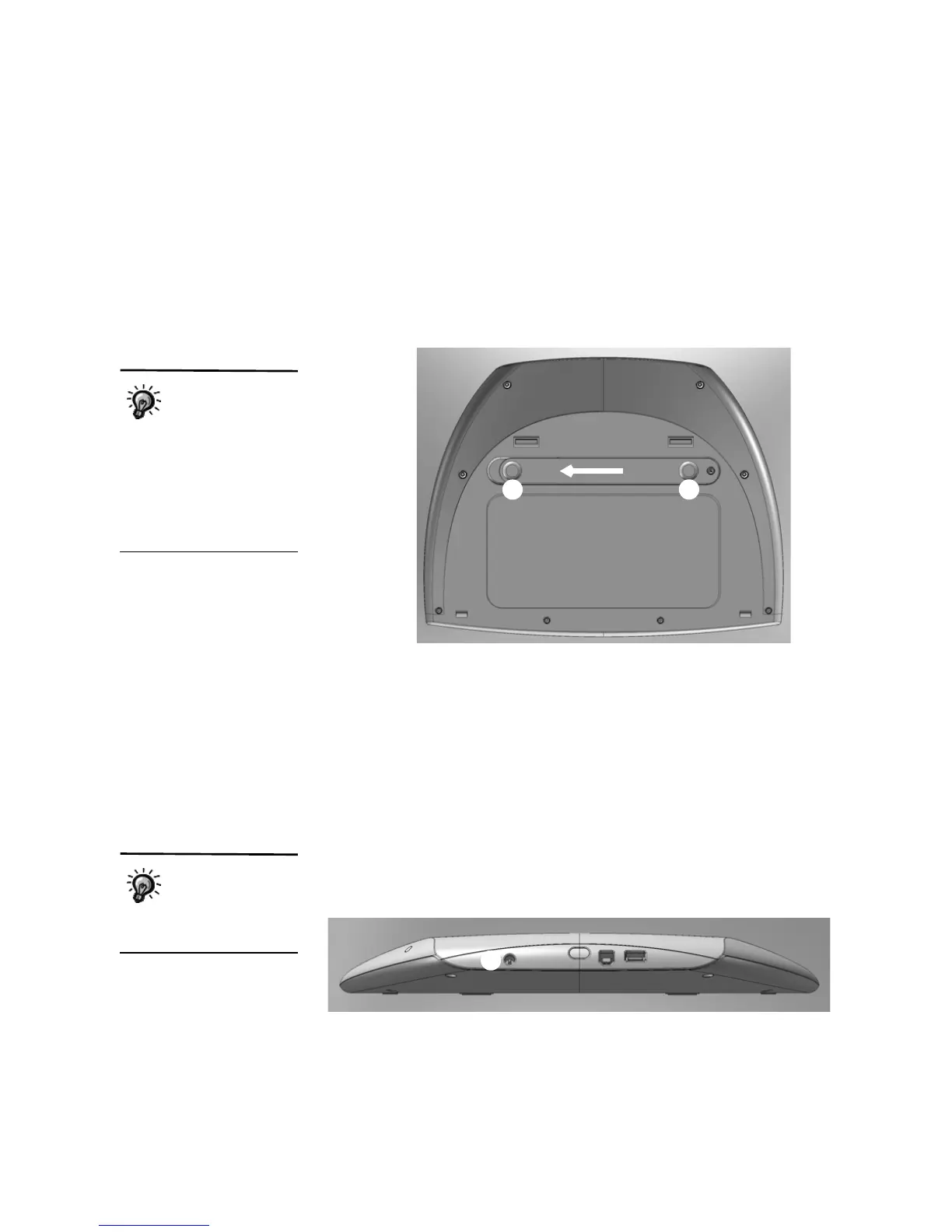
1. Turn the NEO over. On the back of the NEO, put your thumbs in the
circles on the battery compartment cover
A and slide the cover toward
the left to remove it from the NEO.
2. The first time you open the compartment, you’ll find a small plastic bag
with a Phillips screw for holding the battery compartment shut. Remove
the bag.
3. Insert the rechargeable battery pack in the NEO with the cable end
toward the matching cable in the NEO. Then, gently pull that cable out
and connect it to the rechargeable battery pack.
4. Put the battery compartment cover back on and slide it back in place. You
can insert the small Phillips screw in the hole provided to make sure the
cover stays shut.
5. Connect the AC adapter cord to your NEO at the connector shown
B,
and plug the cord into a working electrical outlet. The batteries will
automatically start charging.
After you install the
rechargeable battery
pack the first time,
you may use the small
screw that came with the
NEO to secure the cover. If
you do this, you’ll need to
remove the screw the next
time you install rechargeable
batteries.
A
A
You can use your
NEO while it’s
charging, but don’t
disconnect it until it is fully
charged.
B



 To Next Page