4
NEO 1 and NEO 2
User Manual
G ETTING STARTED
Installing the Batteries
. . . . .
How to Install AA Batteries
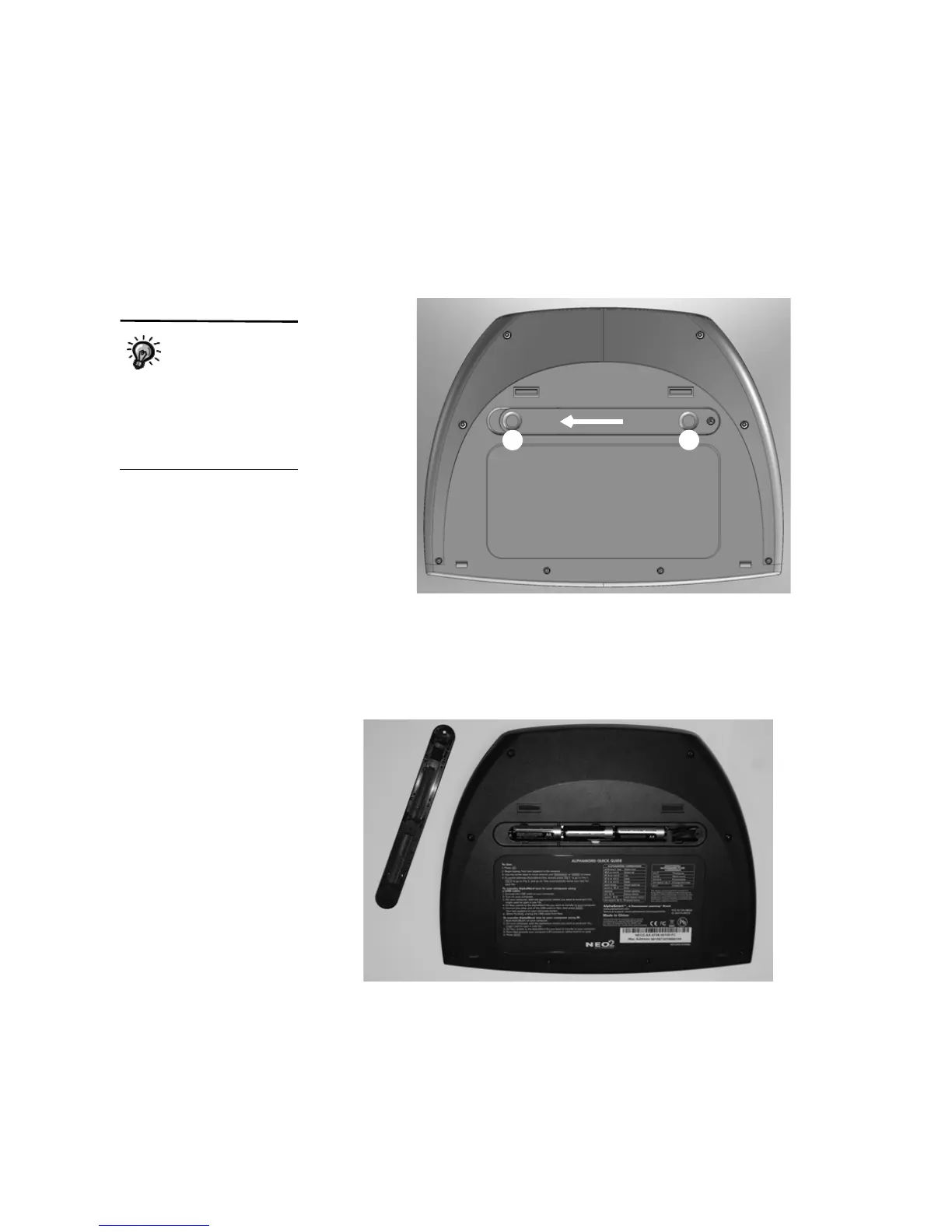
1. Turn the NEO over. On the back of the NEO, put your thumbs in the
circles on the battery compartment cover
A and slide the compartment
cover toward the left to remove it from the NEO.
2. The first time you open the compartment, you’ll find a small plastic bag
with a Phillips screw for holding the battery compartment cover shut.
Remove the bag.
3. Insert three AA batteries into the compartment. Make sure the + end of
each battery points toward the black and red cables.
4. Put the battery compartment cover back on and slide it back in place. You
can insert the small Phillips screw in the hole provided to make sure the
cover stays shut.
After you install the
batteries the first
time, you may use
the small screw that came
with the NEO to secure the
cover. If you do this, you’ll
need to remove the screw the
next time you install batteries.
A
A



 To Next Page