32
NEO 1 and NEO 2
User Manual
W RITING ON NEO USING ALPHAW ORD PLUS
Changing Font Size
. . . . .
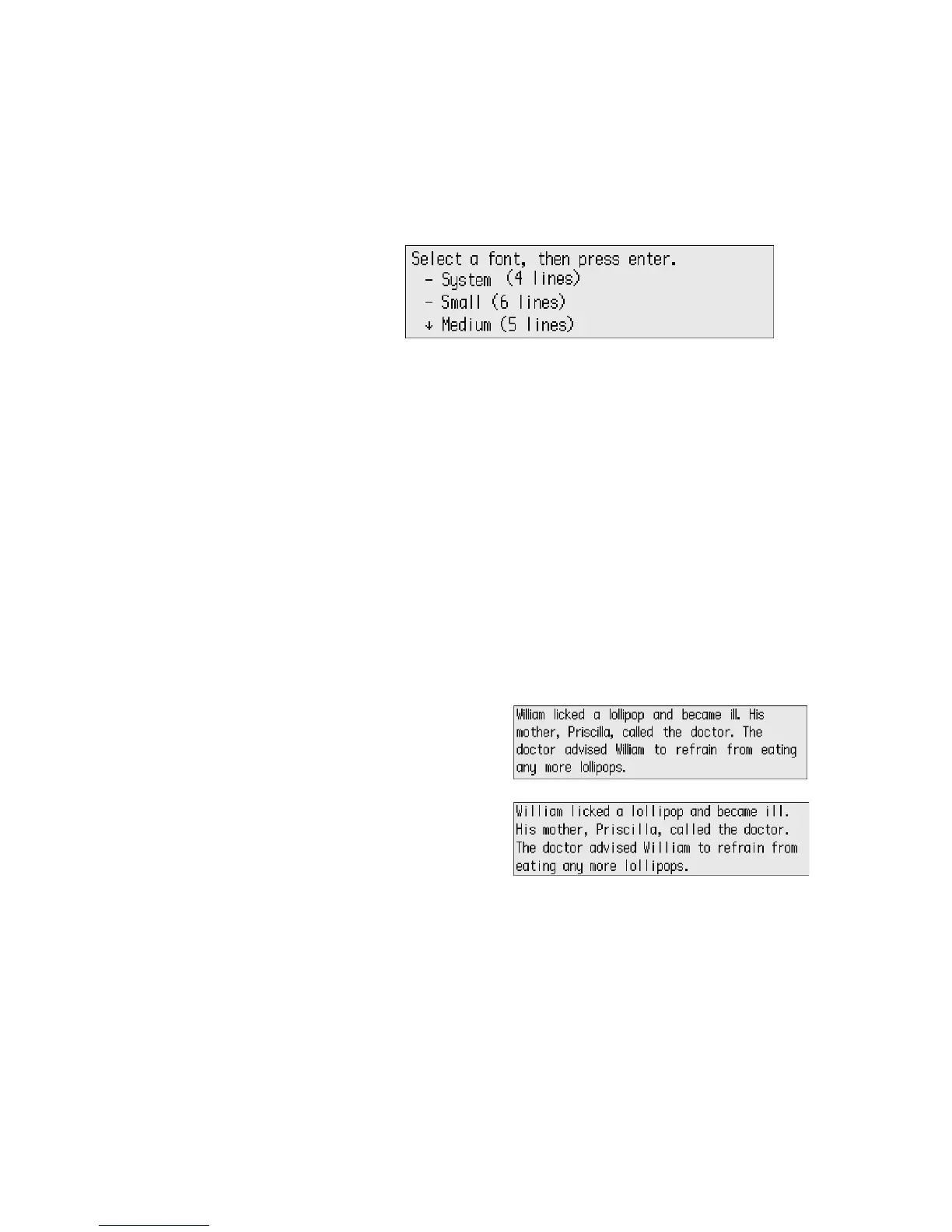
2. Scroll to select the font size you want to use, then press enter. (The
current size has “+” next to it.)
If you changed the font size with the keyboard command, you go back to the
file where you were working. If you used Control Panel, you’re returned to the
list of settings; to see the new font size, press applets, then select AlphaWord
Plus.
How the System Font Differs from the Large Font
Although both are four-line fonts, the four-line system font is a fixed-width or
monospace font, and the four-line large font is a proportional font.
In fixed-width fonts like the system font, every character and space occupies
the exact same width.
In proportionally spaced fonts like the large font, each character occupies
only the space it needs to display that particular character. So, for example,
an
m character takes up more space than an i character.
This example shows the difference between the two fonts. Note the different
widths of the words “William,” “ill,” and “lollipop” in each illustration.
Large four-line font
(proportional)
System four-line font
(fixed width)



 To Next Page