W ORKING WITH ALPHAS MART MANAGER
Passwords in AlphaSmart Manager
117
. . . . .
NEO 1 and NEO 2
User Manual
Enabling File Passwords for AlphaWord Plus Files and Changing the Default
File Password
File passwords are useful for protecting the contents of your AlphaWord files.
When you first enable passwords for AlphaWord Plus files, all files use the
default password (write) or the password you set in step 4 below. If you
decide to set a unique password for each file later, you can do so on the NEO
itself; see page 77. You can’t set file passwords without first enabling
password protection.
To enable passwords and set a new default password for all files:
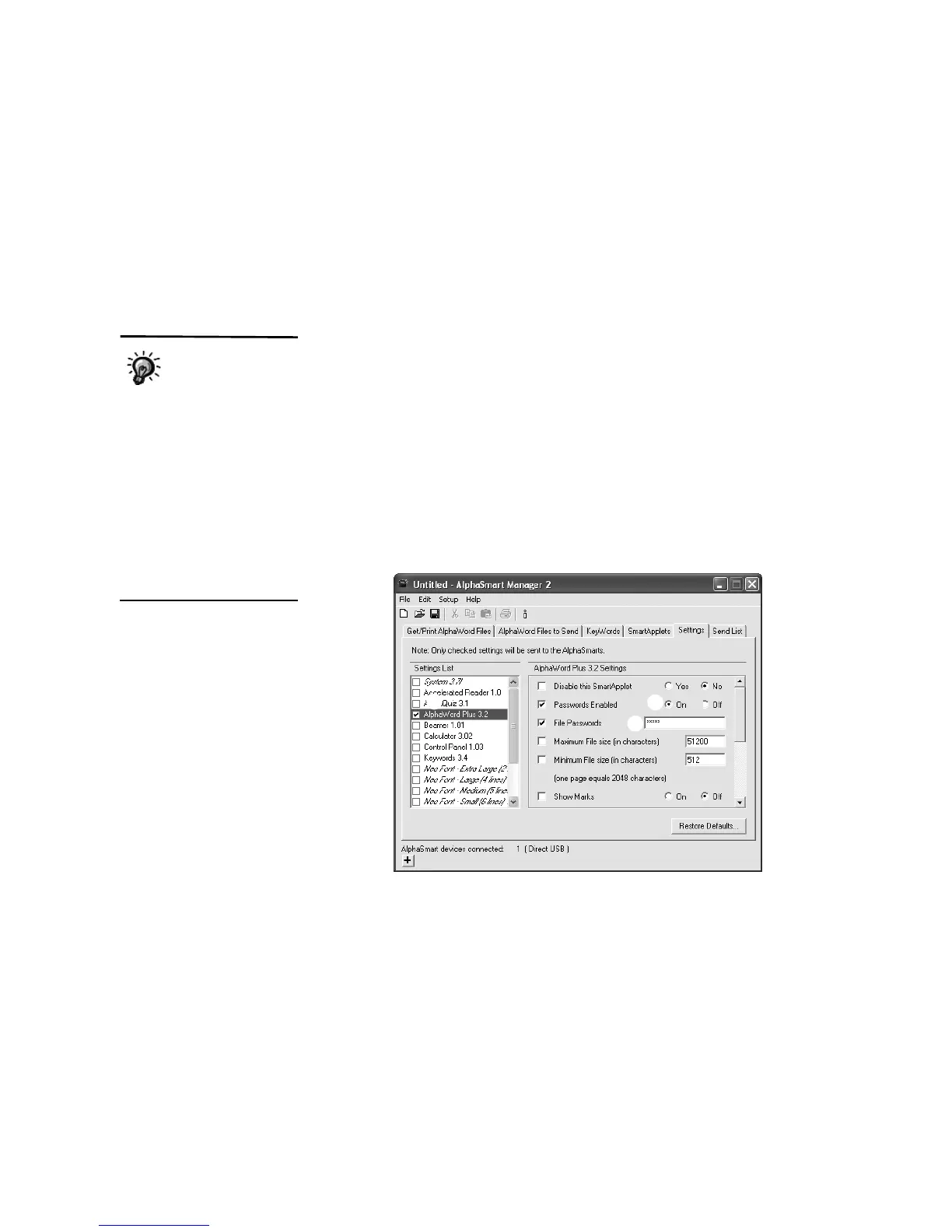
1. In AlphaSmart Manager, click the Settings tab.
2. Click AlphaWord Plus in the Settings List on the left
A.
3. Click the On option for Passwords Enabled
B; note that AlphaSmart
Manager checks the Passwords Enabled check box.
4. The default password for all AlphaWord Plus files is write. If you want to
change it, type a new default file password in the File Passwords field
C.
(Passwords can be between one and six characters long.)
5. Click the Send List tab and verify that the setting appears in the send list.
6. If you have a SmartOption Mobile Lab and you want to send the changes
to some, but not all, of the NEOs, click Select Devices, check the
numbers to which you want to send the text, then click OK. (To send to all
connected NEOs, skip this step.)
7. Click Send. If you have set a send list password (see page 116), you must
enter the password and click OK.
To enable file
passwords on a
single NEO without
using AlphaSmart Manager,
see page 76. You can also
change individual file
passwords by following the
steps on page 77, and you
can reset file passwords on
the NEO by following the
steps on page 78. In
AlphaSmart Manager, you can
set the default file password
for all files, but you can’t set
passwords for individual files.
A
B
C



 To Next Page