TROUBLESHOOTING
Reinstalling or Repairing Keys on the NEO Keyboard
129
. . . . .
NEO 1 and NEO 2
User Manual
5. For all keys except the arrow keys, put the square part of the scissors
piece to the far left of the keypad area where it is to sit; then, slide it
underneath the two slider pieces. Slide it all the way to the right.
For arrow keys, put the square part of the scissors at the top of the
keypad area where it is to sit; then, slide it underneath the two slider
pieces. Slide it all the way to the bottom of the area.
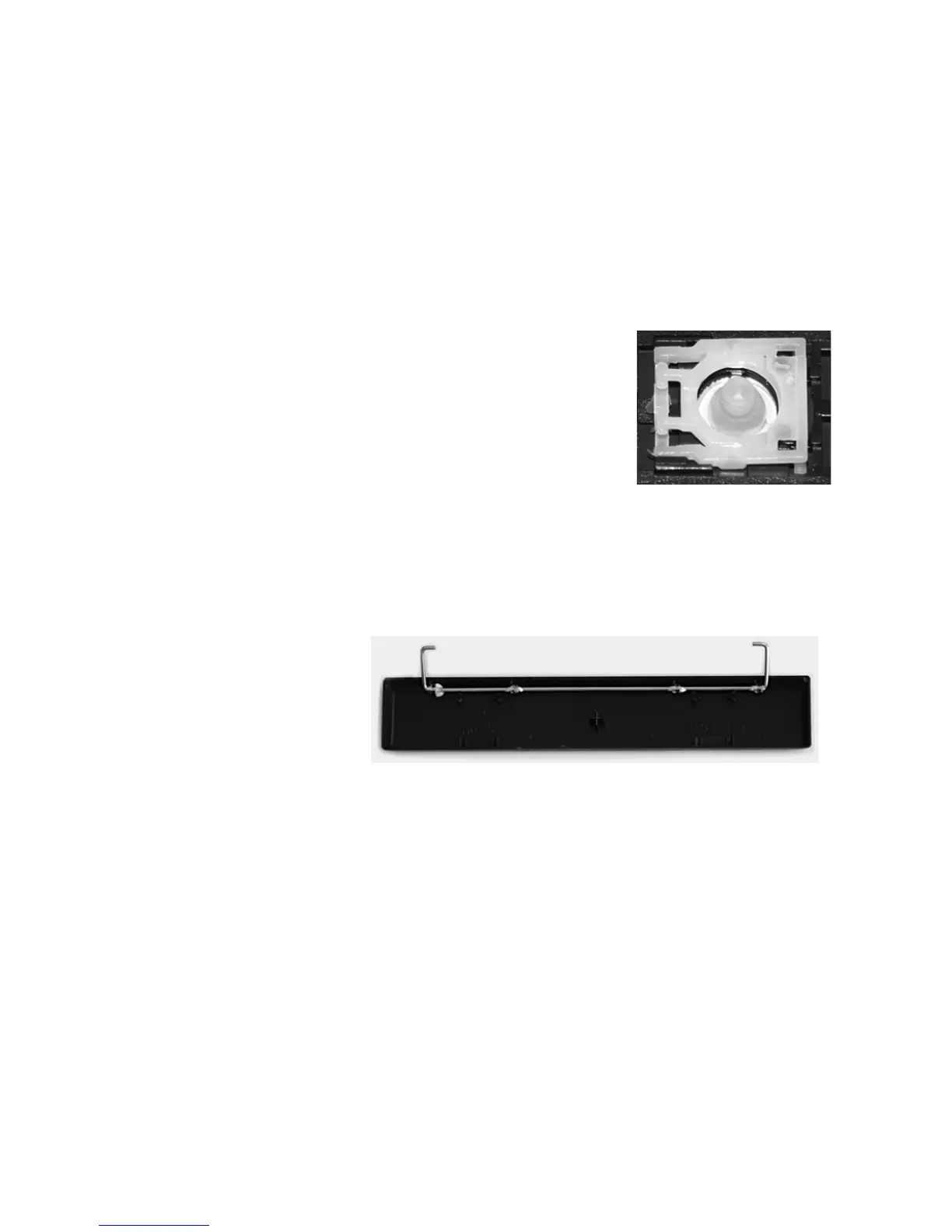
6. Now you should be able to click the right
side (or the bottom side of arrow keys) into
the narrow channel just by pressing down
on that side. You should hear it click
soundly into place. It should look like the
image to the right.
7. Now, go to page 127 and follow the steps
for reinstalling the key cap.
Reinstalling the Spacebar
1. Make sure the wire bar is snapped into the underside of the spacebar
correctly. The long part of the wire needs to be snapped into the little
holders on each end of the bottom of the spacebar key cap. When the
wire is correctly positioned, two wire “ears” will stick up as shown below.



 To Next Page