G ETTING STARTED
Sending Files from One NEO to Another
13
. . . . .
NEO 1 and NEO 2
User Manual
Sending Files to Programs Other Than Word Processing Programs
The previous procedures assume you are sending text to a word processing
program on your computer. However, you can also send text to:
• Multimedia text fields
• Text tools in a page layout or graphics program
• Email programs
• Spreadsheets
Just place your cursor wherever you would normally type text in your
program; then, press send on the NEO.
Tips for Sending Text to a Spreadsheet
Spreadsheets keep track of information in columns and rows. On NEO, you
can set up some of your data in AlphaWord Plus using tabs and returns for
eventual transfer into a spreadsheet program on your computer.
Sending Files from One NEO to Another
When you have the Beamer SmartApplet on your NEO, you can beam files
from one NEO to another right within AlphaWord Plus.
You don’t need to open the Beamer SmartApplet to send and receive files. If
you want to send and receive files while working in the AlphaWord Plus file
spaces, follow these steps:
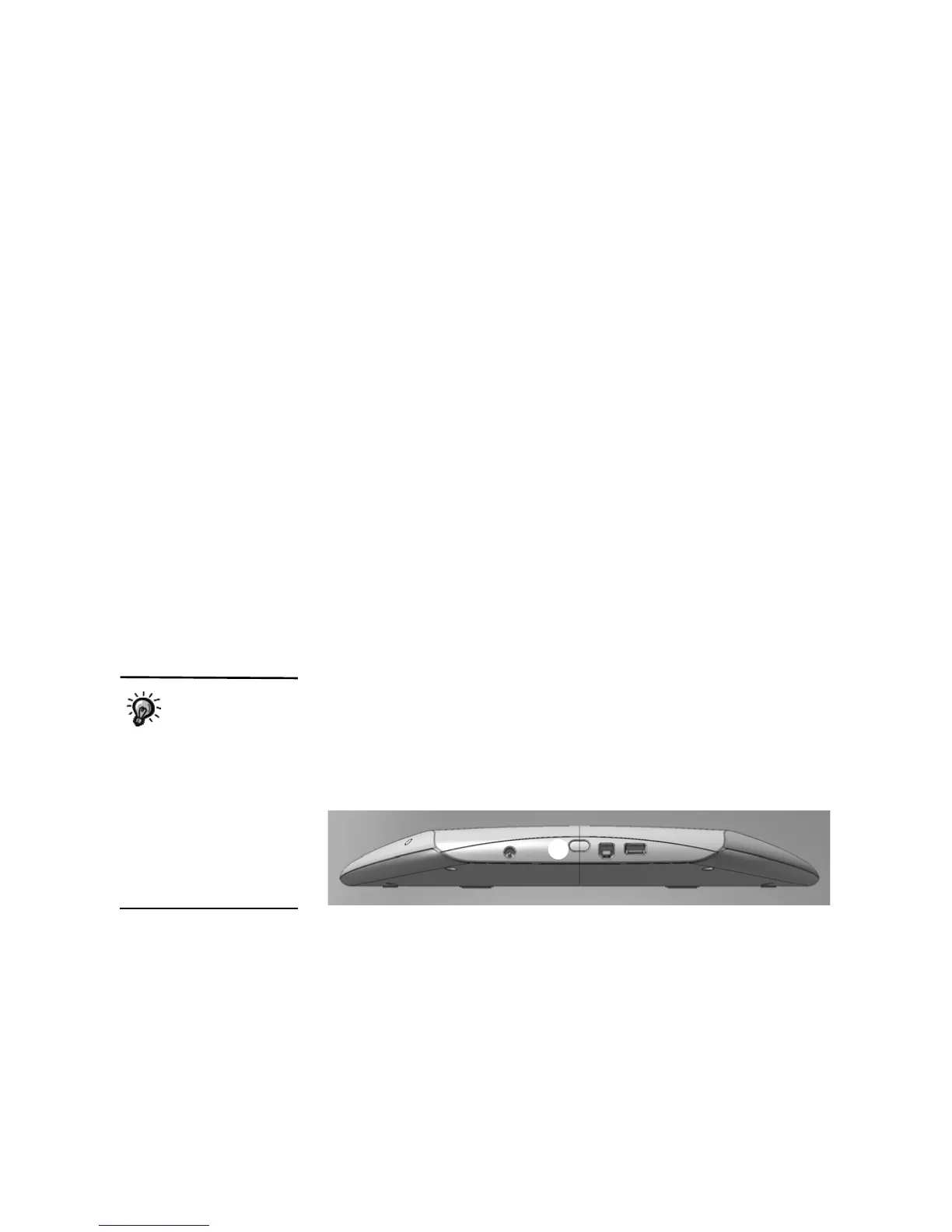
1. Move your NEOs to within three feet of each other and aim their infrared
ports
A at each other as shown.
You can also use the
Send and Receive
options in the
Beamer SmartApplet itself,
but it is faster to send files
from within AlphaWord Plus. If
you want to start the Beamer
SmartApplet, press applets,
move the cursor next to
Beamer, and press enter. In
the Beamer SmartApplet, you
can also change Beamer
settings.
A



 To Next Page