108
NEO 1 and NEO 2
User Manual
W ORKING WITH ALPHAS MART MANAGER
Defining System Settings for the NEO
. . . . .
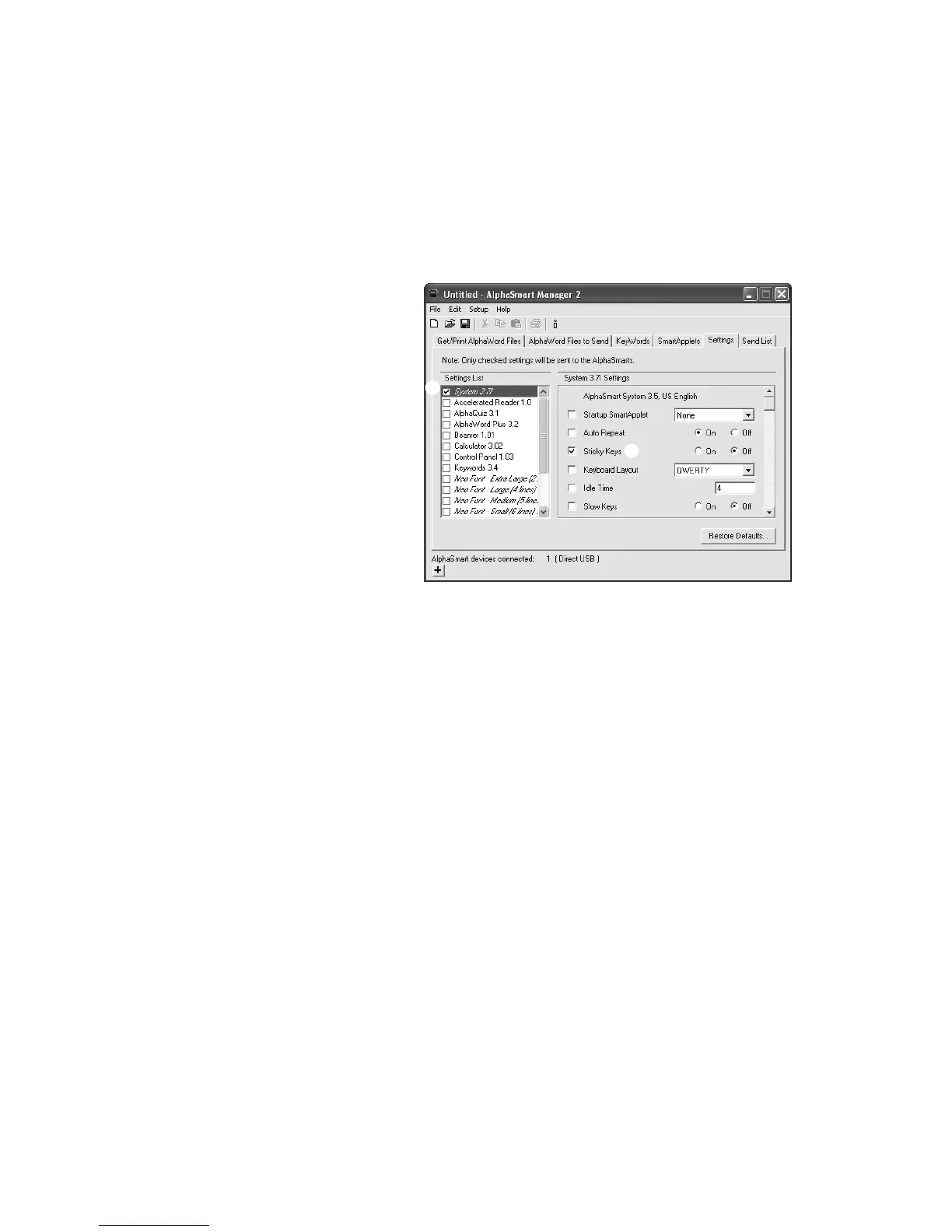
How to Change System Settings Using AlphaSmart Manager
1. In AlphaSmart Manager, click the Settings tab.
2. Click System in the Settings List
A.
3. Check the settings you want to change B. (You might need to scroll down
to view all the settings.) Then, make changes to the settings as needed.
Note: When you change settings, notice that AlphaSmart Manager
automatically checks the System box on the left
A. If you remove the
check mark from this box, changes you make to settings won’t be sent to
your NEO.
4. Click the Send List tab and verify that the settings you want to send
appear in the Send List Display.
5. If you have a SmartOption Mobile Lab and you want to send the changes
to some, but not all, of the NEOs, click Select Devices, check the
numbers to which you want to send the text, then click OK. (To send to all
connected NEOs, skip this step.)
6. Click Send. If you have set a send list password (see page 116), you must
enter the password and click OK.
A
B



 To Next Page