TROUBLESHOOTING
Reinstalling or Repairing Keys on the NEO Keyboard
127
. . . . .
NEO 1 and NEO 2
User Manual
Reinstalling the Key Cap Only
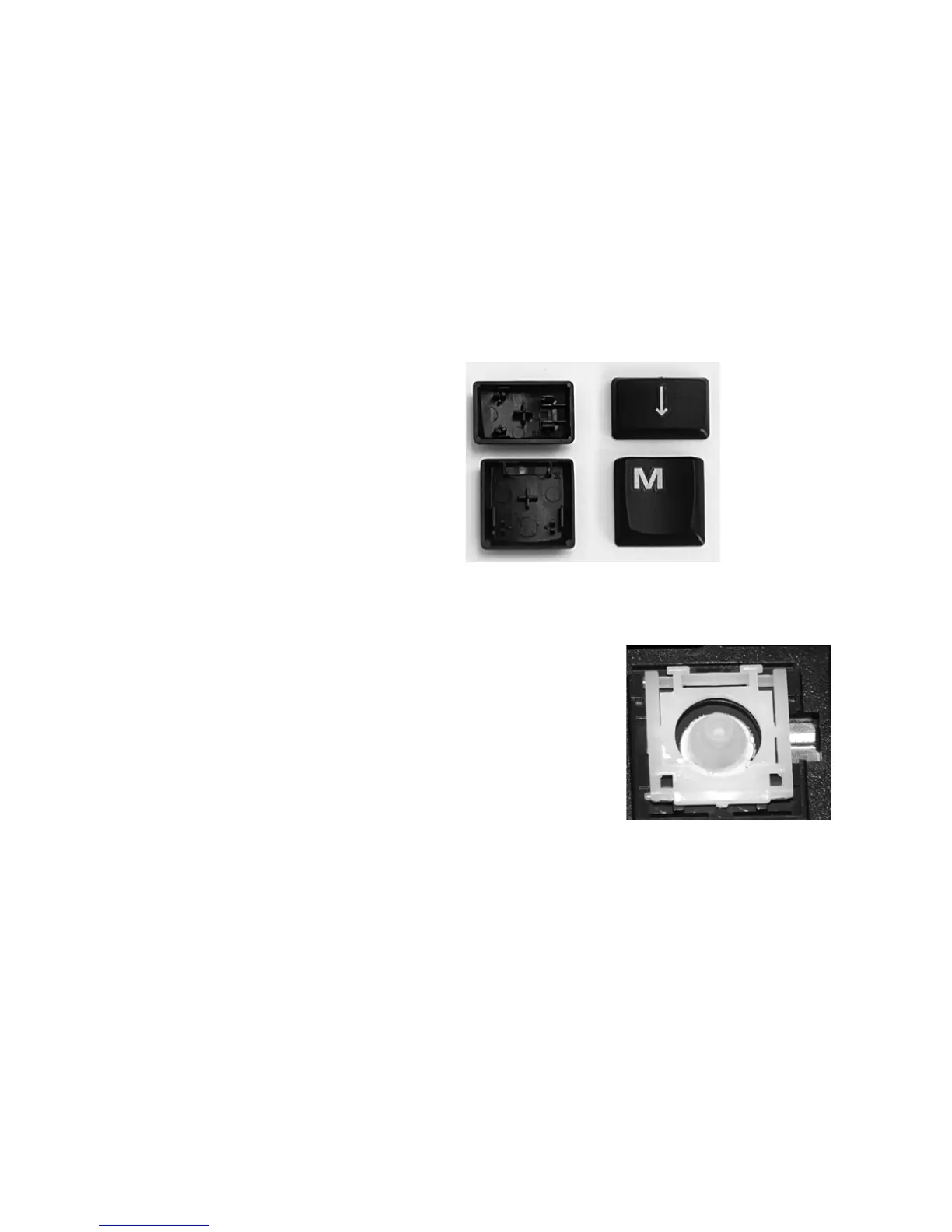
1. Start by looking at the underside of the key cap to make sure there are no
broken prongs, which are the protruding U-shaped clasps and hooked
pegs that help keep the key in place. Also, note the location of the plus
sign in the middle of the key cap’s underside.
The photos below show the two main styles of keys; though the shapes
are different, the keys have the same basic structure.
2. If you see at least one broken prong, stop here and contact Technical
Support for your location. (See the beginning of this manual for contact
information.)
If the prongs don’t appear to be
damaged, and the key’s underlying
scissors assembly is still flatly in place
on your keyboard as shown to the right,
start the repair by gently placing the key
back on top of its original location,
centering the plus sign over the circular
dome that the scissors assembly
surrounds. Do not press the key down
yet.
3. Before you press the key down, please note that if you press too
hard, you may break the underlying scissors pieces, in which case
you will need to contact Technical Support and arrange for repair.



 To Next Page